alphai-tui
Terminal stock dashboard with watchlists, candlestick charts, portfolio tracking, news, and company filings.
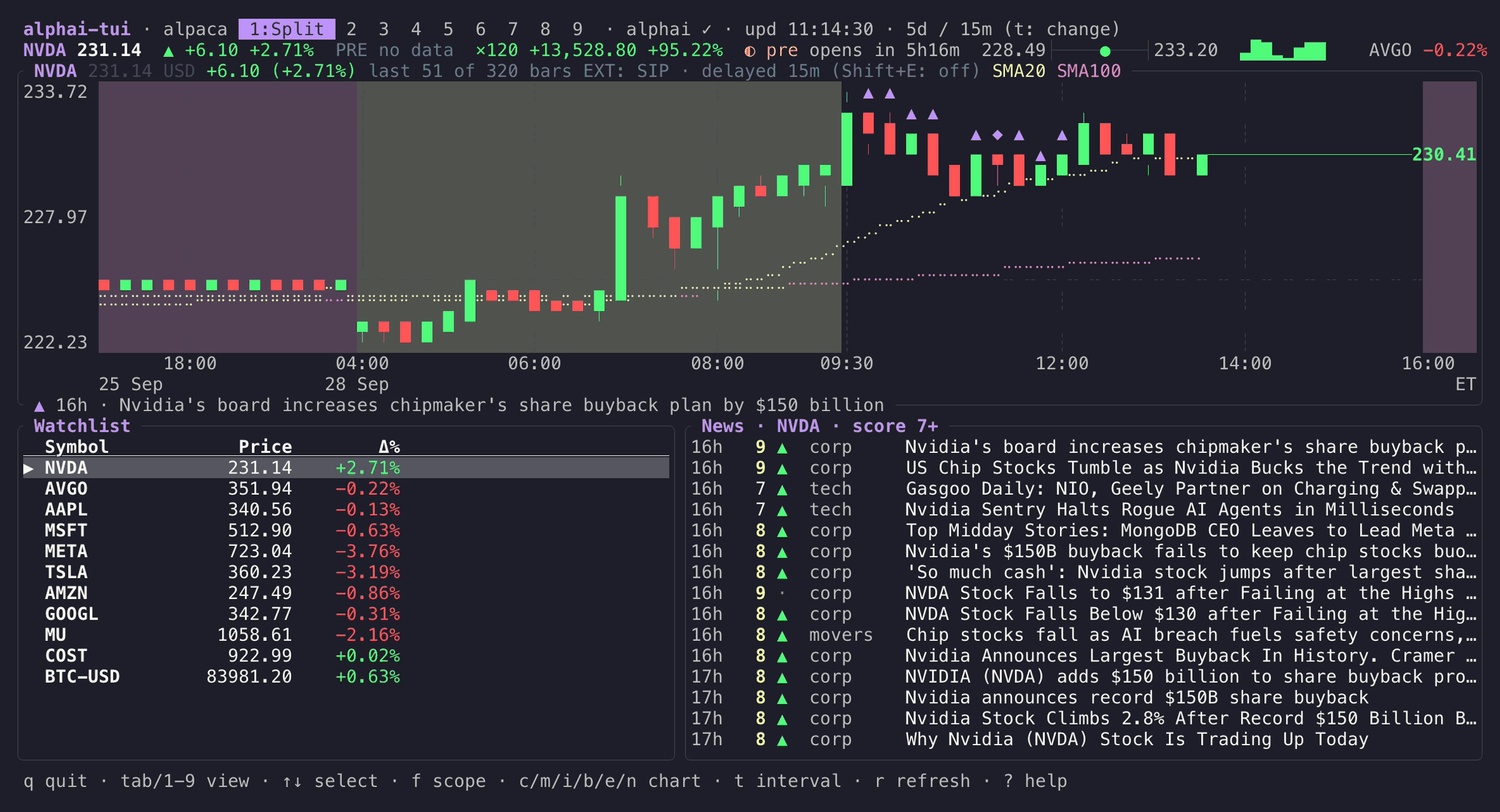
alphai-tui is a Rust and ratatui dashboard for following stocks and other market symbols in the terminal. A split view combines a candlestick chart, watchlist, and news feed; separate views show a full watchlist table, charts, insider filings, earnings, portfolio information, and a calendar. Charts include moving averages, volume, and RSI, with keyboard controls for intervals and overlays.
Quotes and charts use Yahoo without an account or API key. Finnhub, Alpaca, and Tiingo are optional providers that require their own keys. News, Insider, Earnings, and Calendar views require an AlphAI key entered in settings; these views include provider-generated AI analysis alongside news and filing data.
Launch it with symbols such as alphai-tui NVDA AVGO AAPL, or reopen a saved watchlist with alphai-tui. Users can add or remove symbols inside the dashboard and save their configuration, making it useful for keeping market data visible while working in a terminal.
Installation
# via Homebrew
brew install makeev/tap/alphai-tui
# via Cargo
cargo install alphai-tui
Alternatives & related tools
angle-grinder
Command-line log analysis tool that parses, filters, and aggregates log data with a pipeline query language and a live-updating terminal UI.
qsv
Rust CLI toolkit of composable commands for querying, transforming, validating, joining, and describing CSV, Excel, and other tabular data.
jless
Command-line JSON viewer with syntax highlighting, collapsible sections, and vim-inspired navigation commands
jnv
Interactive terminal JSON viewer and jq filter editor with auto-completion, using the built-in jaq engine; reads files or stdin.
htmlq
HTML parser that uses CSS selectors to extract content from HTML files, similar to jq for JSON
add a badge to your README
Maintain alphai-tui? Show that it's featured on trmn. The badge links back to this page.

[](https://www.trmn.sh/tools/alphai-tui?utm_source=badge)<a href="https://www.trmn.sh/tools/alphai-tui?utm_source=badge"><img src="https://www.trmn.sh/badge/alphai-tui.svg" alt="Featured on trmn" height="20"></a>