carl
A command-line calendar tool with colors, iCal support, and customizable themes that mimics traditional cal implementations
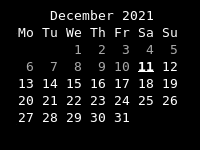
Carl is a command-line calendar application that extends traditional cal(1) functionality with color support, iCal integration, and extensive customization options. The tool displays monthly, yearly, or multi-month calendar views with configurable week start days, Julian dates, and various layout options including single month (-1), three-month (-3), or custom month ranges.
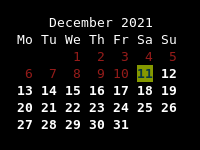
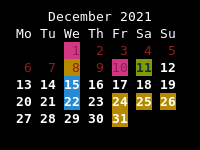
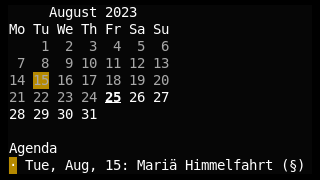
The application supports iCal file integration to highlight events directly in calendar views, with an optional agenda mode (-a) that displays event summaries below the calendar. Carl uses a comprehensive theming system based on TOML configuration files, allowing users to define custom styles for different date properties (weekdays, current date, events, etc.) with full RGB color support, text formatting, and separate dark/light theme variants.
Configuration is managed through XDG-compliant config files that define theme names, iCal file paths, and custom Jinja2 templates for calendar layout. The tool targets users who need calendar functionality in terminal environments, particularly those who want to integrate calendar events from external sources or customize the visual appearance beyond basic terminal colors. Carl accepts standard date arguments (YYYY, MM YYYY, DD MM YYYY) and provides Julian date display for specialized use cases.
Installation
# via Cargo
cargo install carl