Codewhale
Rust terminal coding agent that reads a repo, edits files, runs commands and checks results using hosted or local models (Ollama, vLLM, SGLang).
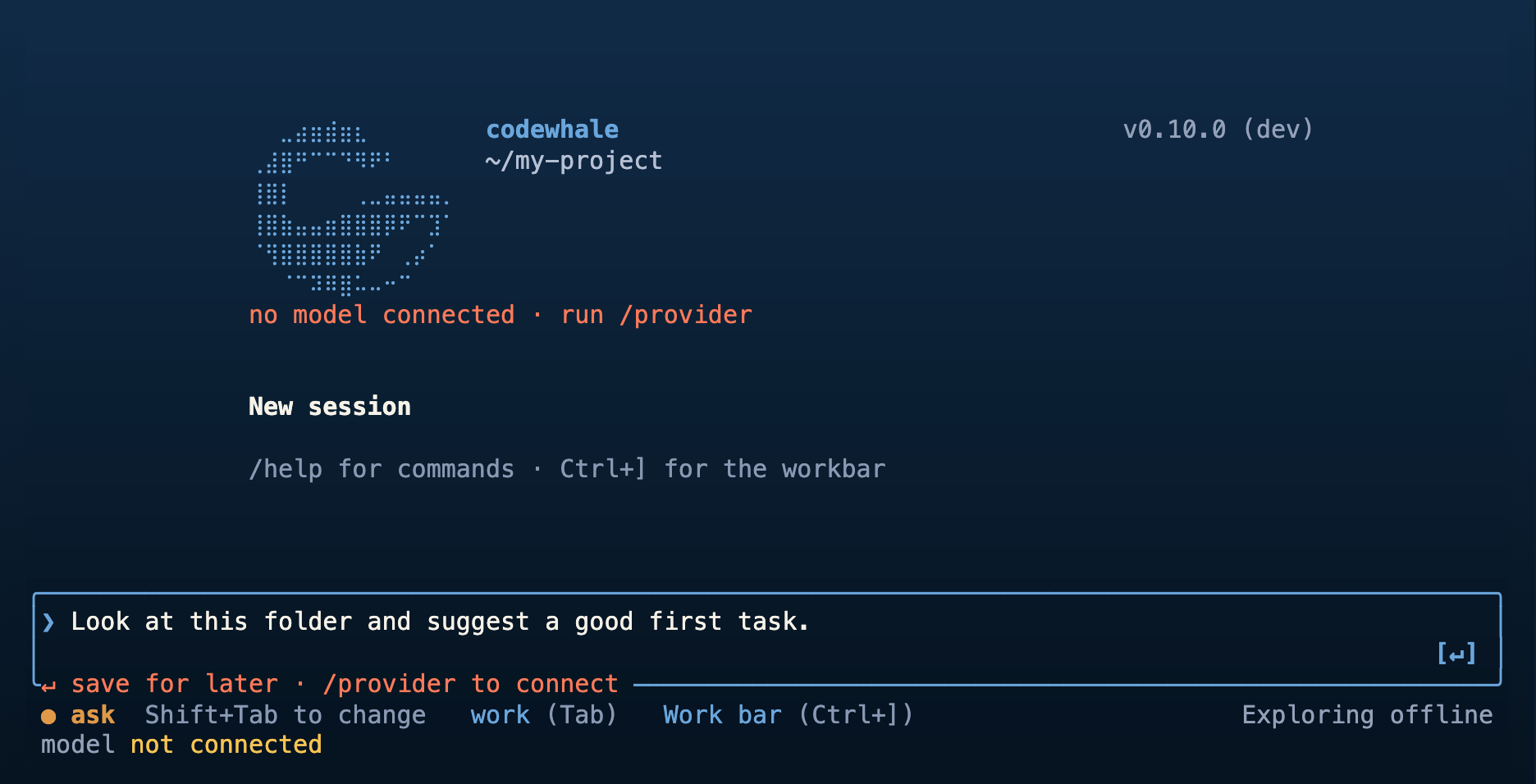
Codewhale is an open-source coding agent written in Rust that runs in the terminal. It reads the project in the current directory, edits files, runs commands, inspects the results, and keeps working toward a goal. It uses a model you choose: hosted providers, or local models through Ollama, vLLM, or SGLang. /provider (or F3) selects the provider and /model selects the model. If Ollama is already running with a chat model, Codewhale switches to it automatically.
You start it with codewhale in a project folder and describe a task, or run one non-interactively with codewhale exec "fix the failing tests and explain what changed", which suits scripts and CI. /mode plan explores without file changes or shell execution, and /mode work allows changes. Shift+Tab switches between Ask, Auto-Review, and Full Access approval levels. /undo and /restore recover workspace changes. Sessions can be saved, and /goal sets a durable goal. Larger jobs can be split across agents with different models and roles, and agent roles are stored as readable files in the project or personal settings.
The terminal UI and a bundled local web client (codewhale web) both connect to the Codewhale Runtime, which runs the agent and its tools. Extensions include MCP servers, skills, hooks, a Computer Use plugin for observing and interacting with other applications (it must be enabled and is subject to OS permissions), and a community-maintained VS Code extension. Optional OS sandboxing adds an execution boundary where supported. The project began as deepseek-tui and keeps its configuration and session compatibility. Shell completions are available for bash, zsh, fish, powershell, and elvish.
Installation
# via Shell script (macOS / Linux)
curl -fsSL https://codewhale.net/install.sh | sh
Alternatives & related tools
herdr
Terminal multiplexer written in Rust that runs coding agents in persistent panes, tracks working/blocked/idle state, and manages local and SSH machines.
Goose
Open source AI agent for desktop, CLI, and API with 15+ provider integrations and Model Context Protocol extensions
AIChat
LLM CLI with a shell assistant, chat REPL, RAG, function calling and agents, supporting 20+ providers including OpenAI, Claude, Gemini and Ollama.
code2prompt
CLI and TUI that converts a codebase into a single LLM prompt with a source tree, Handlebars templates, git context, and token estimates.
models
TUI and CLI for browsing AI models, benchmarks, coding agents, and provider statuses from multiple data sources.
add a badge to your README
Maintain Codewhale? Show that it's featured on trmn. The badge links back to this page.

[](https://www.trmn.sh/tools/codewhale?utm_source=badge)<a href="https://www.trmn.sh/tools/codewhale?utm_source=badge"><img src="https://www.trmn.sh/badge/codewhale.svg" alt="Featured on trmn" height="20"></a>