eilmeldung
Terminal RSS/news reader in Rust built on the news-flash library, with vim-style keybindings, mouse support, an article query language and many RSS providers.
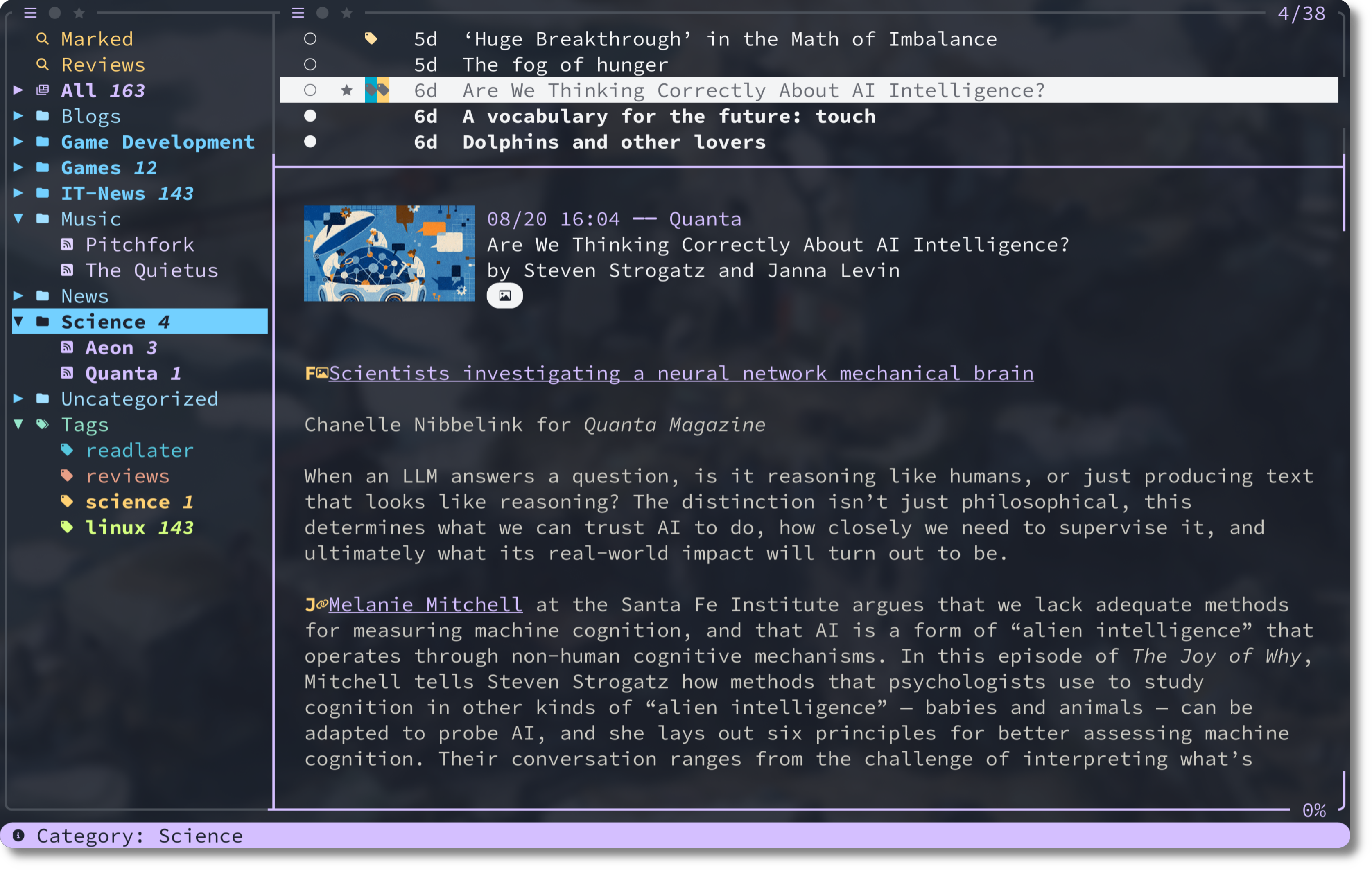
eilmeldung is a terminal RSS and news reader written in Rust with a Ratatui-based TUI. It is built on the news-flash library, which gives it support for multiple RSS providers. A "Local" provider is available for users new to RSS. It runs on Linux, macOS, Windows and NetBSD. Icons need a Nerd Font, though an ASCII icon preset exists.
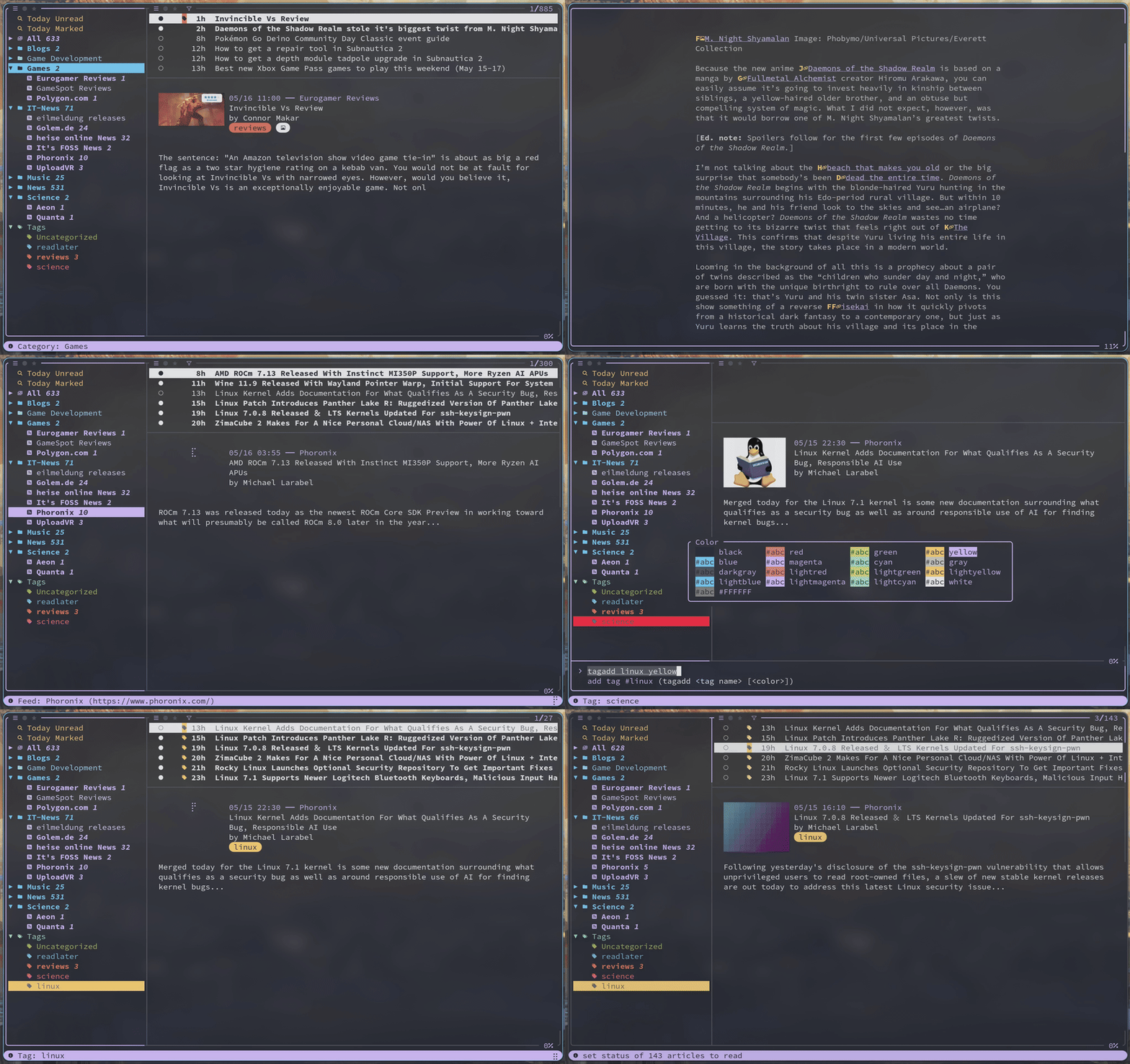
Navigation uses (neo)vim-inspired keybindings (j/k to move, h/l to switch panels) and configurable mouse input. Common actions: s syncs feeds, o opens an article in the browser, marks it read and jumps to the next unread, r/u mark read/unread, m/v star/unstar, and Ctrl-z undoes the last operations. ? shows a searchable list of all bindings, and : opens a command line (for example :importopml path/to/file.opml to import feeds, or :tagadd readlater red to create a tag). Zen mode (z) shows only the article content.
Articles can be filtered and searched with a query language. Queries can define smart folders in the feed_list config, e.g. query: "Read Later" #readlater unread. Articles can be flagged with f, then bulk-marked read, unread, starred or tagged. A pipe command sends article content through external commands, such as an LLM tool, since the reader has no built-in AI. An after_sync_commands option runs commands after a sync. Keybindings, colors, displayed content and provider are set in a TOML configuration file.
It suits terminal users who want a keyboard-driven feed reader with tagging and query-based filtering. It is an alternative to newsboat and similar readers.
Installation
# via Homebrew
brew tap christo-auer/eilmeldung  https://github.com/christo-auer/eilmeldung && brew install eilmeldung
# via Arch (AUR)
paru -S eilmeldung
# via Cargo
cargo install eilmeldung --locked
Alternatives & related tools
basalt
Terminal user interface (TUI) for managing Obsidian vaults and notes from the command line
bulletty
Terminal RSS/Atom feed reader that downloads entries for offline reading and stores feeds and articles as local Markdown files.
russ
TUI RSS/Atom feed reader with vim-style modal controls, a SQLite database for storage, and OPML import. Works fully offline.
kalker
Scientific calculator CLI with support for calculus, variables, functions, matrices, and multiple number bases
outside
Terminal weather client with multiple output formats including TUI, JSON, and Waybar integration
add a badge to your README
Maintain eilmeldung? Show that it's featured on trmn. The badge links back to this page.

[](https://www.trmn.sh/tools/eilmeldung?utm_source=badge)<a href="https://www.trmn.sh/tools/eilmeldung?utm_source=badge"><img src="https://www.trmn.sh/badge/eilmeldung.svg" alt="Featured on trmn" height="20"></a>