
Himalaya
Rust CLI for managing email across IMAP, SMTP, JMAP, Gmail, Microsoft Graph and Maildir backends, with multi-account TOML config and JSON output.
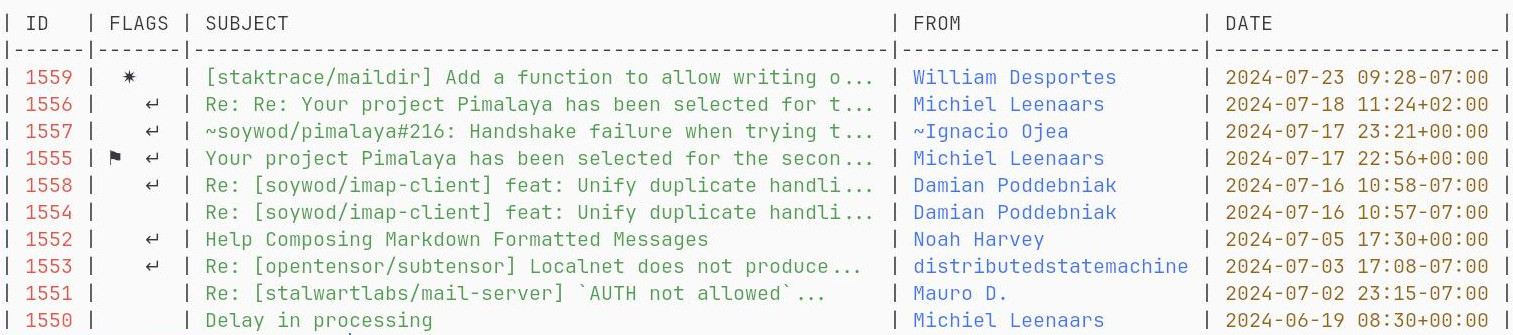
Himalaya is an email client for the command line, written in Rust. It exposes a shared API for mailboxes, envelopes, flags, messages and attachments, plus protocol-specific APIs that expose each backend's full surface. Commands such as himalaya envelope search -m archive ... and himalaya account list / himalaya account check operate on accounts declared in a configuration file, and every command has its own --help.
Backend support covers IMAP, SMTP, ManageSieve, JMAP, the Gmail REST API and Microsoft Graph (Outlook / Microsoft 365), along with local Maildir, m2dir and pimdir stores. Authentication options include SASL mechanisms (anonymous, login, plain, oauthbearer, xoauth2, scram-sha-256) for IMAP, SMTP and ManageSieve, and basic or bearer auth for JMAP. TLS is available through Rustls (ring or aws crypto) or native TLS, and SOCKS5 or HTTP proxies can be set per account or through $ALL_PROXY and $HTTPS_PROXY. Backends are gated behind cargo features, so you can build a binary with only IMAP and SMTP.
Configuration is a TOML file with multi-account support, loaded from $XDG_CONFIG_HOME/himalaya/config.toml, $HOME/.config/himalaya/config.toml or $HOME/.himalayarc. The same file is shared with the himalaya-tui TUI. On first run with no config, a wizard takes an email address and probes PACC, Thunderbird Autoconfiguration, RFC 6186 SRV records and RFC 8620 JMAP resolution in parallel, tests the connection, then prints the account TOML. The README provides example configs for Proton Mail (via Proton Bridge), Fastmail, Gmail, Outlook, Posteo and iCloud. Passwords and tokens can come from external commands such as pass or ortie. Output can be emitted as JSON with --json, which suits scripting.
It suits developers and terminal users who want to read, search and send mail from the shell or scripts, and who manage several accounts across different providers and protocols.
Installation
# via Homebrew
brew install himalaya
# via Cargo
cargo install --locked --git https://github.com/pimalaya/himalaya.git
# via Pre-built binary
curl -sSL https://raw.githubusercontent.com/pimalaya/himalaya/master/install.sh | PREFIX=~/.local sh
Alternatives & related tools
ncspot
Cross-platform ncurses Spotify client written in Rust on librespot, with Vim keybindings and an IPC socket for remote control. Requires Spotify Premium.
pueue
Command-line task management tool for sequential and parallel execution of long-running shell commands
presenterm
Terminal slideshow tool that runs markdown files as presentations, with images, themes, code highlighting and execution, and PDF/HTML export.
Numbat
Statically typed scientific calculator language with physical dimensions as types and first-class units, with an interactive REPL and unit conversion via ->.
taskwarrior-tui
A terminal user interface for Taskwarrior with vim-like navigation and live filtering capabilities.
add a badge to your README
Maintain Himalaya? Show that it's featured on trmn. The badge links back to this page.

[](https://www.trmn.sh/tools/himalaya?utm_source=badge)<a href="https://www.trmn.sh/tools/himalaya?utm_source=badge"><img src="https://www.trmn.sh/badge/himalaya.svg" alt="Featured on trmn" height="20"></a>