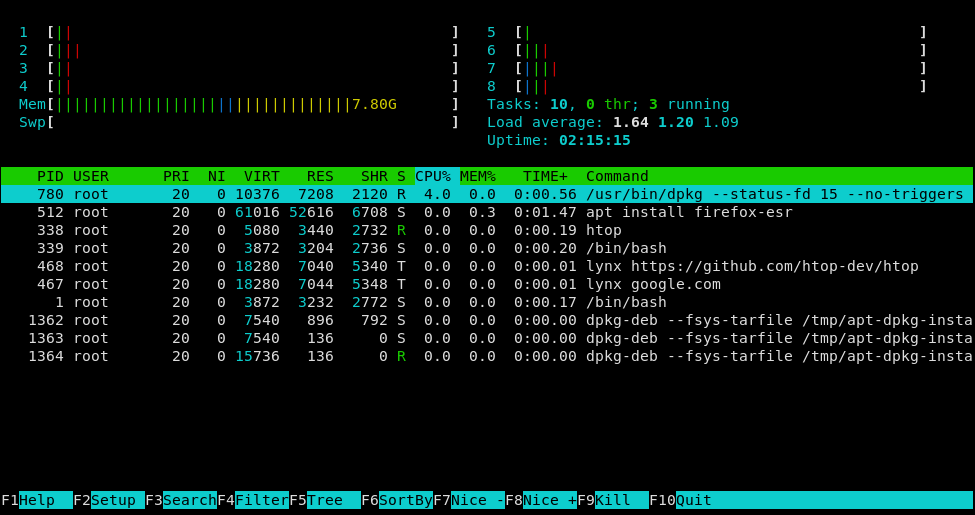
htop
Cross-platform interactive process viewer with real-time system monitoring and process management
htop is an interactive process viewer that provides real-time monitoring of system processes and resource usage. It displays scrollable lists of running processes with detailed information including CPU and memory consumption, full command lines, and system-wide statistics like load average and swap usage. Users can navigate through processes vertically and horizontally to view complete process information.
The tool offers extensive interactive capabilities for process management without requiring PIDs. Users can kill processes, change process priorities (renicing), search and filter processes, toggle tree view, and sort by different columns. The interface is fully configurable through a graphical setup menu, allowing customization of displayed information and visual layout.
htop is built with ncurses libraries and requires minimal runtime dependencies, making it lightweight and widely compatible across Unix-like systems. It includes optional features like hardware sensor monitoring, CPU affinity control, and Linux-specific capabilities support. The tool supports various build configurations for different platforms including Linux, BSD systems, and macOS, with optional integrations for Performance Co-Pilot, systemd, and hardware monitoring libraries.
Installation
# via Homebrew
brew install ncurses automake autoconf gcc
# via APT
sudo apt install libncursesw5-dev autotools-dev autoconf automake build-essential
# via DNF
sudo dnf install ncurses-devel automake autoconf gcc