ipatool
CLI for searching the App Store for iOS, iPadOS, tvOS, visionOS and macOS apps and downloading .ipa or macOS .pkg packages.
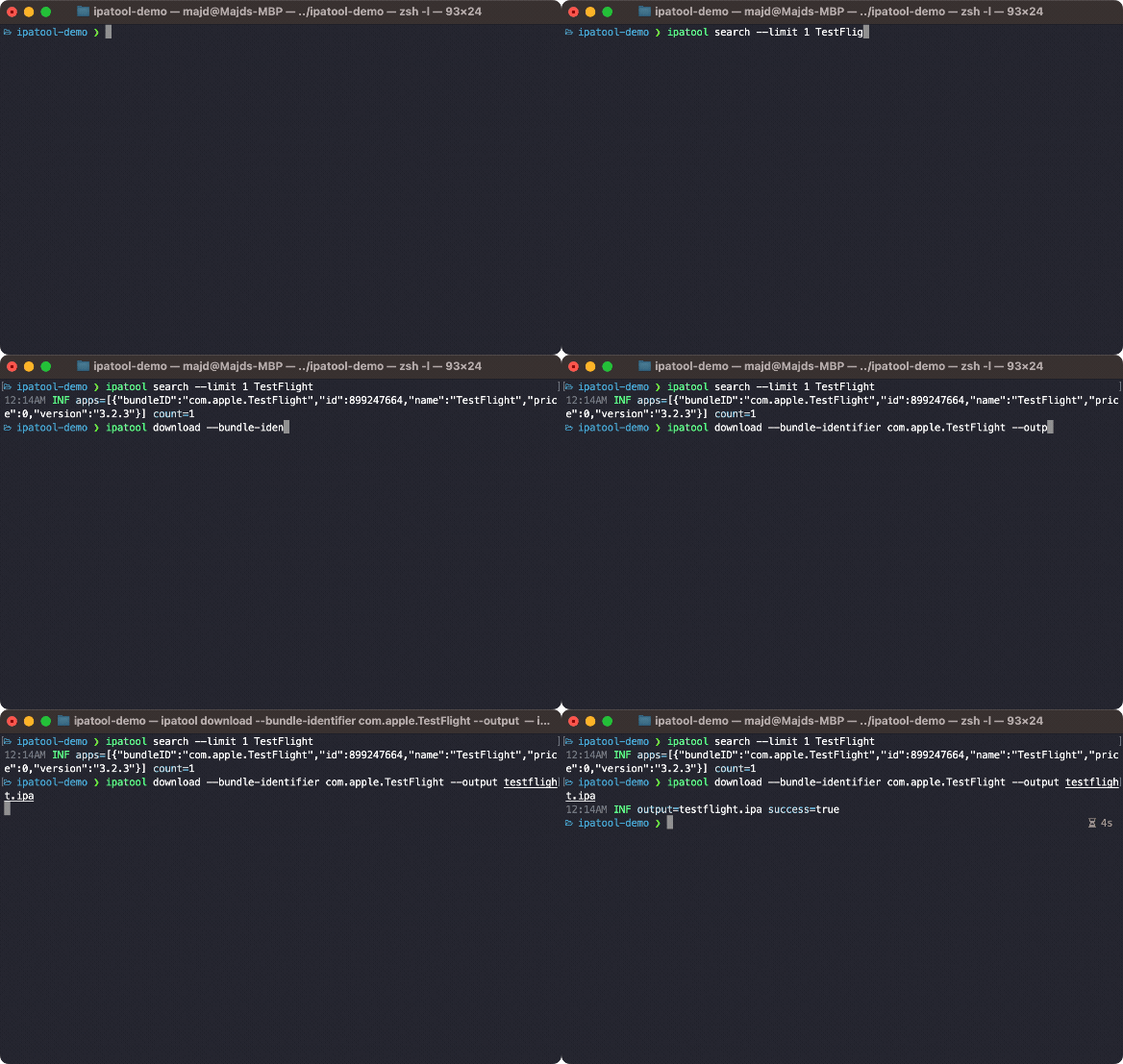
ipatool is a command-line client for the Apple App Store. It searches for iOS, iPadOS, tvOS, visionOS, and macOS apps and downloads their packages as .ipa files, or .pkg files for macOS apps. It runs on macOS, Linux, Windows, and iOS, and requires an Apple Account already configured to use the App Store.
Its subcommands cover the App Store workflow. auth signs in to the App Store. search finds apps. purchase obtains a license for an app. download fetches the package. list-purchases shows apps owned by the authenticated account. list-versions lists the available versions of an app. get-version-metadata retrieves metadata for a specific version. completion generates shell autocompletion scripts.
Global flags include --format for text or JSON output, --non-interactive for automated environments, --keychain-passphrase for unlocking the keychain, and --verbose for detailed logs. The tool runs in interactive mode by default. JSON output and non-interactive mode make it usable in scripts and CI. Developers, security researchers, and anyone who needs to retrieve app packages from the App Store from a terminal would use it. It can also be compiled from source with the Go toolchain.
Installation
# via Homebrew
brew install ipatool
# via Go (from source)
go build -o ipatool
Alternatives & related tools
Terragrunt
Orchestration tool for OpenTofu/Terraform infrastructure code, used to scale and manage Infrastructure as Code across many modules and environments.
reviewdog
Parses linter output and posts findings in changed lines as review comments on GitHub, GitLab, and Bitbucket, or filters lint results by diff locally.
scc
Code counter written in Go that reports lines of code, comments, complexity, ULOC and COCOMO estimates across many languages, with multiple output formats.
Task
Task runner and build tool that reads tasks from a YAML Taskfile, a simpler cross-platform alternative to Make.
Krew
Package manager for kubectl plugins: discover, install, and manage plugins from a central index, similar to apt, dnf, or brew.
add a badge to your README
Maintain ipatool? Show that it's featured on trmn. The badge links back to this page.

[](https://www.trmn.sh/tools/ipatool?utm_source=badge)<a href="https://www.trmn.sh/tools/ipatool?utm_source=badge"><img src="https://www.trmn.sh/badge/ipatool.svg" alt="Featured on trmn" height="20"></a>