jid
Interactive JSON explorer that takes piped input and lets you drill down with dot-path or JMESPath queries, with tab completion and suggestions.
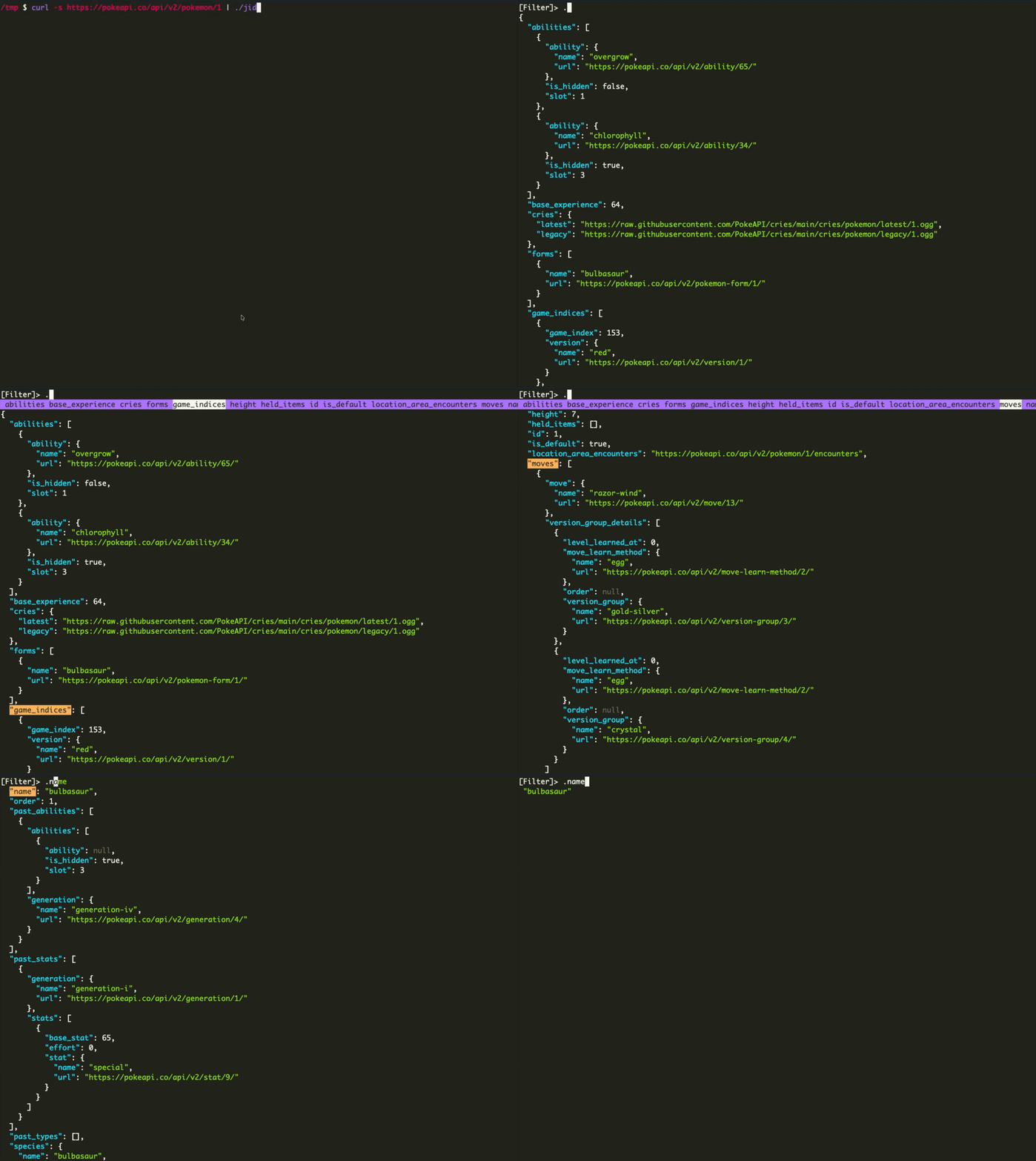
jid (JSON Incremental Digger) is a terminal tool for exploring JSON interactively. You pipe JSON into it (for example curl -s <url> | jid or jid < file.json) and type a filter query in a [Filter]> prompt. The JSON view updates as you type, and pressing Enter prints the current result and exits.
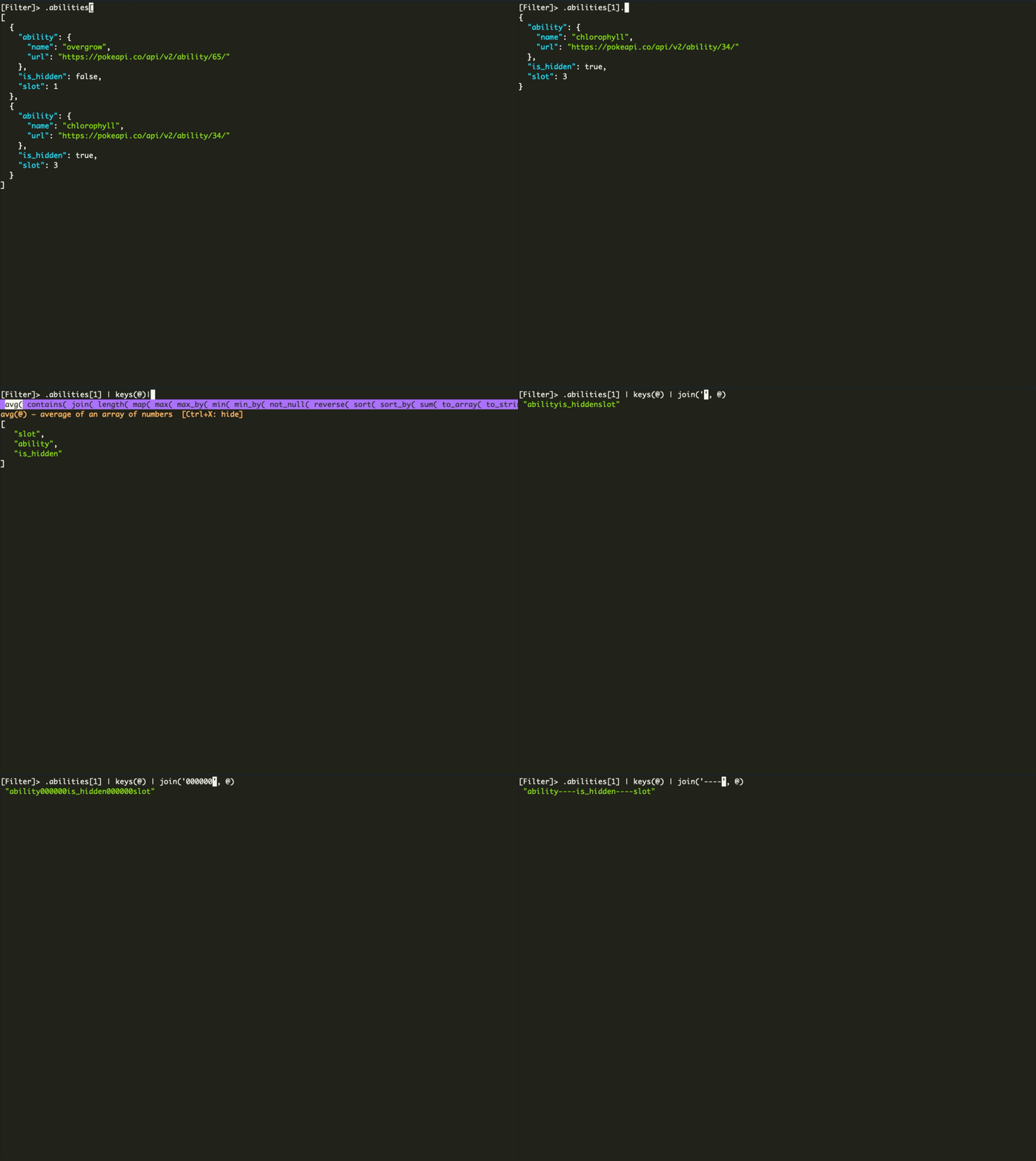
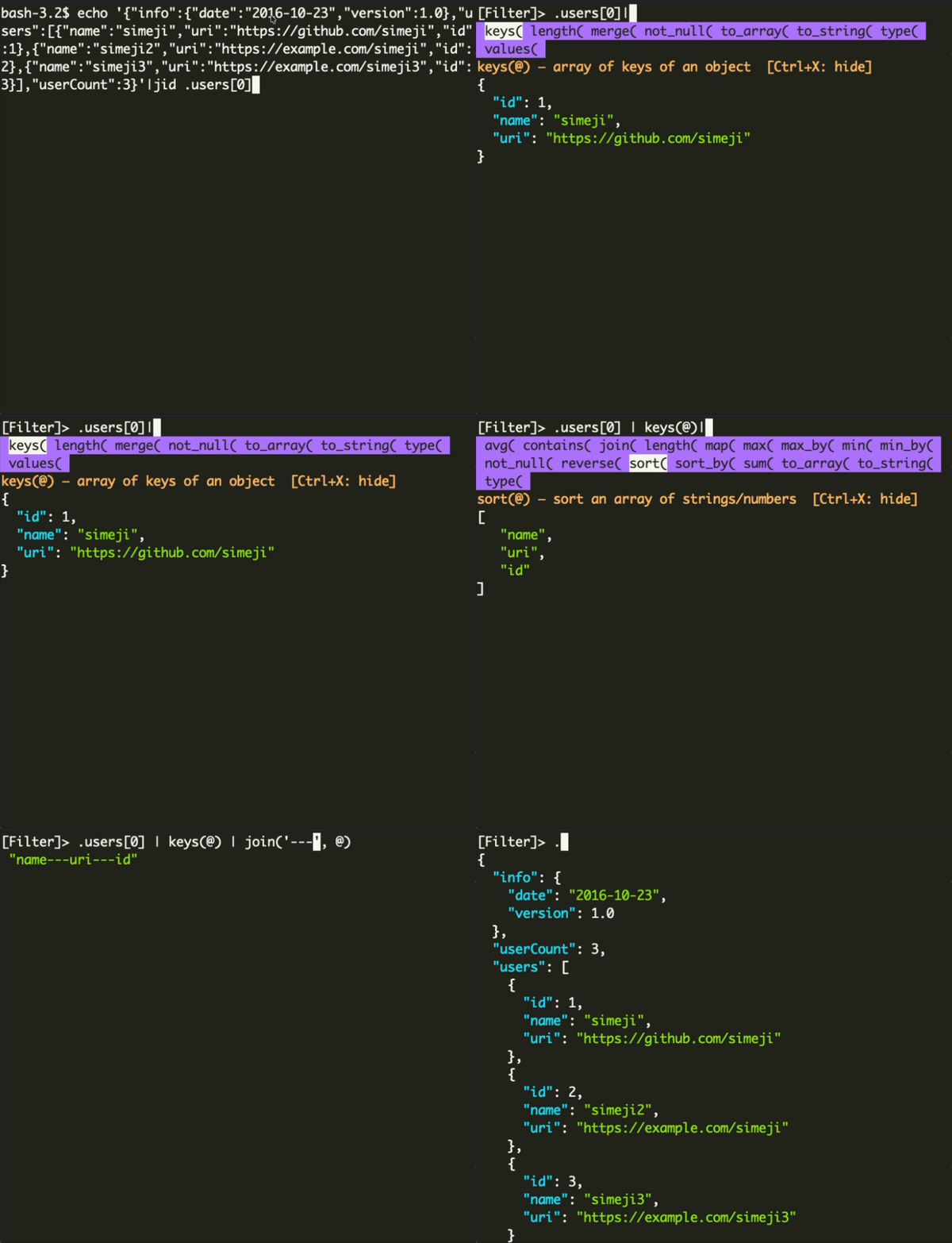
Queries use jq-like dot-path notation such as .bb.aaa[2]. jid also supports JMESPath, which it switches to automatically when a query contains pipes, wildcards ([*]), filter expressions ([?), or function calls. Tab completes field names and cycles through candidates, and the matching key is highlighted in the JSON view, which scrolls to it. After a |, jid suggests JMESPath functions filtered by the type of the preceding expression (array, object, string, number). It fills in argument templates, such as sort_by(@, &field), and completes &field names from the base array. It also rewrites patterns like [*].field[0] to [*].field | [0] so [0] indexes the projected array.
Other features include query history, scroll and cursor keybindings, a toggle between whole-JSON and keys-only view, and options for an initial query as the first argument, -q (output the query, for use with jq), and -M (monochrome). A TOML config file (~/.config/jid/config.toml on Linux, with macOS and Windows equivalents) customizes keybindings, history path and size, and exit_on_enter. It is aimed at developers and ops engineers who inspect API responses or large JSON files in the shell.
Installation
# via Homebrew
brew install jid
# via Scoop
scoop install jid
# via Go
go install github.com/simeji/jid/cmd/jid@latest
Alternatives & related tools
dasel
Command-line tool for querying, modifying, and transforming structured data files (JSON, YAML, TOML, XML, CSV)
pup
Command line HTML processing tool using CSS selectors to filter and extract data from HTML documents
lazysql
Cross-platform TUI database management tool for MySQL, PostgreSQL, SQLite, and MSSQL with SQL editor and table operations.
miller
Command-line data processing tool for CSV, TSV, JSON, and JSON Lines with field-based operations
usql
Universal command-line SQL client with PostgreSQL psql-inspired interface for multiple databases
add a badge to your README
Maintain jid? Show that it's featured on trmn. The badge links back to this page.

[](https://www.trmn.sh/tools/jid?utm_source=badge)<a href="https://www.trmn.sh/tools/jid?utm_source=badge"><img src="https://www.trmn.sh/badge/jid.svg" alt="Featured on trmn" height="20"></a>