nom
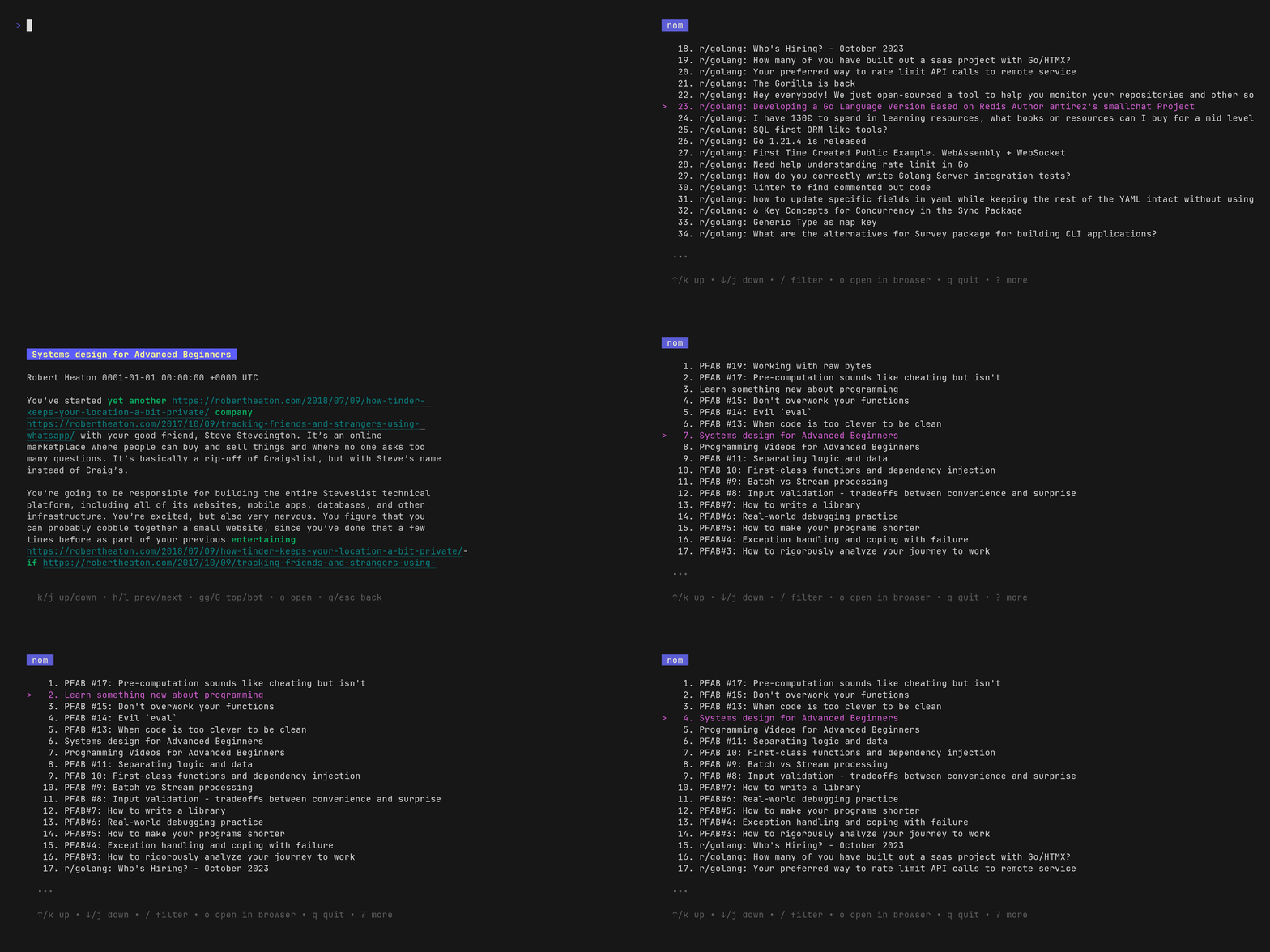
Terminal RSS feed reader with a Bubbletea TUI, Glamour-rendered markdown articles, offline sqlite storage, Miniflux and FreshRSS backends, and Vim keybindings.
nom is a terminal RSS feed reader. It renders articles as styled markdown using Glamour (the library behind Glow) inside a TUI built with Bubbletea. Feeds, read state and downloaded articles are stored in a local sqlite database (by default $XDG_CONFIG_HOME/nom/nom.db), so articles can be read offline. The database can be backed up or deleted to start over, and the file name can be changed with the database option to keep separate data stores for separate configs.
Feeds are defined in a YAML config file with a URL, an optional name and optional tags. You can also add them with nom add [-n <feed name>] [-t tag [...]] <url>, import them from an OPML file or URL with nom import, or edit the config from inside the TUI by pressing E (using $NOMEDITOR, $VISUAL or $EDITOR). Feeds can also come from Miniflux and FreshRSS backends. Multiple backends can be configured and their feeds are merged. Navigation uses Vim-style keybindings, and items can be marked read or unread.
Filtering is opened with / and supports plain keyword searches on titles, plus feed: (f:) and tag: (t:) qualifiers. Different qualifier types cannot be combined in one query. Other config options include autoread, showread, sort ordering (asc, desc or length), a background refreshinterval in minutes, and a theme section with Glamour styles and color overrides. openers entries match item links by Go regex and run a command, such as mpv %s for YouTube links or lynx %s with takeover to hand over the tty. Proxies are configured through the HTTP_PROXY and HTTPS_PROXY environment variables.
nom is aimed at people who read feeds, blogs and release notes from the terminal and want a local, configurable setup. It can also run in Docker, using the ghcr.io/guyfedwards/nom image with a mounted config and data directory.
Installation
# via Binary download
curl -L https://github.com/guyfedwards/nom/releases/download/v3.0.0/nom_3.0.0_darwin_amd64.tar.gz | tar -xzvf -
# via Binary download (into /usr/local/bin)
curl -L https://github.com/guyfedwards/nom/releases/download/v3.0.0/nom_3.0.0_darwin_amd64.tar.gz |
sudo tar -C /usr/local/bin -xvzf - nom
# via Docker
docker run --rm -it ghcr.io/guyfedwards/nom:master
Alternatives & related tools
tz
Interactive TUI tool for displaying and comparing times across multiple time zones simultaneously
goread
Terminal RSS/Atom feed reader with a Bubble Tea TUI, feed categories, offline mode, OPML support, and customizable colorschemes.
GORSS
Terminal RSS/Atom feed reader written in Go with SQLite storage, OPML import, configurable keybindings, custom commands and 8 built-in themes.
omm
Keyboard-driven task manager for the command line with priority reordering and context management
circumflex
Terminal-based Hacker News browser with vim-style navigation and built-in article reader
add a badge to your README
Maintain nom? Show that it's featured on trmn. The badge links back to this page.

[](https://www.trmn.sh/tools/nom?utm_source=badge)<a href="https://www.trmn.sh/tools/nom?utm_source=badge"><img src="https://www.trmn.sh/badge/nom.svg" alt="Featured on trmn" height="20"></a>