sc-im
ncurses spreadsheet calculator for the terminal with vim-style keybindings, CSV/XLSX import and export, Lua scripting, and GNUPlot integration.
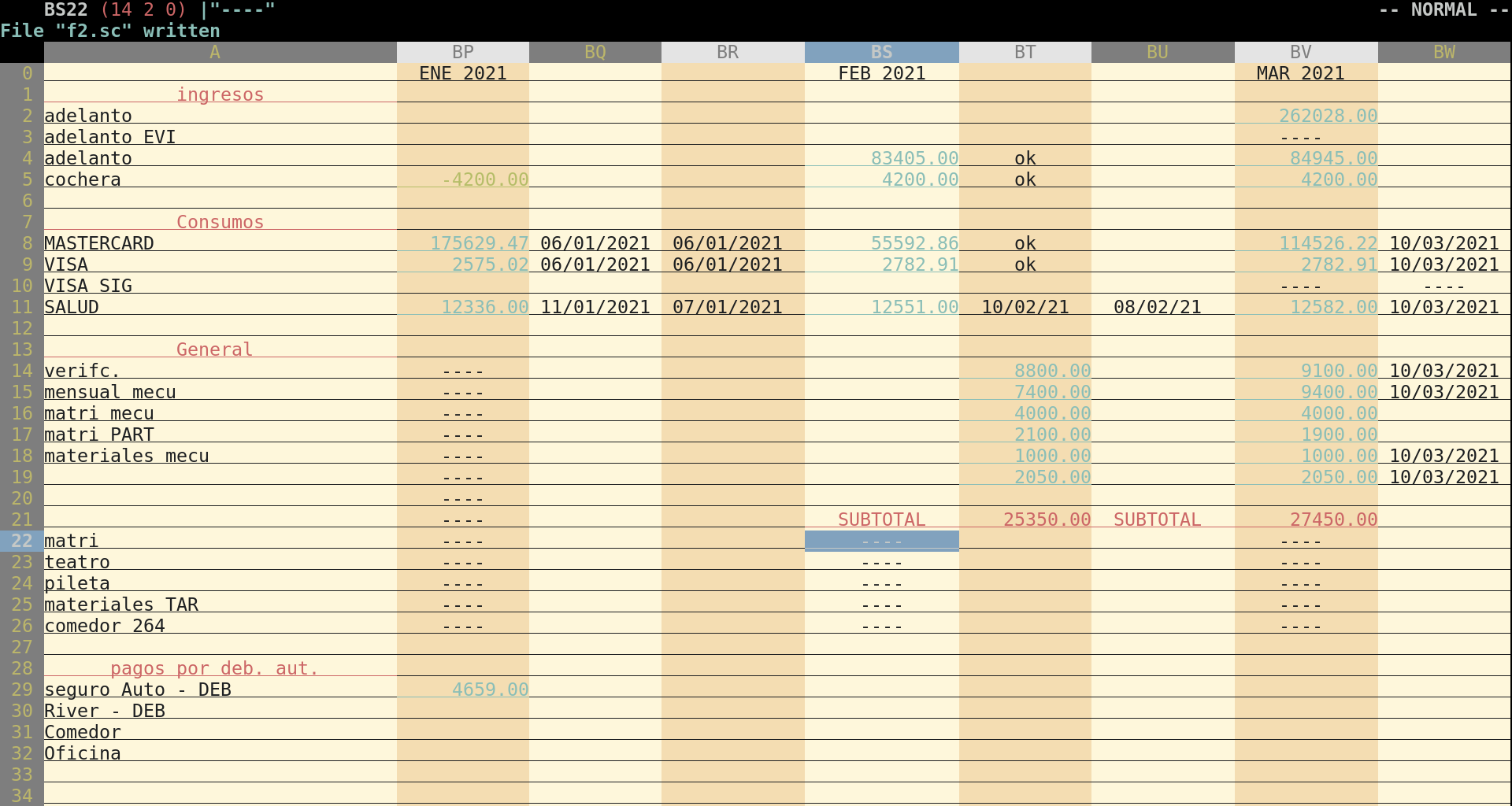
sc-im (Spreadsheet Calculator Improvised) is an ncurses-based spreadsheet program that runs in the terminal. It is based on the classic Unix spreadsheet calculator sc, originally written by James Gosling and Mark Weiser, with later modifications by Chuck Martin. Navigation and editing use vim-like commands: h/j/k/l to move, = to insert a number, \ to insert text, yy to copy, v to select a range, p to paste, ir/ic to insert rows or columns, and :w filename.sc to save. Undo/redo, key-mappings, and autobackup are supported.
It handles 65,536 rows and 702 columns by default, and the row limit can be raised to 1,048,576. It imports and exports CSV and tab-delimited files, imports and exports XLSX, imports ODS, and exports Markdown. Spreadsheet-format, plotting, and scripting features depend on the optional libraries enabled in the build. Cells can be colored or formatted as bold, italic, or underline, and screen colors can be set by RGB value at runtime. Wide characters are supported for several alphabets, including Cyrillic, Greek, Japanese, and Chinese. Data operations include row sorting, row filtering, subtotals, and cell shifting.
For extension and automation, sc-im offers Lua scripting, triggers, and C dynamically linked modules. External functions can be written in other languages and called from cells. It can also run as a non-interactive calculator that reads input from a script. It integrates with GNUPlot for plots and with tmux, xclip, or pbpaste for clipboard access. Configuration goes in ~/.config/sc-im/scimrc, for example set autocalc or set numeric. Likely users are people who work with tabular data and CSV files in the terminal and want vim-style editing. It is also suited to users who want scriptable spreadsheets.
Installation
# via Homebrew
brew install sc-im
Alternatives & related tools
jo
Command-line utility to create JSON objects and arrays from shell arguments and piped input
jq
Command-line JSON processor for slicing, filtering, mapping and transforming structured data
jless
Command-line JSON viewer with syntax highlighting, collapsible sections, and vim-inspired navigation commands
rainfrog
Terminal database client with vim-like keybindings and a query editor, supporting Postgres, MySQL, SQLite, Redshift, DuckDB, and Oracle.
jnv
Interactive terminal JSON viewer and jq filter editor with auto-completion, using the built-in jaq engine; reads files or stdin.
add a badge to your README
Maintain sc-im? Show that it's featured on trmn. The badge links back to this page.

[](https://www.trmn.sh/tools/sc-im?utm_source=badge)<a href="https://www.trmn.sh/tools/sc-im?utm_source=badge"><img src="https://www.trmn.sh/badge/sc-im.svg" alt="Featured on trmn" height="20"></a>