auto-cpufreq
Linux CPU speed and power optimizer that adjusts governor and turbo boost based on battery state, CPU load and temperature. Includes CLI, daemon and GUI.
auto-cpufreq is a CPU frequency and power optimizer for Linux laptops. It monitors battery state, CPU usage (total and per core), CPU temperature and system load, and uses these readings to set the CPU frequency scaling governor and turbo boost, with the aim of extending battery life. It leaves most of the work to the Linux kernel instead of imposing its own power policy. The README positions it as a replacement for TLP, and recommends removing TLP after installing it, since running both to set CPU frequencies can cause overheating. thermald can run alongside it without conflict.
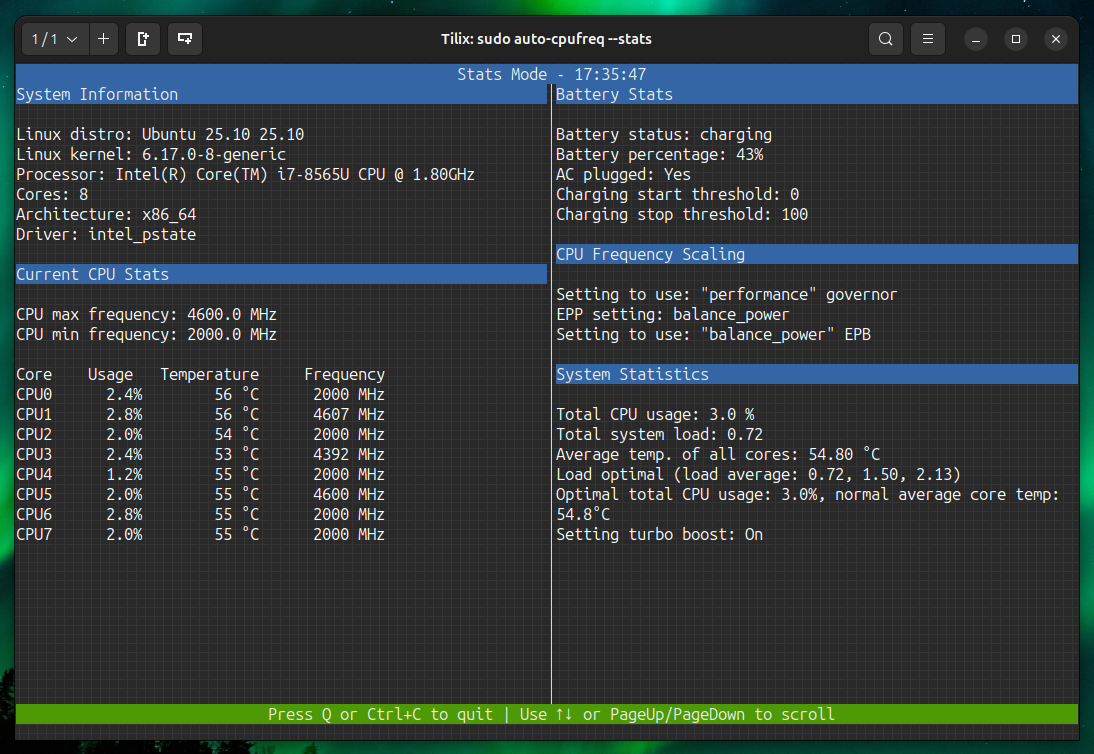
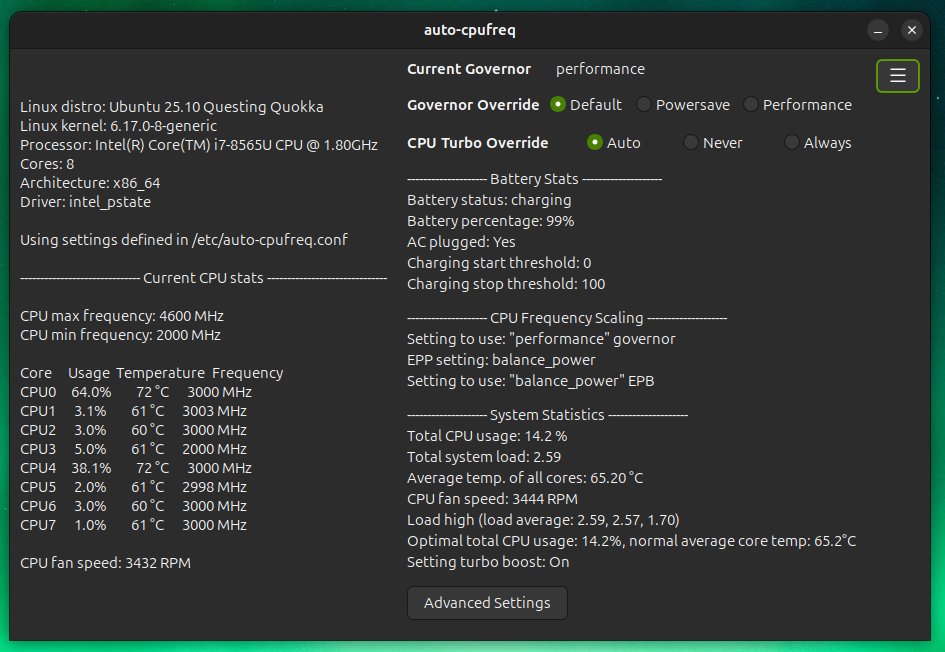
It works through a CLI with several modes: monitor (read-only), live (applies settings temporarily while showing output), and --stats, which shows what the daemon is doing. Installing the daemon makes the optimizations persistent. Overrides are available through --force for the governor and --turbo for turbo mode, and a config file allows separate charger and battery settings. A GUI is available from v2.0 onward, except on Snap installs. Other features include Intel HWP Dynamic Boost, Platform Profile monitoring and configuration where the platform driver exposes it, Bluetooth boot on/off options, and battery charging thresholds, which have limited device support.
It supports devices with Intel, AMD or ARM CPUs. It is written for laptops, but the README says running it on desktops or servers to lower power consumption should also be possible. Typical users are Linux laptop owners who want automatic power management without tuning governors by hand. Source installation uses an installer script that handles Debian/Ubuntu, Fedora/RHEL, Arch, openSUSE, Void and Solus families. Snap, AUR and NixOS packages are also available.
Installation
# via Snap
sudo snap install auto-cpufreq
# via Source installer
git clone https://github.com/AdnanHodzic/auto-cpufreq.git
cd auto-cpufreq && sudo ./auto-cpufreq-installer
Alternatives & related tools
nvitop
Interactive NVIDIA GPU and process monitor in Python with tree view, filtering, signal sending, a CUDA device selector (nvisel), and APIs for custom tools.
bpytop
Terminal-based system resource monitor showing CPU, memory, disk, network and process usage with interactive interface
BorgBackup
Deduplicating backup program with optional compression and authenticated encryption, supporting ssh, sftp, s3, b2 and rclone targets, and mountable archives.
tuptime
System uptime tracking tool that preserves historical uptime/downtime statistics across reboots with detailed reporting
glances
Cross-platform system monitoring tool with real-time stats display via terminal, web interface, or API
add a badge to your README
Maintain auto-cpufreq? Show that it's featured on trmn. The badge links back to this page.

[](https://www.trmn.sh/tools/auto-cpufreq?utm_source=badge)<a href="https://www.trmn.sh/tools/auto-cpufreq?utm_source=badge"><img src="https://www.trmn.sh/badge/auto-cpufreq.svg" alt="Featured on trmn" height="20"></a>