az-tui
Terminal UI for managing Azure Container Apps with browsing, logging, and container shell access
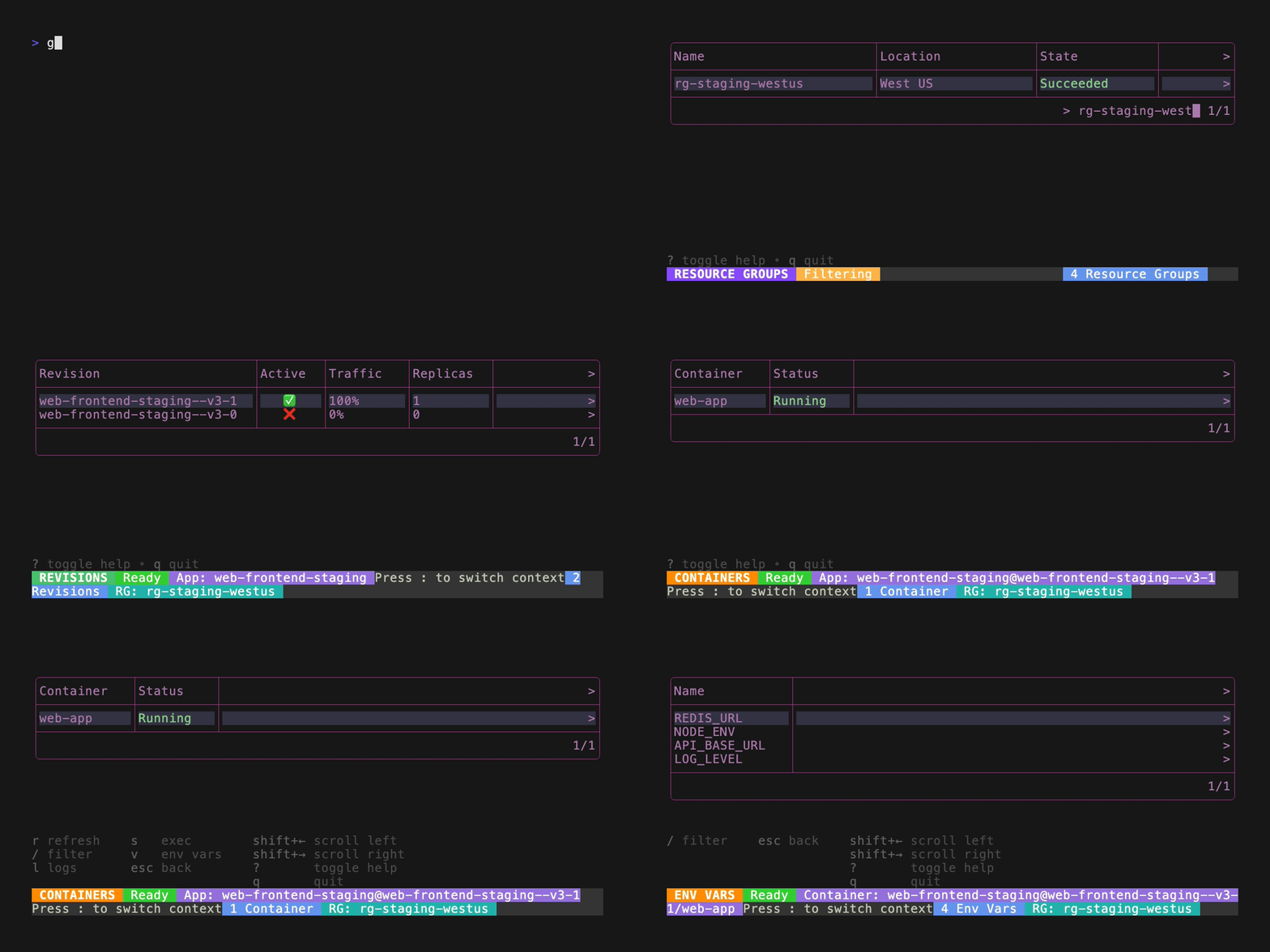
Az-TUI is a terminal-based user interface for managing Azure Container Apps, similar to K9s for Kubernetes. It provides a hierarchical navigation system through Azure resources: resource groups → container apps → revisions → containers → environment variables. Users can browse container apps across subscriptions or limit scope to specific resource groups via the ACA_RG environment variable.
The tool integrates with Azure CLI to fetch real data using az containerapp and az group commands, requiring Azure CLI authentication and the containerapp extension. Key functionality includes viewing detailed app information in JSON format, inspecting revisions with active indicators and traffic percentages, tailing logs for apps/revisions/containers, and executing shells into running containers for debugging.
Az-TUI features VIM/k9s-style context switching using the : key for quick navigation between different views. It includes a mock data mode (--mock flag) for development and testing without Azure dependencies, providing realistic test data across multiple environments. The interface uses keyboard-driven navigation with familiar shortcuts and includes built-in help accessible via the ? key.
Installation
# via Go Install
go install github.com/IAL32/az-tui/cmd/az-tui@latest
# via Build from Source
git clone https://github.com/IAL32/az-tui.git && cd az-tui && go build -o az-tui cmd/az-tui/main.go