
binsider
Terminal UI for binary file analysis with static/dynamic analysis, string extraction, and hexdump capabilities
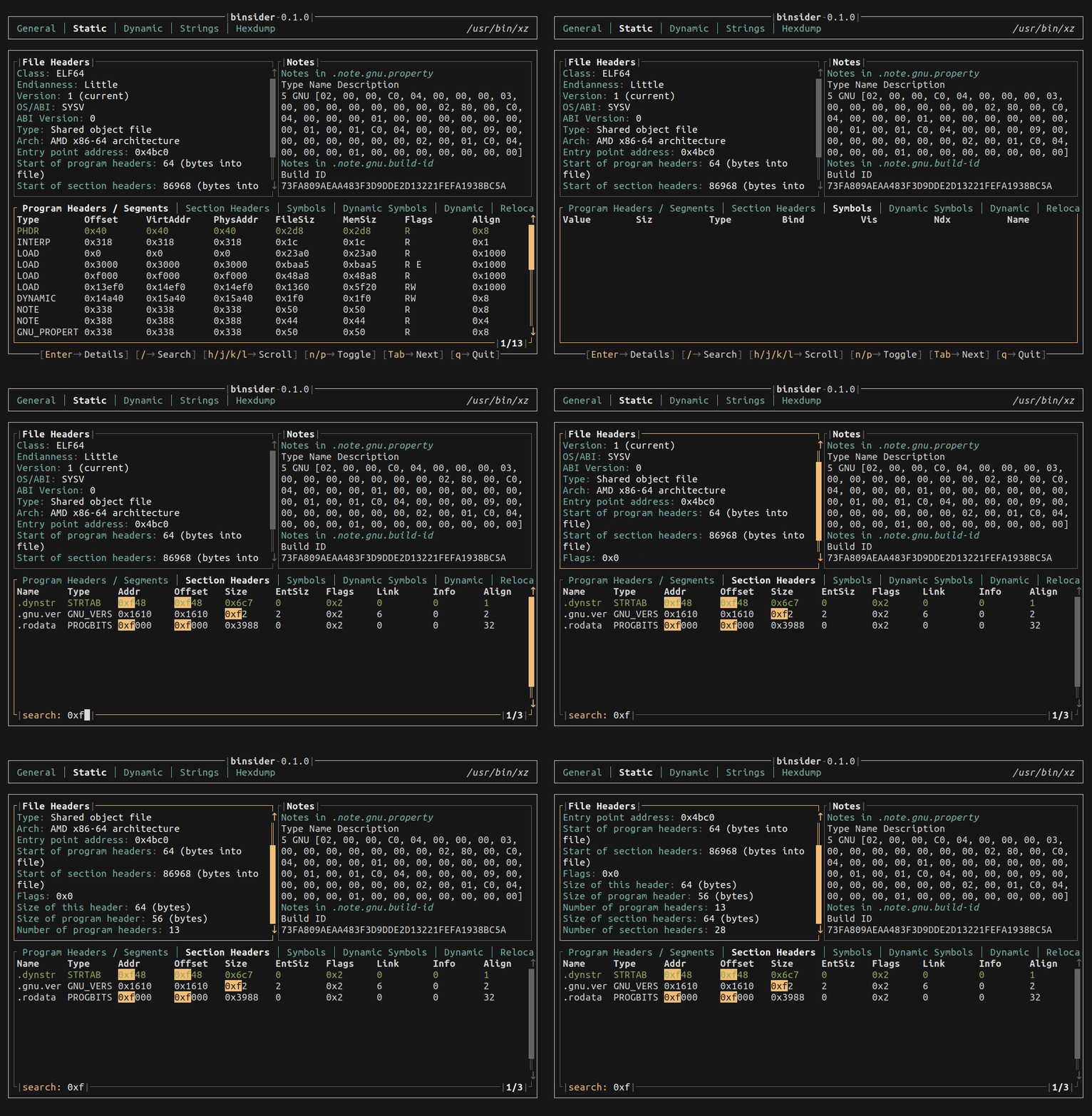
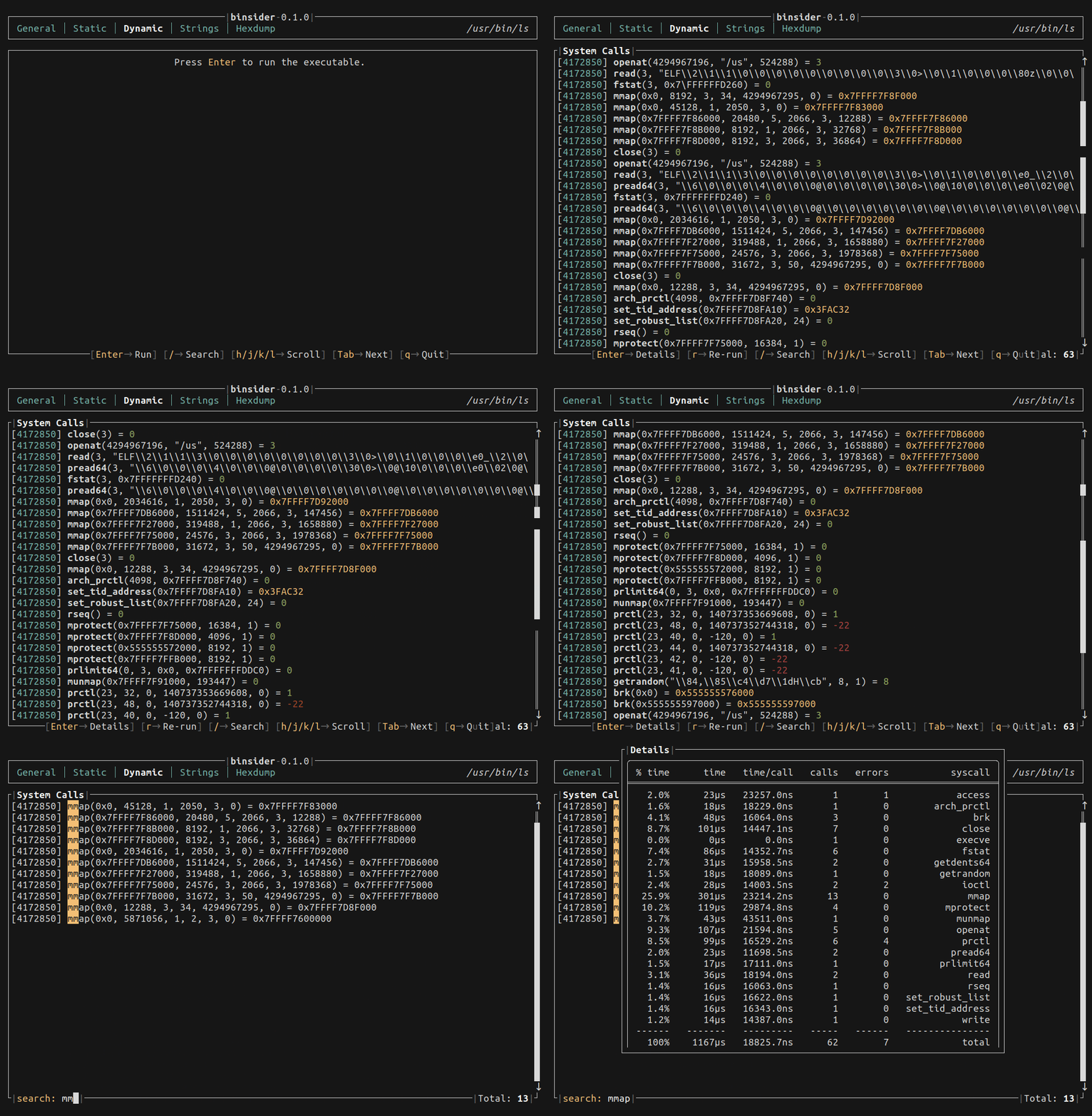
Binsider is a terminal user interface (TUI) application for analyzing binary files, specifically designed for reverse engineering workflows. The tool combines multiple analysis capabilities into a single interactive interface, allowing users to examine ELF binaries through static analysis (sections, segments, symbols, relocations), dynamic analysis (system call tracing similar to strace/ltrace), string extraction, and hexdump visualization.
The tool provides general binary information including file metadata, permissions, and linked shared libraries, functioning similarly to stat(1) and ldd(1) commands. For static analysis, users can navigate through ELF layout components to understand binary structure. The dynamic analysis feature executes binaries and traces their system calls, signals, and execution flow in real-time.
Binsider targets reverse engineers, security researchers, and developers who need to analyze binary files. The TUI interface consolidates functionality typically requiring multiple command-line tools (strings, hexdump, objdump, strace) into a cohesive analysis environment. The tool is written in Rust and focuses specifically on ELF binary format analysis.
Installation
# via Cargo
cargo install binsider

Alternatives & related tools
Azure CLI
Microsoft's cross-platform command-line interface for managing Azure resources with az group/subgroup/command syntax, JMESPath queries, and tab completion.
freeze
Generate PNG, SVG, and WebP images of code and terminal output with syntax highlighting and customizable styling.
Chafa
Command-line utility that converts images and animated GIFs into ANSI/Unicode character art or terminal graphics formats, built on a C library.
bacon
Background code checker for Rust projects that runs continuously alongside your editor
entr
Runs arbitrary commands when files change using kqueue or inotify to avoid polling
add a badge to your README
Maintain binsider? Show that it's featured on trmn. The badge links back to this page.

[](https://www.trmn.sh/tools/binsider?utm_source=badge)<a href="https://www.trmn.sh/tools/binsider?utm_source=badge"><img src="https://www.trmn.sh/badge/binsider.svg" alt="Featured on trmn" height="20"></a>