branchlet
Interactive CLI tool for creating and managing Git worktrees with file copying and post-creation commands
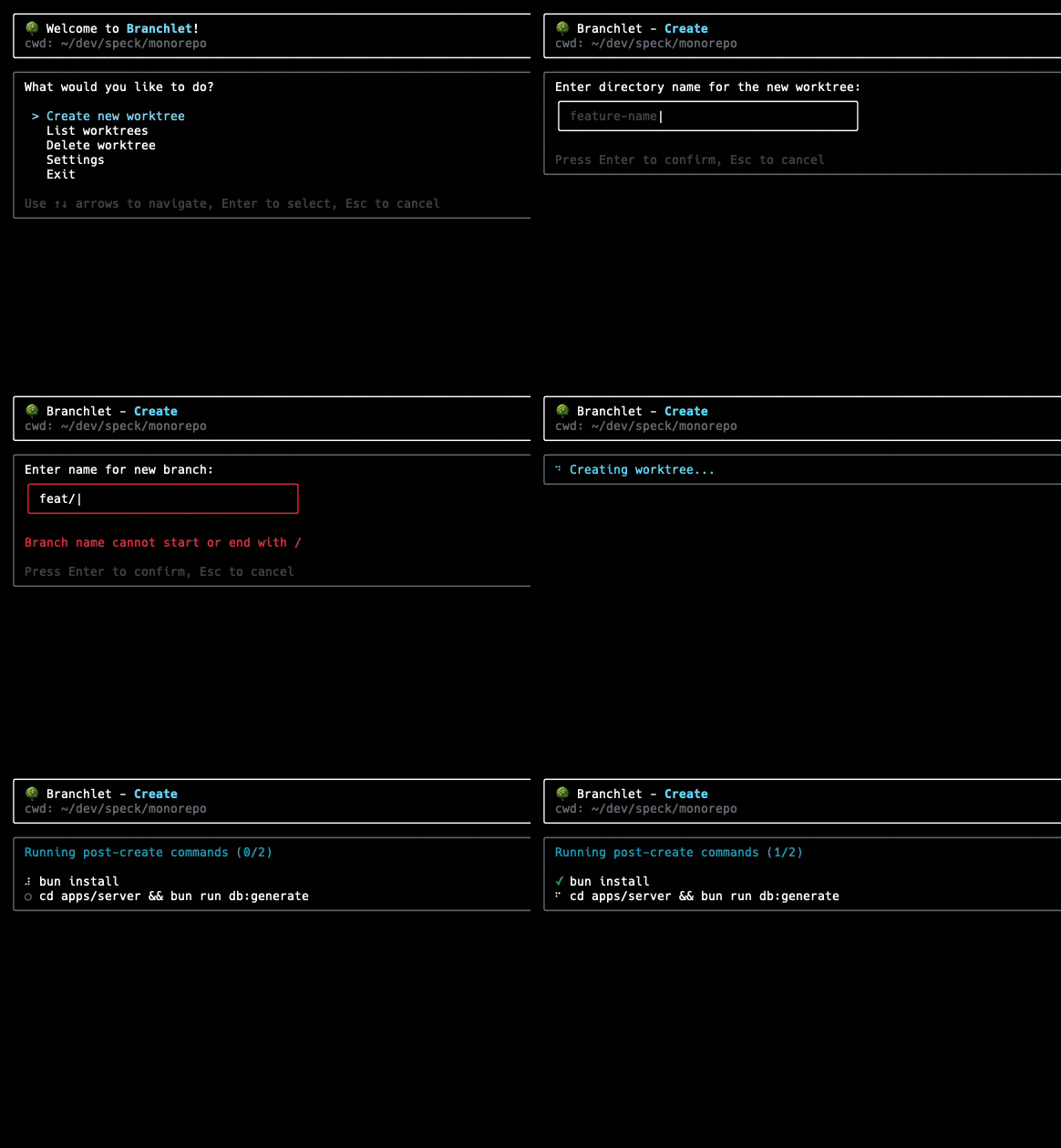
Branchlet is a CLI tool that provides an interactive interface for managing Git worktrees. It operates through both an interactive menu system and direct commands, allowing users to create, list, and delete worktrees without manually running git worktree commands. The tool supports both interactive and non-interactive modes, making it suitable for both manual workflows and scripting.
The tool includes configuration management through project-specific .branchlet.json files or global settings. Key features include automatic copying of configuration files to new worktrees using glob patterns, custom post-creation commands that run in the new worktree directory, and configurable worktree path templates with variable substitution. Users can specify which files to copy and which to ignore, set up commands to run after worktree creation (like npm install), and configure terminal commands to automatically open editors in new worktrees.
Branchlet provides both interactive prompts and scriptable CLI flags for automation. The non-interactive mode accepts flags for worktree name (-n), source branch (-s), and new branch name (-b), with JSON output support for integration with other tools. The tool also supports branch deletion alongside worktree removal and includes safety checks for unpushed commits or uncommitted changes.
Installation
# via npm
npm install -g branchlet