caps-log
Terminal-based journaling tool that saves daily entries as Markdown files with calendar navigation and tag organization
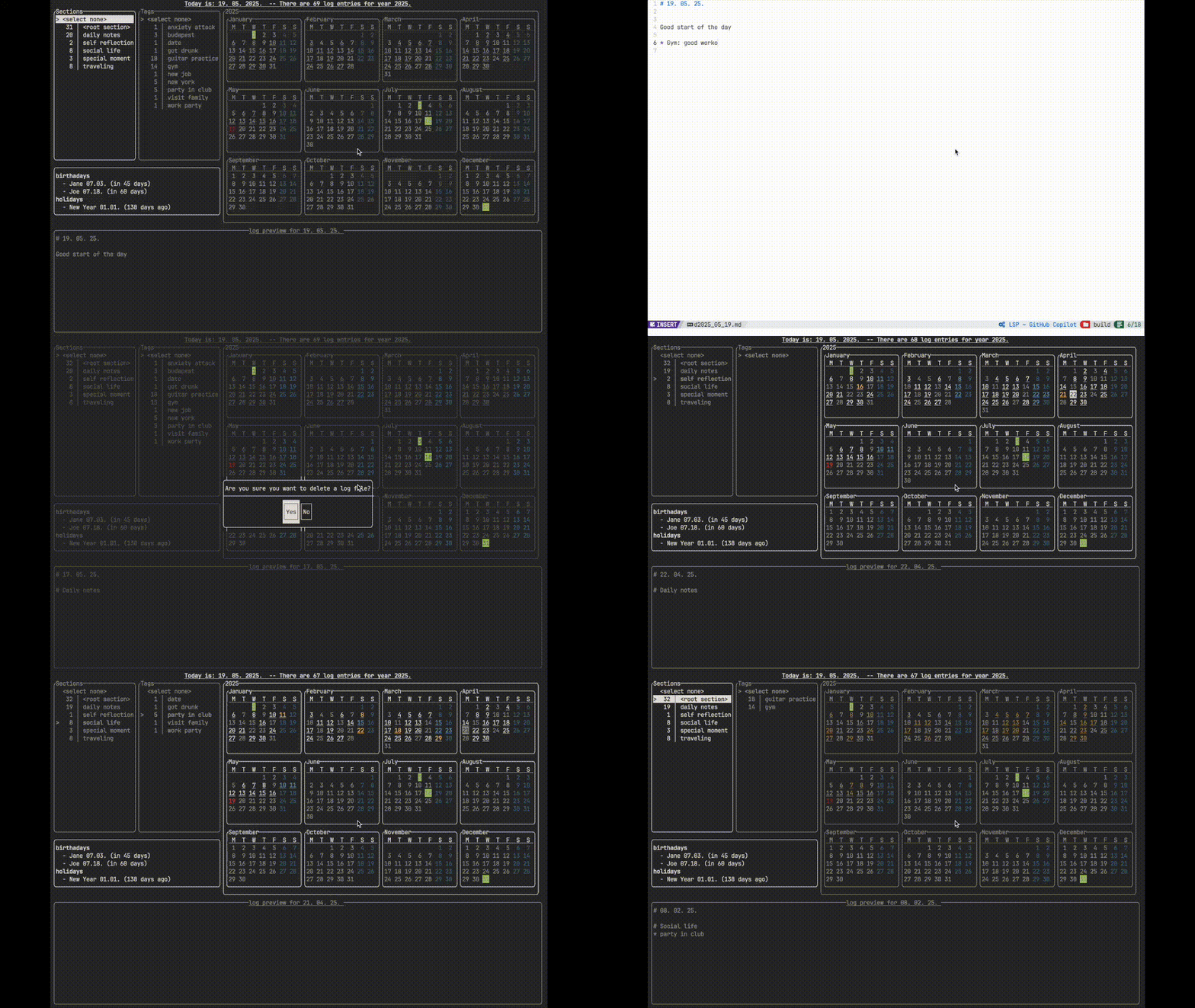
Caps-Log is a terminal-based journaling application that saves daily entries as Markdown files with structured organization through sections and tags. The tool uses level 1 headers for sections and unordered lists starting with '*' for tags, allowing users to categorize and navigate their journal entries efficiently.
The application provides a calendar view that highlights dates with log entries and can display annual events like birthdays and holidays. Users can navigate between calendar dates and menus using keyboard shortcuts (hjkl/arrow keys), open entries in their preferred editor via the $EDITOR environment variable, and access a scratchpad feature for quick note-taking. The tool supports both section-based browsing and tag filtering across all entries.
Caps-Log includes AES encryption for securing journal data and basic git integration for remote storage synchronization using SSH authentication. The application offers extensive theming options through configuration files, allowing customization of colors, borders, and markdown preview styling. While functional in smaller terminals, it performs optimally when the full calendar view is visible, and emoji handling may be inconsistent depending on terminal configuration.
Installation
# via Manual Build
sudo apt-get install -y libboost-program-options-dev libgit2-dev && mkdir build && cd build && cmake .. && make && sudo make install
Alternatives & related tools
asak
Terminal audio tool for browsing, playing, and recording audio files with waveform visualization and device selection
daylight
Command-line tool for tracking sunrise, sunset, and daylight hours with 10-day projections
omm
Keyboard-driven task manager for the command line with priority reordering and context management
scli
Terminal user interface for Signal messaging with Vim-like navigation and external editor support
bmm
Command-line bookmark manager with local storage, search capabilities, and both CLI and TUI interfaces
add a badge to your README
Maintain caps-log? Show that it's featured on trmn. The badge links back to this page.

[](https://www.trmn.sh/tools/caps-log?utm_source=badge)<a href="https://www.trmn.sh/tools/caps-log?utm_source=badge"><img src="https://www.trmn.sh/badge/caps-log.svg" alt="Featured on trmn" height="20"></a>