cloudflare-speed-cli
CLI tool that runs Cloudflare network speed tests with TUI interface, history tracking, and JSON export
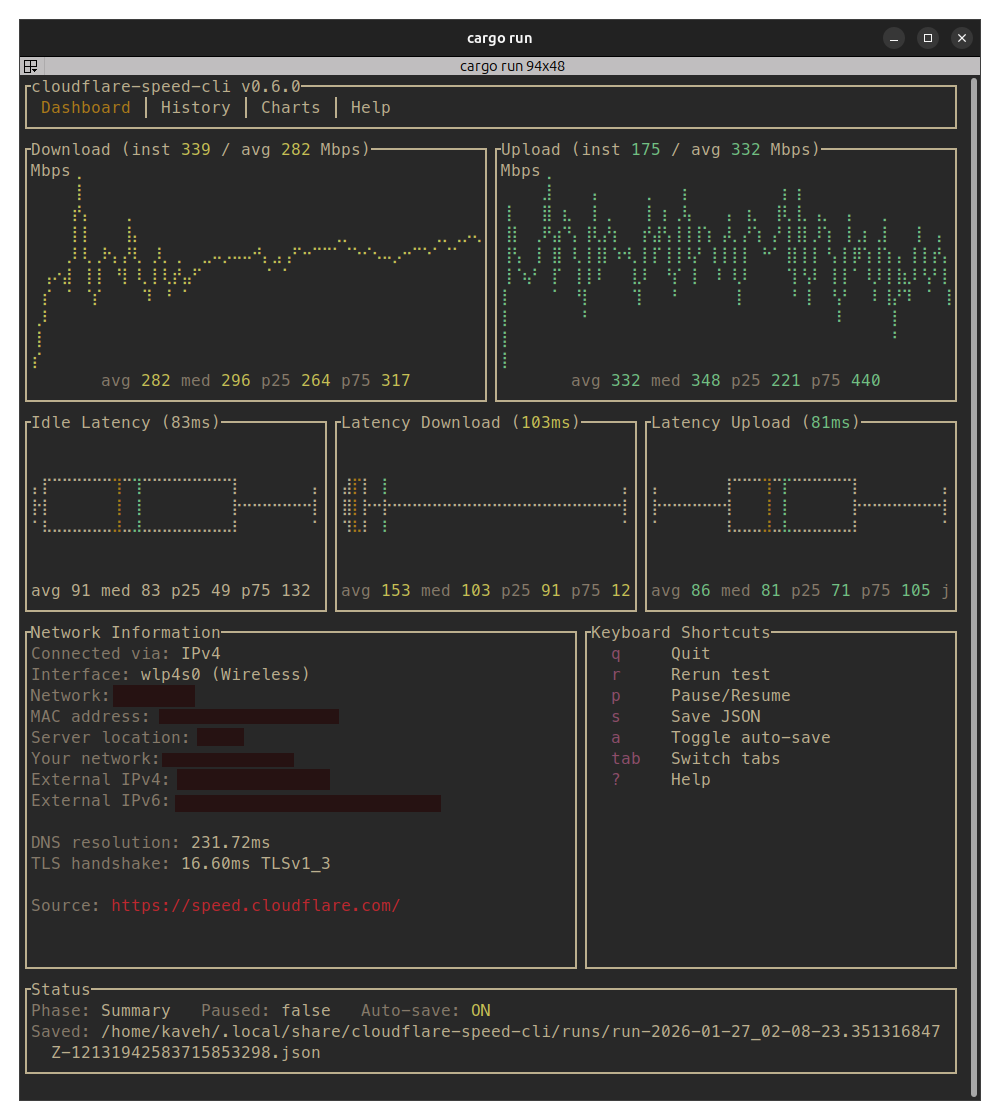
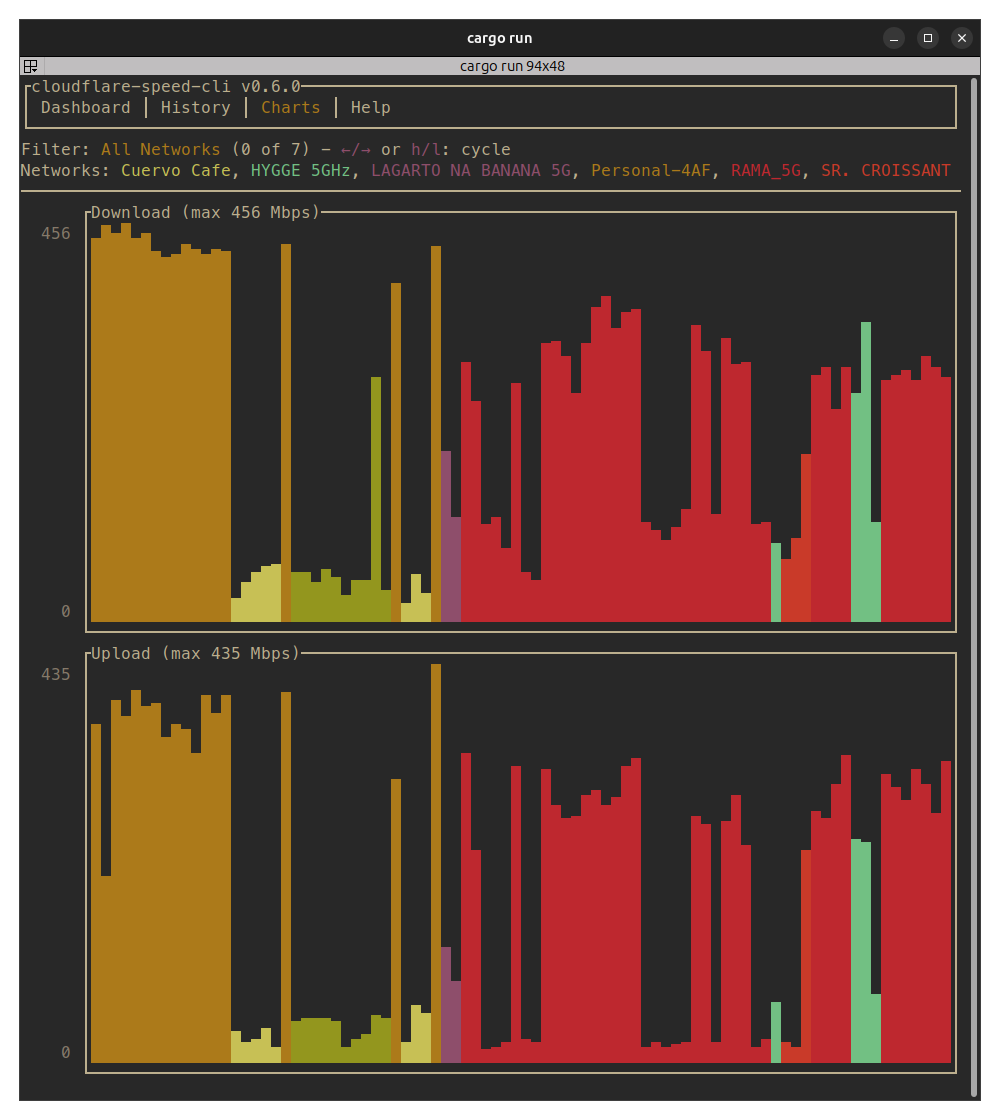
cloudflare-speed-cli is a network speed testing tool that connects to Cloudflare's speed test service to measure download/upload throughput, idle latency, and loaded latency. The tool provides a terminal user interface (TUI) with real-time charts and statistics, allowing users to monitor network performance interactively.
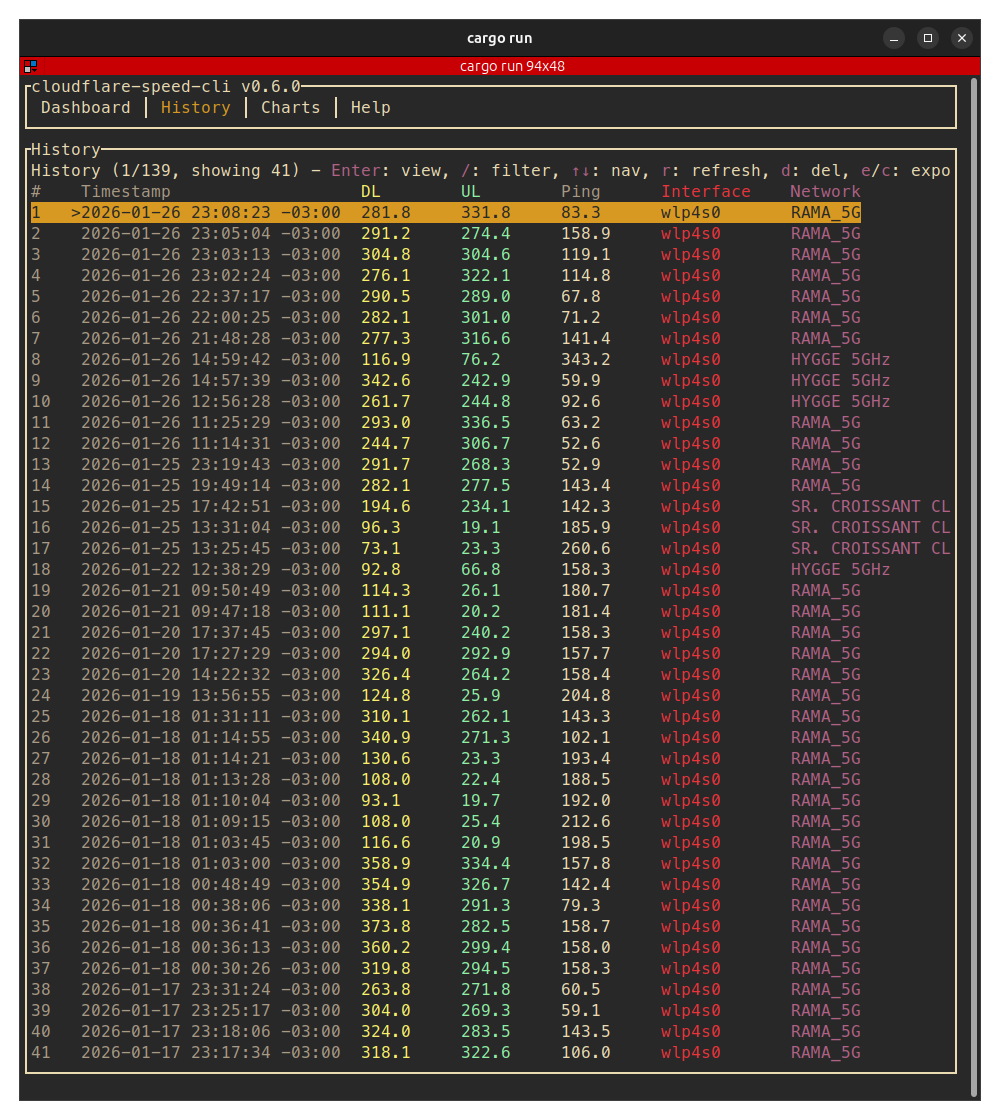
The tool stores test history locally and supports exporting results as JSON for further analysis. It offers multiple output modes including the default TUI, text mode for scripting, and headless JSON mode. Users can bind tests to specific network interfaces or source IP addresses for targeted network analysis.
Built in Rust, the tool is primarily aimed at network administrators, developers, and system administrators who need to regularly monitor network performance or integrate speed testing into scripts and automated workflows. The tool leverages Cloudflare's distributed infrastructure to provide consistent speed test measurements from various global locations.
Installation
# via Homebrew
brew tap kavehtehrani/tap && brew install cloudflare-speed-cli
# via Cargo
cargo install --git https://github.com/kavehtehrani/cloudflare-speed-cli --features tui
# via Arch Linux
pacman -S cloudflare-speed-cli