csvlens
Terminal CSV file viewer with spreadsheet-like navigation and filtering capabilities
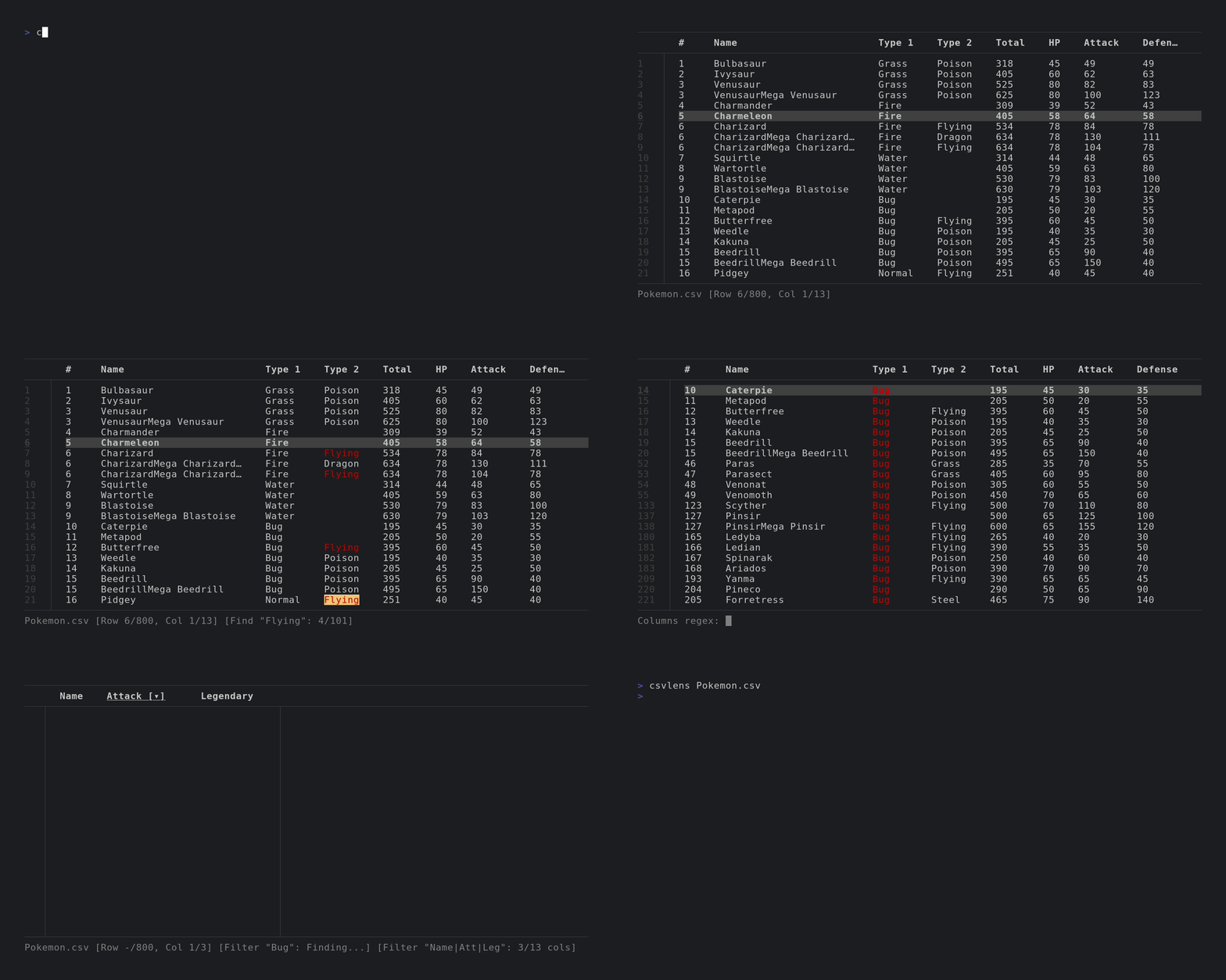
csvlens is a terminal-based CSV file viewer that provides spreadsheet-like navigation for CSV data. It accepts CSV files as arguments or reads from stdin, making it suitable for piping data from other commands. The tool displays CSV data in a structured table format with vim-like navigation keybindings (hjkl) and supports standard paging controls.
The viewer includes filtering and search capabilities through regex patterns, allowing users to filter rows or columns with commands like &<regex> and *<regex>. It supports row sorting by column values, including natural ordering for alphanumeric data. Users can mark specific rows, copy selected cells to clipboard, and print filtered data to stdout. The tool handles different delimiters including auto-detection, tab-separated values, and custom separators.
Advanced features include column width adjustment, freezing columns from the left, line wrapping controls, and colored column display. The tool can be configured with command-line options for case-insensitive searching, custom prompts, and default filters. It also functions as a Rust library, enabling integration into other applications that need CSV viewing capabilities.
Installation
# via Homebrew
brew install csvlens
# via Cargo
cargo install csvlens
# via Arch Linux
pacman -S csvlens