dive
Docker image layer analysis tool for exploring contents and optimizing image size
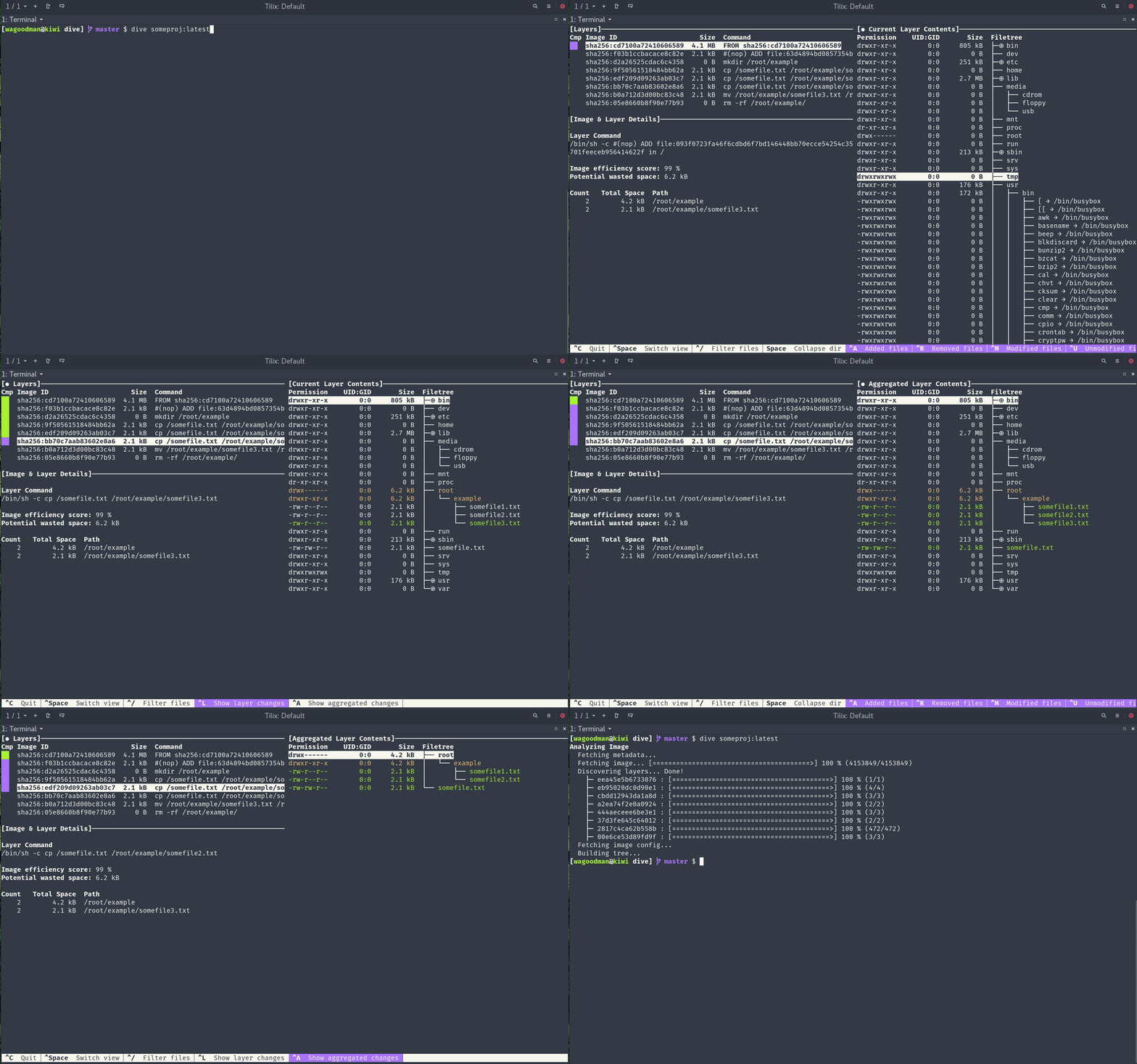
dive is a Docker image analysis tool that provides layer-by-layer exploration of container images. It displays the file tree contents of each layer, allowing users to navigate through files and directories using keyboard controls. The tool highlights file changes across layers, showing which files have been added, modified, or removed.
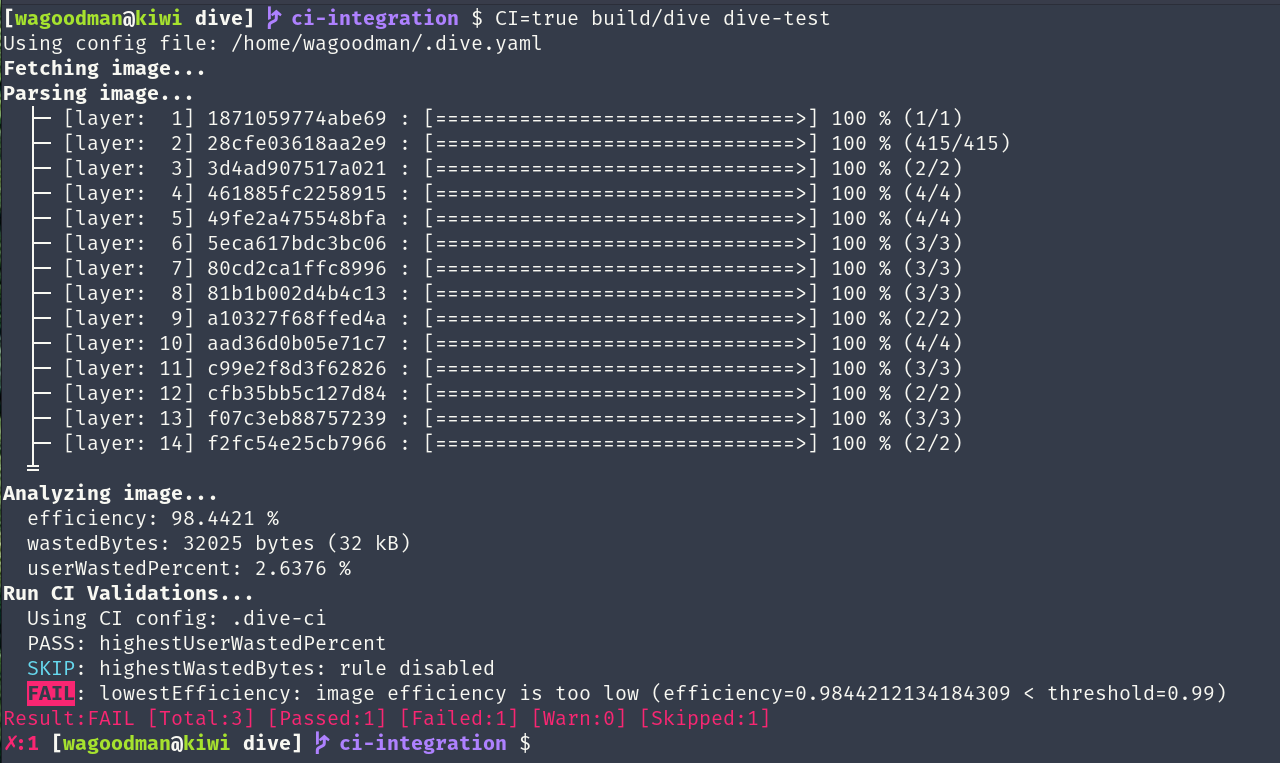
The tool calculates image efficiency metrics and estimates wasted space caused by duplicate files, unnecessary layer changes, or incomplete file removals. It provides both a percentage efficiency score and total wasted bytes measurement. Users can analyze images interactively through a terminal UI or integrate it into CI pipelines by setting CI=true to get pass/fail results based on configurable efficiency thresholds.
dive supports multiple container engines including Docker and Podman, and can analyze images from various sources including docker-archive files. It includes a build-and-analyze workflow with the dive build command, replacing standard docker build commands for immediate analysis. The tool works across Linux, macOS, and Windows platforms.
Installation
# via Homebrew
brew install dive
# via Go
go install github.com/wagoodman/dive@latest
# via Docker
docker pull docker.io/wagoodman/dive