inshellisense
IDE-style autocomplete for shells, running as a terminal-native runtime for the withfig/autocomplete specs covering 600+ CLI tools on Windows, Linux, and macOS.
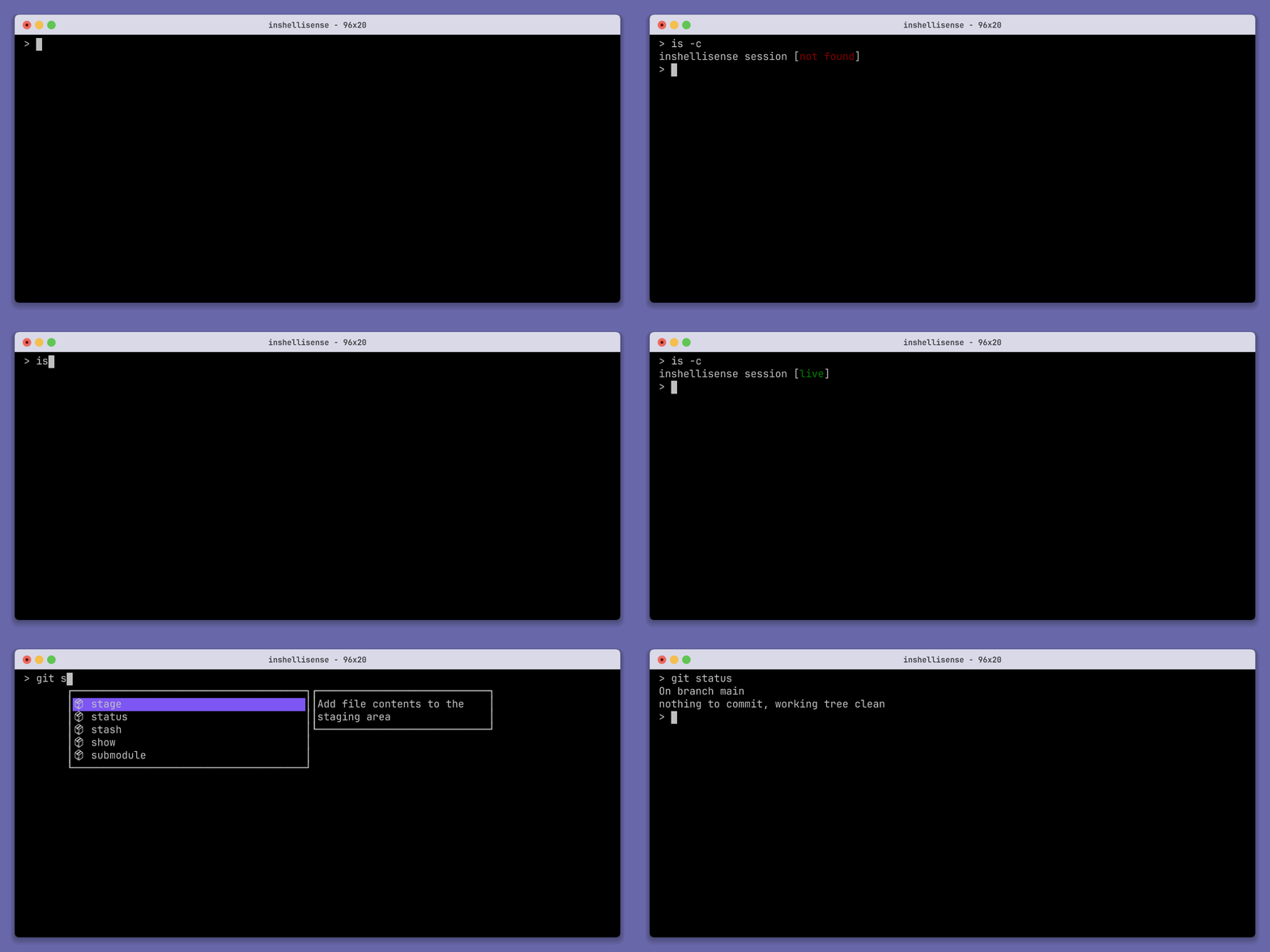
inshellisense adds IDE-style autocomplete to the shell. It is a terminal-native runtime for the withfig/autocomplete specs, which cover more than 600 command line tools. Running is starts an autocomplete session inside your current shell, and exit ends it. is -c checks whether the shell is already inside a session, and is doctor verifies the installation. The tool runs on Windows, Linux, and macOS.
Suggestions appear as you type. Tab accepts the current suggestion, the up and down arrows move through the list, and Esc dismisses it. These keys are captured only while suggestions are visible. Otherwise they pass through to the shell. Supported shells are bash, zsh, fish, pwsh, Windows PowerShell, xonsh, and nushell, with cmd marked experimental. is init <shell> generates a plugin line for your shell's rc file so a session starts automatically in new shells. The plugin line should be the last command in that file.
Configuration is a TOML file at ~/.inshellisenserc or $XDG_CONFIG_HOME/inshellisense/rc.toml. It can rebind the keys, enable alias expansion for bash and zsh (useAliases), turn on NerdFont icons, set the maximum number of suggestions, set the active suggestion's background color, and switch the box border style to rounded. Specs for the az, gcloud, and aws CLIs are not supported because of their size. The tool is aimed at developers and operators who use many CLI tools and want completions for subcommands and flags in their existing shell.
Installation
# via npm
npm install -g @microsoft/inshellisense
is init
# via Homebrew
brew tap microsoft/inshellisense https://github.com/microsoft/inshellisense
brew install inshellisense
is init
Alternatives & related tools
genact
Terminal program that prints fake activity output (compilers, builds, botnets, downloads) to look busy. Runs natively or in a browser via WebAssembly.
up
Interactive terminal UI for building Linux pipelines with live preview of command results
McFly
Replaces ctrl-r shell history search with a full-screen search ranked by a small neural network using directory, prior commands, and exit status.
tmuxinator
Ruby CLI that creates and starts tmux sessions from YAML project files defining windows, panes, layouts, root directories, and startup hooks.
Pure
ZSH prompt that shows git branch, dirty state, and async-checked unpushed/unpulled arrows, with exit-status coloring and command execution time.
add a badge to your README
Maintain inshellisense? Show that it's featured on trmn. The badge links back to this page.

[](https://www.trmn.sh/tools/inshellisense?utm_source=badge)<a href="https://www.trmn.sh/tools/inshellisense?utm_source=badge"><img src="https://www.trmn.sh/badge/inshellisense.svg" alt="Featured on trmn" height="20"></a>