Pure
ZSH prompt that shows git branch, dirty state, and async-checked unpushed/unpulled arrows, with exit-status coloring and command execution time.
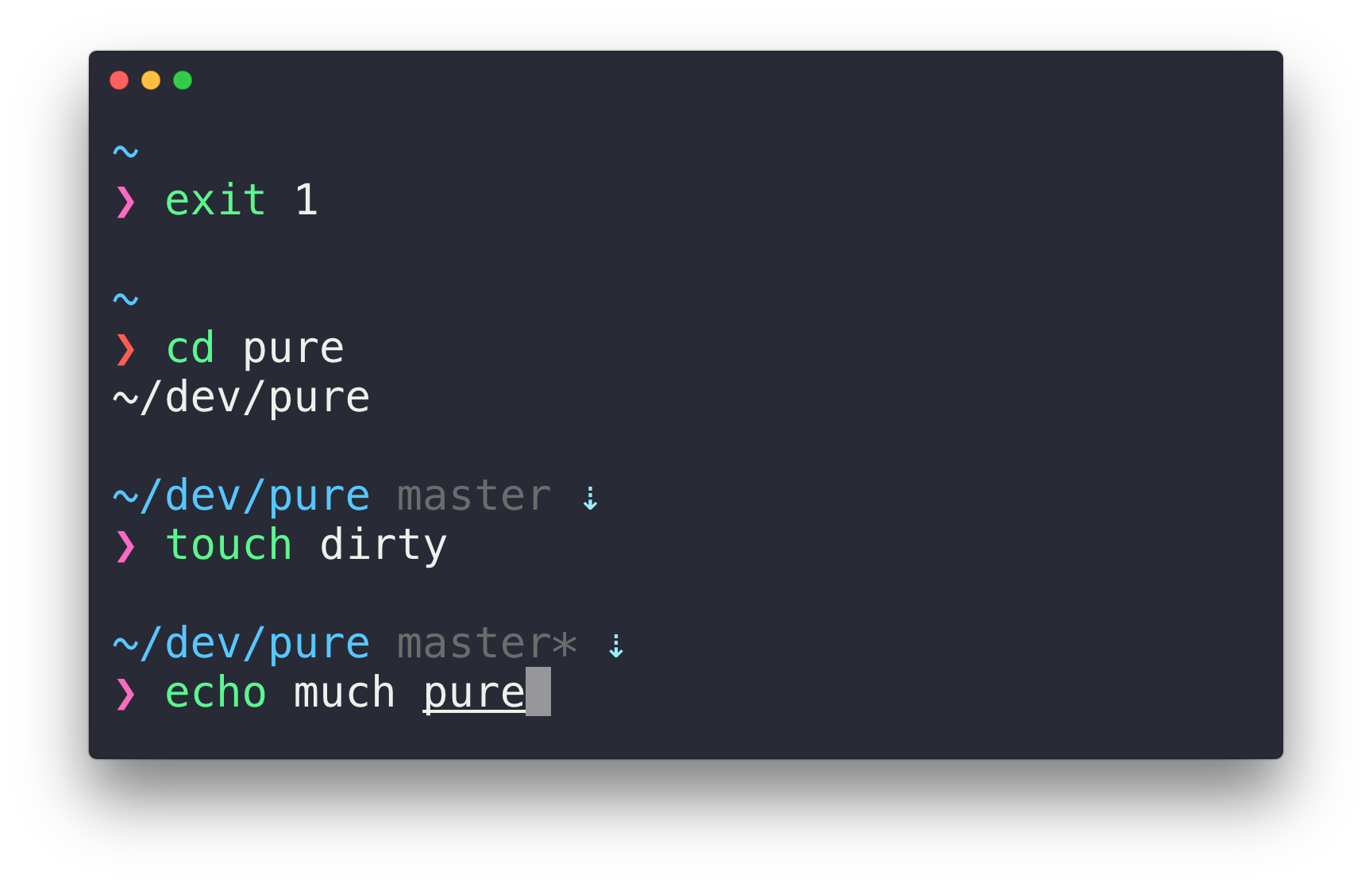
Pure is a prompt theme for ZSH. It replaces the default prompt with a two-line layout: a preprompt line with context information, and a prompt line with a single prompt character. The character turns red when the last command exited non-zero, and a reversed symbol indicates VI-mode (Zsh 5.3+). It requires Git 2.15.2+ and ZSH 5.2+.
The preprompt shows the current path, the git branch with a * when the working tree is dirty, and up/down arrows for unpushed or unpulled commits. The remote check runs asynchronously so it does not block the prompt. Username and host appear only in SSH sessions or containers, and the execution time of a command is shown when it exceeds a threshold (PURE_CMD_MAX_EXEC_TIME, default 5 seconds). The terminal title shows the current path, and the current folder and command while a process runs.
Behavior is configured through environment variables (for example PURE_PROMPT_SYMBOL, PURE_GIT_UNTRACKED_DIRTY, PURE_GIT_DELAY_DIRTY_CHECK) and zstyle settings. Optional segments include git stash status, detailed dirty indicators (unstaged *, staged +, untracked ?), the Node.js major version in directories with a package.json, and dimmed path separators. Python virtualenv/Conda and nix-shell names are shown by default. Colors for each segment can be set with zstyle using color indexes, names, or hex values, and prompt_pure_preview renders a sample prompt to test them. A prompt_pure_precustom hook function lets you add custom prefix and suffix segments through psvar[22] and psvar[23].
It suits ZSH users who want a minimal prompt with git status, and those who want a small base to extend into their own prompt.
Installation
# via Homebrew
brew install pure
# via npm
npm install --global pure-prompt
# via Manual
mkdir -p "$HOME/.zsh"
git clone https://github.com/sindresorhus/pure.git "$HOME/.zsh/pure"
Alternatives & related tools
tpm
Tmux Plugin Manager: installs, updates, and removes tmux plugins from GitHub or other git repositories, configured via ~/.tmux.conf.
Spaceship Prompt
Customizable Zsh prompt that shows Git/Mercurial status, language runtime versions, Docker, Kubernetes, battery and more, with support for custom sections.
zsh-autosuggestions
Zsh plugin that shows inline command suggestions after the cursor, drawn from history and tab-completion, in the style of Fish.
Powerlevel10k
Zsh prompt theme with an interactive configuration wizard, instant prompt at shell startup, Git status segments, and Powerlevel9k config compatibility.
Oh My Zsh
Community-maintained framework for managing zsh configuration, with 300+ plugins, 140+ themes, and a built-in updater.
add a badge to your README
Maintain Pure? Show that it's featured on trmn. The badge links back to this page.

[](https://www.trmn.sh/tools/pure?utm_source=badge)<a href="https://www.trmn.sh/tools/pure?utm_source=badge"><img src="https://www.trmn.sh/badge/pure.svg" alt="Featured on trmn" height="20"></a>