
jqp
A terminal UI for running jq queries interactively against JSON or NDJSON input, using the gojq implementation, with themes and query history.
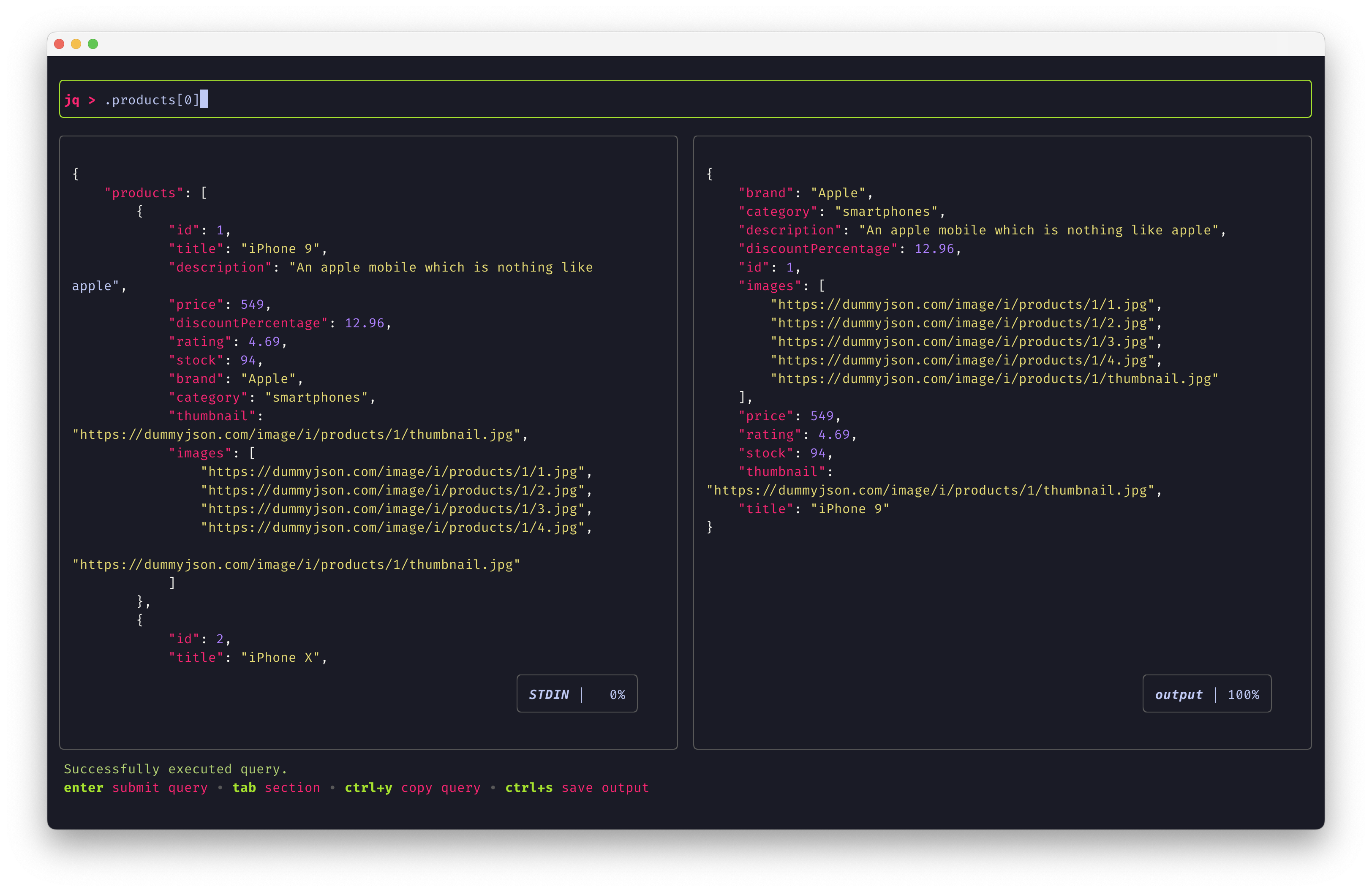
jqp is a terminal user interface for experimenting with jq queries. It loads JSON or newline-delimited JSON (NDJSON) from a file (-f/--file) or from standard input, and shows an input preview, a query field, and the query output. Queries are executed with gojq, itchyny's Go implementation of jq, rather than the jq binary. An optional query argument runs as soon as the interface loads, for example curl ... | jqp '.[] | {"title": .title, "url": .url}'. When both are given, stdin takes precedence over the file flag.
In the interface, tab and shift-tab cycle between sections. enter runs the query, and the up and down arrows move through query history. ctrl-t hides or shows the input panel. ctrl-c quits, or kills a long-running query. ctrl-y copies the query to the system clipboard, and ctrl-s saves the output to a file, or copies it to the clipboard if no file is given. On Linux and Unix, clipboard support needs xclip or xsel installed. The input preview and output panes can be scrolled with vim-style keys.
Configuration lives in a YAML file, by default $HOME/.jqp.yaml, or at a path given to --config. Command-line flags override the config file. The -t/--theme flag and the config file select a theme from about 50 light and dark options, including dracula, nord, monokai, gruvbox and the catppuccin variants. Chroma syntax-highlighting styles and non-syntax UI colors can be overridden in the config. jqp is aimed at developers and operators who inspect API responses or JSON logs and want to build jq filters with immediate feedback. It is written in Go on Bubbletea, Bubbles and Lipgloss.
Installation
# via Homebrew
brew install jqp
# via MacPorts
sudo port install jqp
# via Snap
sudo snap install jqp

Alternatives & related tools
gojq
Pure Go implementation of jq command-line JSON processor with arbitrary-precision arithmetic and YAML support
lazysql
Cross-platform TUI database management tool for MySQL, PostgreSQL, SQLite, and MSSQL with SQL editor and table operations.
qo
TUI for querying JSON and CSV files with SQL syntax, reads from stdin and outputs to stdout
jid
Interactive JSON explorer that takes piped input and lets you drill down with dot-path or JMESPath queries, with tab completion and suggestions.
dasel
Command-line tool for querying, modifying, and transforming structured data files (JSON, YAML, TOML, XML, CSV)
add a badge to your README
Maintain jqp? Show that it's featured on trmn. The badge links back to this page.

[](https://www.trmn.sh/tools/jqp?utm_source=badge)<a href="https://www.trmn.sh/tools/jqp?utm_source=badge"><img src="https://www.trmn.sh/badge/jqp.svg" alt="Featured on trmn" height="20"></a>