Ly
TUI display manager for Linux and BSD, written in Zig, with Lua configuration, PAM authentication, and support for systemd and other init systems.
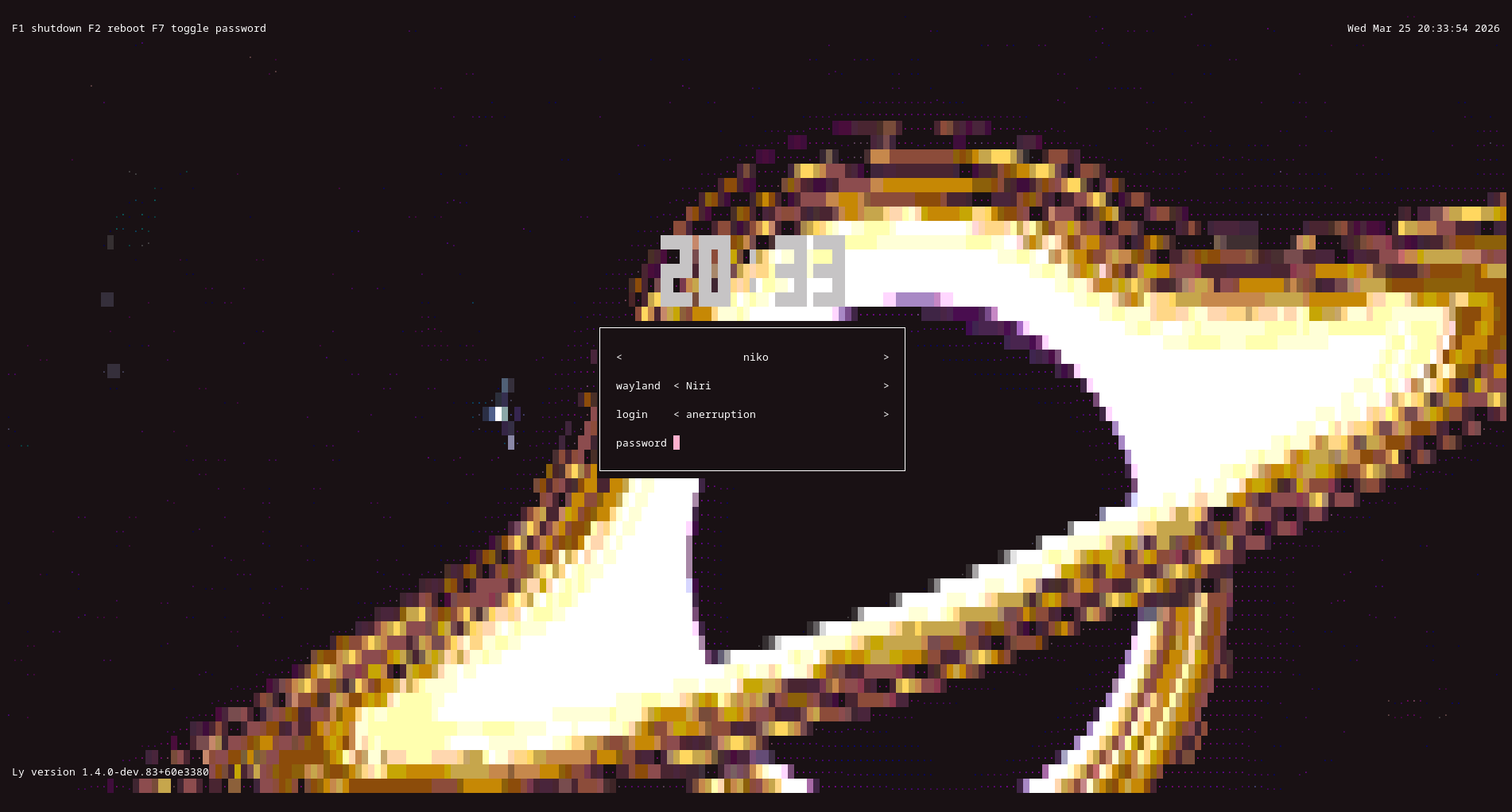
Ly is a text-mode (ncurses-like) display manager for Linux and BSD. It runs on a TTY, presents a login screen with fields for username, password and desktop environment, and starts the selected session. It is written in Zig and authenticates through PAM. It does not require systemd, and the README documents setup for systemd, OpenRC, runit, s6, dinit, sysvinit and FreeBSD.
Sessions are picked up from .desktop files in /usr/share/xsessions and /usr/share/wayland-sessions, and Ly also offers xinitrc and shell entries. Custom sessions can be added as .desktop files in /etc/ly/custom-sessions, where only Ly sees them. Ly does not refresh its session list automatically, so after installing a new environment you restart the Ly service or reboot. Xorg sessions need xorg and xauth at runtime, and the default configuration also uses brightnessctl. X11 support in the build depends on xcb.
Configuration lives in /etc/ly/config.lua. The file is commented and contains the default values. Because it is Lua, the configuration can be dynamic, for example choosing a random animation at each start. The command ly --validate-config /etc/ly/config.lua checks a file for errors. A separate community repository provides custom animations and user scripts. In the interface, the arrow keys move between fields, F1 and F2 shut down and reboot, and the numlock and capslock states are shown in the top-right corner. Session and system logs default to ~/.local/state/ly-session.log and /var/log/ly.log.
The tool is aimed at Linux and BSD users who want a minimal TTY login manager in place of LightDM, GDM or similar, and who are comfortable building from source with Zig 0.16.x. The README includes notes on SELinux denials on Fedora and openSUSE Tumbleweed, with an audit2allow workaround.
Installation
# via Build from source (Zig)
git clone https://codeberg.org/fairyglade/ly.git && cd ly
zig build
# via Install on systemd
# zig build installexe -Dinit_system=systemd
# via Update keeping config
# zig build installnoconf
Alternatives & related tools
zigfetch
A system information tool written in Zig that displays system details similar to neofetch/fastfetch
blink
Virtual machine that runs x86-64 Linux binaries on different operating systems and architectures
auto-cpufreq
Linux CPU speed and power optimizer that adjusts governor and turbo boost based on battery state, CPU load and temperature. Includes CLI, daemon and GUI.
nvitop
Interactive NVIDIA GPU and process monitor in Python with tree view, filtering, signal sending, a CUDA device selector (nvisel), and APIs for custom tools.
zerobrew
Experimental Homebrew-compatible package client for macOS and Linux that uses content-addressable storage and APFS clonefiles for faster installs.
add a badge to your README
Maintain Ly? Show that it's featured on trmn. The badge links back to this page.

[](https://www.trmn.sh/tools/ly?utm_source=badge)<a href="https://www.trmn.sh/tools/ly?utm_source=badge"><img src="https://www.trmn.sh/badge/ly.svg" alt="Featured on trmn" height="20"></a>