npm-check-updates
CLI that upgrades package.json dependencies to their latest versions, preserving semver range operators. Works with npm, yarn, pnpm, deno, and bun.
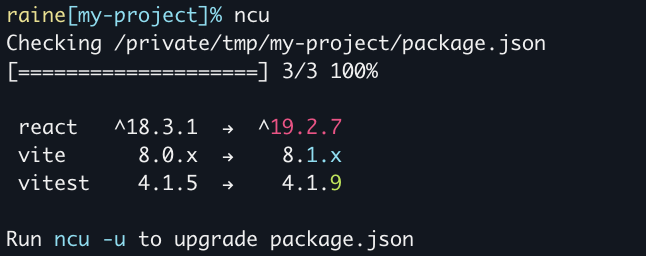
npm-check-updates (also available as ncu) is a dependency upgrade tool for JavaScript projects. It compares the versions in package.json against the latest published versions, ignoring the ranges currently specified, and lists the available upgrades. Running ncu -u rewrites package.json only; you then run npm install to update installed packages and the lockfile. ncu -g checks globally installed packages.
Upgrades keep existing range operators: ^1.2.0 becomes ^2.0.0, 1.x becomes 2.x, and * stays *. A "less than" range such as <2.0.0 is replaced with a caret range. Prerelease versions are ignored unless --pre is passed. The --target option sets the upgrade level: semver (respect existing ranges, including explicit upper bounds), minor, patch, or a dist-tag such as @next. Output is color-coded by upgrade type: red for major (and major version zero), cyan for minor, green for patch.
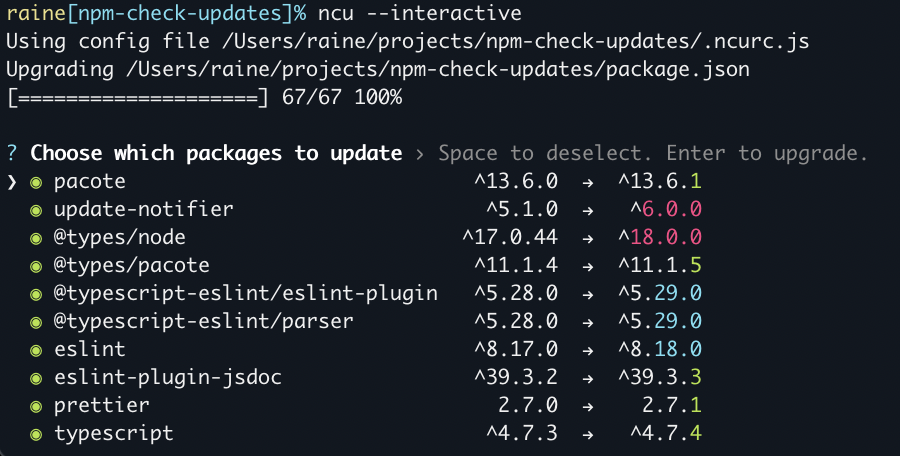
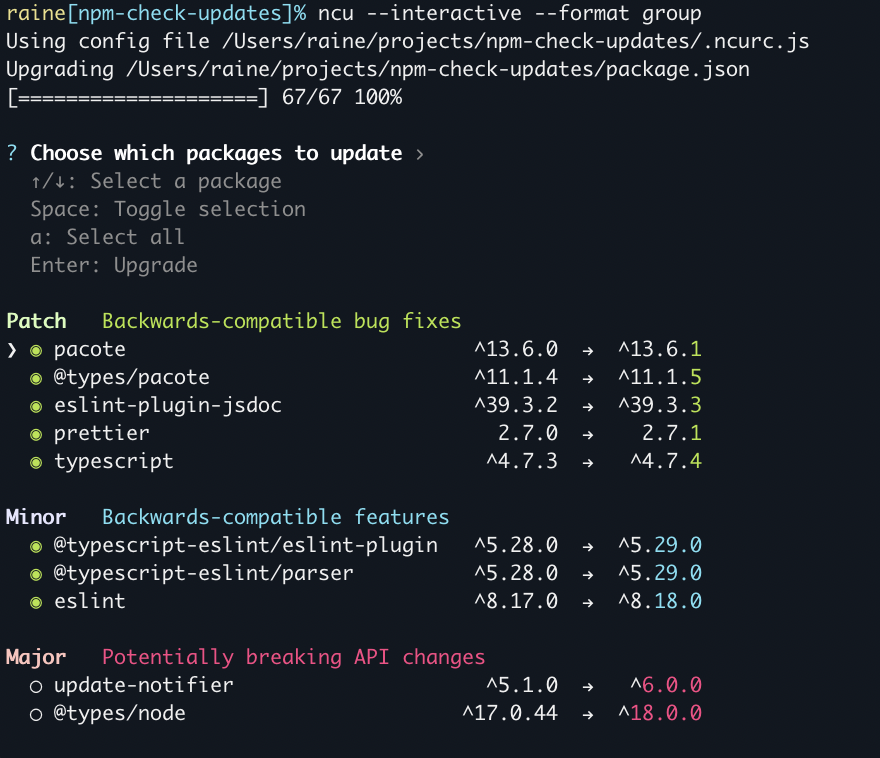
Packages can be selected with --filter or positional arguments (names, wildcards, regex) and excluded with --reject or a ! prefix. ncu -i starts an interactive mode where you pick upgrades with arrow keys, space, and Enter. It can be combined with --format group and --interactiveSelect to control which upgrades are pre-selected. Options can come from the command line or from config files in the current directory, next to package.json, or in $HOME. The tool works with npm, yarn, pnpm, deno, and bun, and can be used as a CLI or as a module (pure ESM, also loadable from CommonJS via require()). It requires Node.js ^22.22.2 || ^24.15.0 || >=26.0.0 and npm >=10. It suits JavaScript and TypeScript developers who maintain project dependencies.
Installation
# via npm
npm install -g npm-check-updates
# via npx
npx npm-check-updates
Alternatives & related tools
tsx
TypeScript Execute (tsx): a CLI for running TypeScript files directly in Node.js.
concurrently
Node.js CLI that runs multiple shell commands in parallel with prefixed, colored output and options to kill or restart processes. Works on Windows.
Vercel CLI
Command-line interface for the Vercel platform: deploy projects, run them locally with vercel dev, and manage deployments from the terminal.
Supabase CLI
Runs the Supabase stack locally, manages Postgres migrations, deploys Edge Functions, and generates TypeScript types from your database schema.
Angular CLI
Command-line tool for creating, serving, scaffolding, and maintaining Angular applications and workspaces via the ng command.
add a badge to your README
Maintain npm-check-updates? Show that it's featured on trmn. The badge links back to this page.

[](https://www.trmn.sh/tools/npm-check-updates?utm_source=badge)<a href="https://www.trmn.sh/tools/npm-check-updates?utm_source=badge"><img src="https://www.trmn.sh/badge/npm-check-updates.svg" alt="Featured on trmn" height="20"></a>