
qrcp
Go CLI that transfers files between a computer and a mobile device over Wi-Fi by printing a QR code in the terminal that links to a temporary local web server.
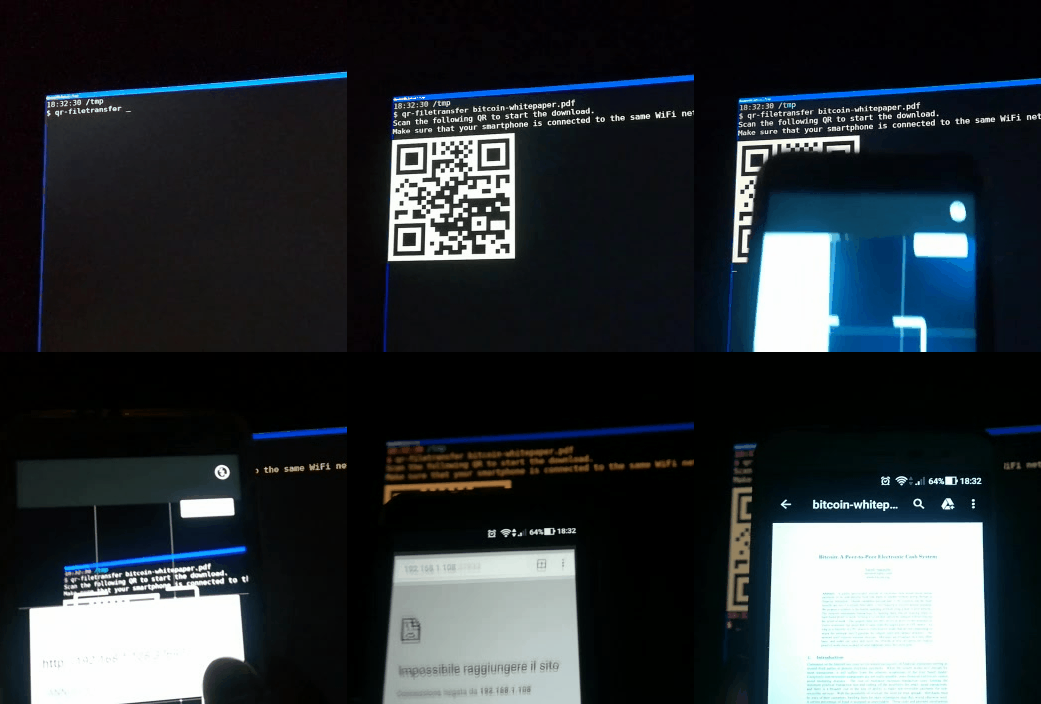
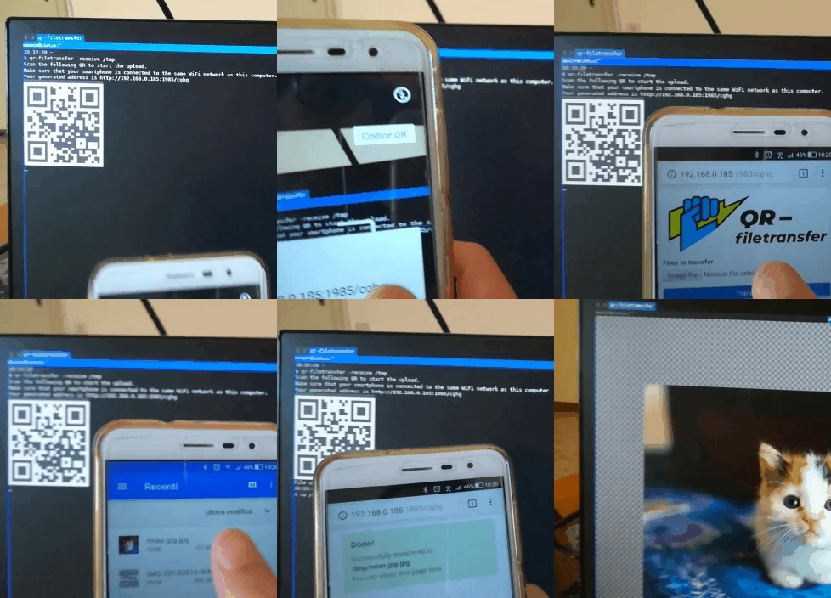
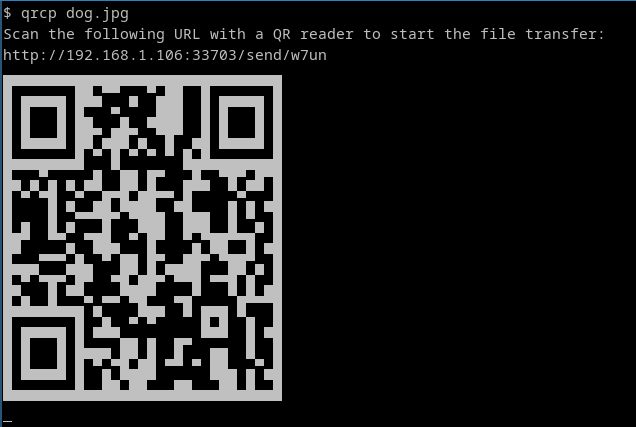
qrcp is a command-line file transfer tool written in Go. It binds a web server to the address of your Wi-Fi network interface on a random port and prints a QR code encoding a URL of the form http://{address}:{port}/{random_path}. Scanning the code with a phone opens the URL in the mobile browser, which starts the download. The default handler serves the content and exits the program when the transfer completes.
It works in both directions. qrcp MyDocument.pdf sends a file, and multiple files or a folder can be passed in the same way (qrcp Documents/). --zip compresses the content before transfer. qrcp receive serves an upload page so a mobile device can send files to the computer, and --output=/tmp/dir sets the destination directory.
No configuration is required, but a YAML file (default $XDG_CONFIG_HOME/qrcp/config.yml, or a path given with --config) or QRCP_-prefixed environment variables can set the interface, bind address, port, URL path, output directory, FQDN, keep-alive, and HTTPS. Use -i tun0 to pick a specific interface or -i any to bind to all interfaces. HTTPS is enabled with --tls-cert and --tls-key. Completion scripts are provided for Bash, Zsh, and Fish. It suits developers and other terminal users who want to move files to or from a phone on the same network without cables, cloud services, or extra apps.
Installation
# via Homebrew
brew install qrcp
# via Go
go install github.com/claudiodangelis/qrcp@latest
# via Scoop
scoop install qrcp
Alternatives & related tools
httpx
HTTP probing CLI from ProjectDiscovery that takes hosts, URLs or CIDRs and reports status, title, TLS, tech stack, CDN and more, with matchers and filters.
wuzz
Interactive terminal UI for inspecting and editing HTTP requests and responses, with cURL-style arguments and regex, HTML and JSON response filtering.
termshark
Terminal user interface for tshark that provides Wireshark-like packet analysis capabilities from the command line
wego
Terminal weather client showing 1–7 day forecasts from several backends, rendered as an ASCII-art table, emoji, markdown, or JSON.
bombardier
HTTP(S) benchmarking tool written in Go that uses fasthttp by default, with optional net/http for HTTP/2, and reports latency, requests/sec and throughput.
add a badge to your README
Maintain qrcp? Show that it's featured on trmn. The badge links back to this page.

[](https://www.trmn.sh/tools/qrcp?utm_source=badge)<a href="https://www.trmn.sh/tools/qrcp?utm_source=badge"><img src="https://www.trmn.sh/badge/qrcp.svg" alt="Featured on trmn" height="20"></a>