wuzz
Interactive terminal UI for inspecting and editing HTTP requests and responses, with cURL-style arguments and regex, HTML and JSON response filtering.
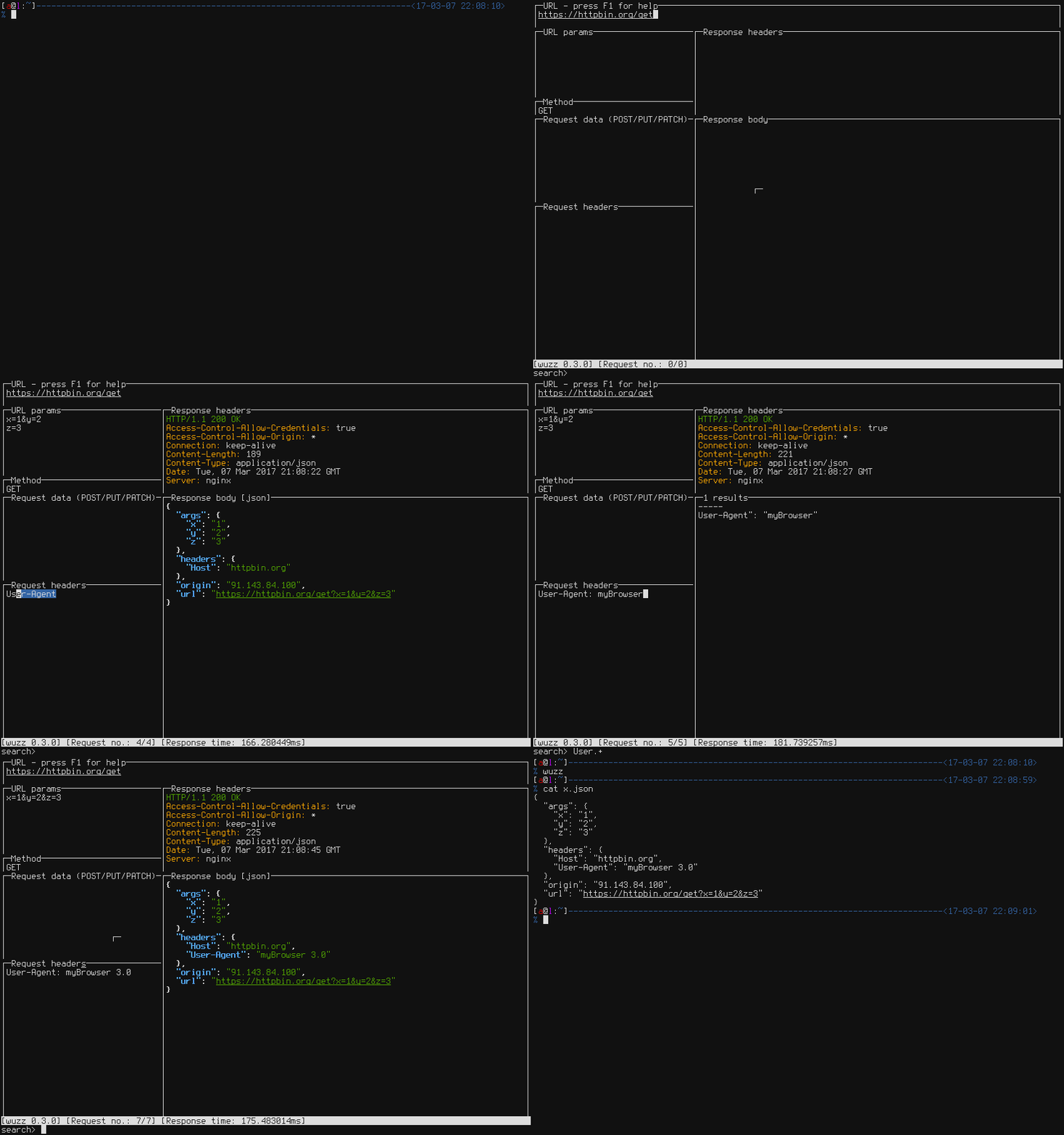
wuzz is an interactive terminal tool for HTTP inspection. It presents separate views for the URL, HTTP method, query parameters, request body, headers, and the response headers and body. You can edit a request and resend it without leaving the terminal.
Its command line arguments are similar to cURL's. A request copied from a browser's network inspector with "copy as cURL" can be loaded into wuzz, then inspected and modified. Keybindings include Ctrl+R to send a request, Ctrl+S and Ctrl+E to save the response or request, Ctrl+F to load a saved request, Alt+H to toggle history, and F2 to F9 to jump directly to a specific view. F11 toggles Redirects Restriction Mode.
Response bodies are filtered with regular expressions by default. Ctrl+T switches to a context-specific query syntax: goquery selectors for HTML responses and gjson syntax for JSON responses. Default settings can be overridden in a TOML config file ($XDG_CONFIG_HOME/wuzz/config.toml on Linux, ~/.wuzz/config.toml elsewhere), or a custom path can be passed with -c/--config.
It suits developers and API users who debug HTTP endpoints, replay browser requests, or explore JSON and HTML responses. Packages are available for Go, apt, apk, Scoop, X-CMD and Nix, plus binary releases.
Installation
# via Apt
apt install wuzz
# via Go
go get github.com/asciimoo/wuzz
# via Nix
nix-shell -p wuzz
Alternatives & related tools
httpx
HTTP probing CLI from ProjectDiscovery that takes hosts, URLs or CIDRs and reports status, title, TLS, tech stack, CDN and more, with matchers and filters.
qrcp
Go CLI that transfers files between a computer and a mobile device over Wi-Fi by printing a QR code in the terminal that links to a temporary local web server.
termshark
Terminal user interface for tshark that provides Wireshark-like packet analysis capabilities from the command line
wego
Terminal weather client showing 1–7 day forecasts from several backends, rendered as an ASCII-art table, emoji, markdown, or JSON.
Gobuster
Go-based brute-forcing tool for web directories/files, DNS subdomains, virtual hosts, S3/GCS buckets, TFTP files, and custom fuzzing.
add a badge to your README
Maintain wuzz? Show that it's featured on trmn. The badge links back to this page.

[](https://www.trmn.sh/tools/wuzz?utm_source=badge)<a href="https://www.trmn.sh/tools/wuzz?utm_source=badge"><img src="https://www.trmn.sh/badge/wuzz.svg" alt="Featured on trmn" height="20"></a>