delta
Syntax-highlighting pager for git, diff, and grep output with side-by-side view and word-level diff highlighting
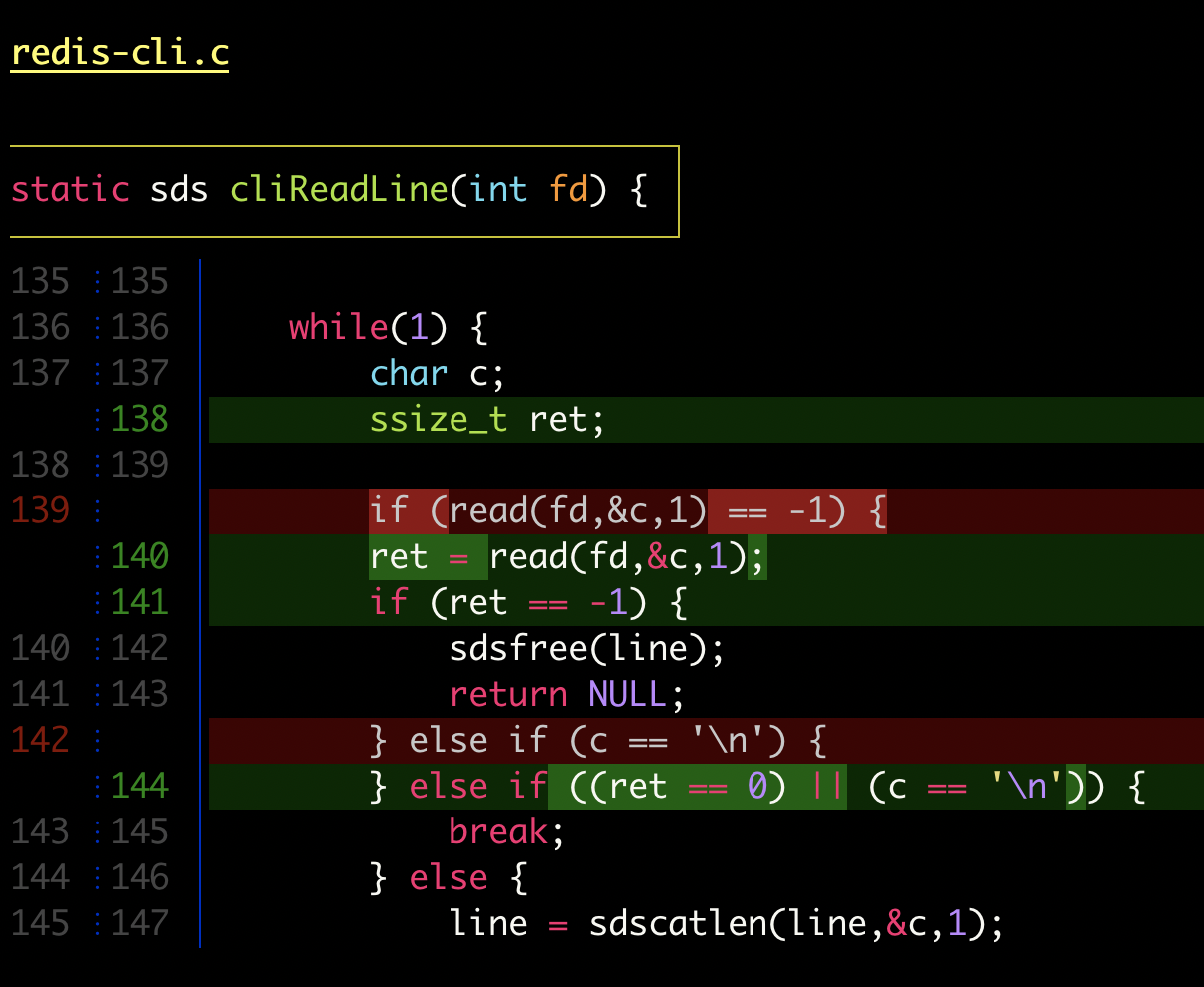
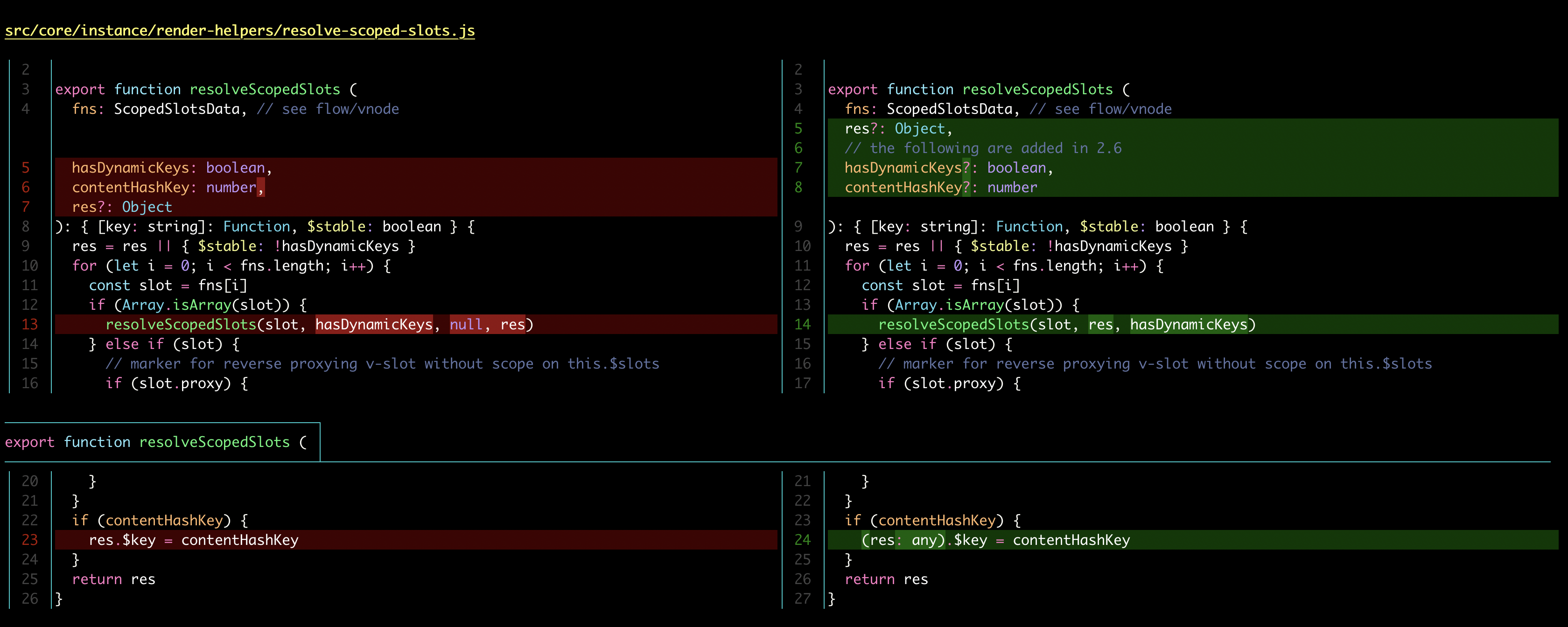
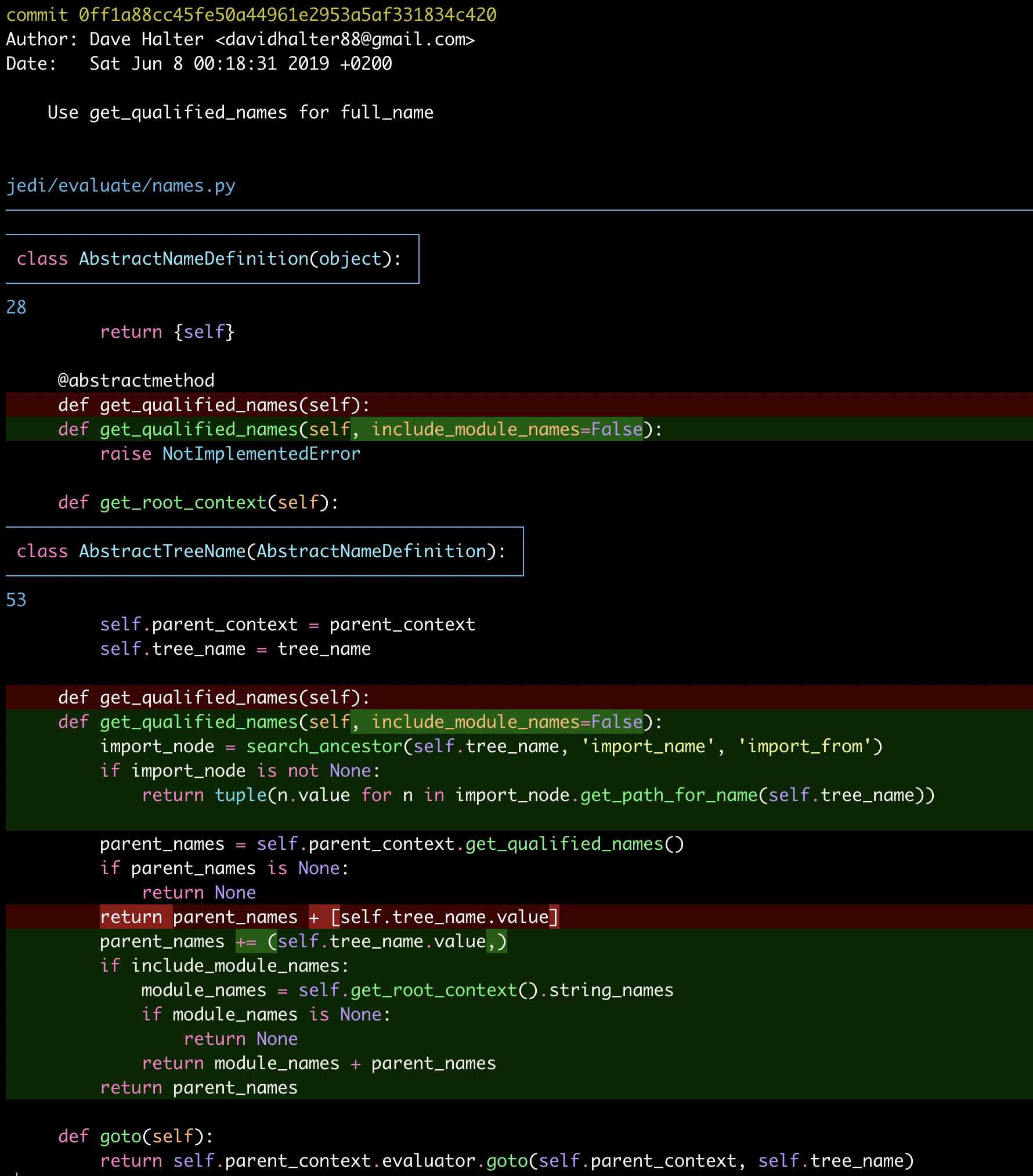
Delta is a syntax-highlighting pager that enhances git diff, blame, and grep output with improved formatting and navigation. It replaces the default git pager to provide language syntax highlighting using the same themes as bat, word-level diff highlighting with Levenshtein edit inference, and side-by-side view with automatic line wrapping.
The tool integrates directly with git by configuring it as the core.pager and interactive.diffFilter in gitconfig. Delta supports navigation between diff sections using n/N keybindings, displays merge conflicts with improved formatting, and can syntax-highlight output from ripgrep, git grep, and standard grep. It includes hyperlink support for commit hashes and file paths, linking to hosting providers like GitHub, GitLab, SourceHut, and Codeberg.
Delta offers extensive customization with 20+ stylable elements using git's color/style language, automatic light/dark terminal background detection, and compatibility with traditional unified diff output. It includes emulation modes for diff-highlight and diff-so-fancy, and removes +/- markers by default to enable direct code copying from diffs. The tool is primarily used by developers who frequently review code diffs and want enhanced readability and navigation capabilities.
Alternatives & related tools
Jujutsu
Git-compatible version control system with working-copy-as-a-commit, an operation log with undo, and automatic rebase of descendants. CLI is jj.
gitui
Terminal-based Git GUI for staging, committing, branching, and repository management with keyboard-only control
gitoxide
Pure Rust implementation of Git, offered as the gix library crate plus gix and ein command-line binaries for testing the API and running workflow tools.
onefetch
Command-line tool that displays Git repository information and code statistics in terminal
git absorb
Git subcommand that automatically creates fixup! commits from staged changes by finding the commit each hunk belongs to, with optional autosquash rebase.
add a badge to your README
Maintain delta? Show that it's featured on trmn. The badge links back to this page.

[](https://www.trmn.sh/tools/delta?utm_source=badge)<a href="https://www.trmn.sh/tools/delta?utm_source=badge"><img src="https://www.trmn.sh/badge/delta.svg" alt="Featured on trmn" height="20"></a>