
gitui
Terminal-based Git GUI for staging, committing, branching, and repository management with keyboard-only control
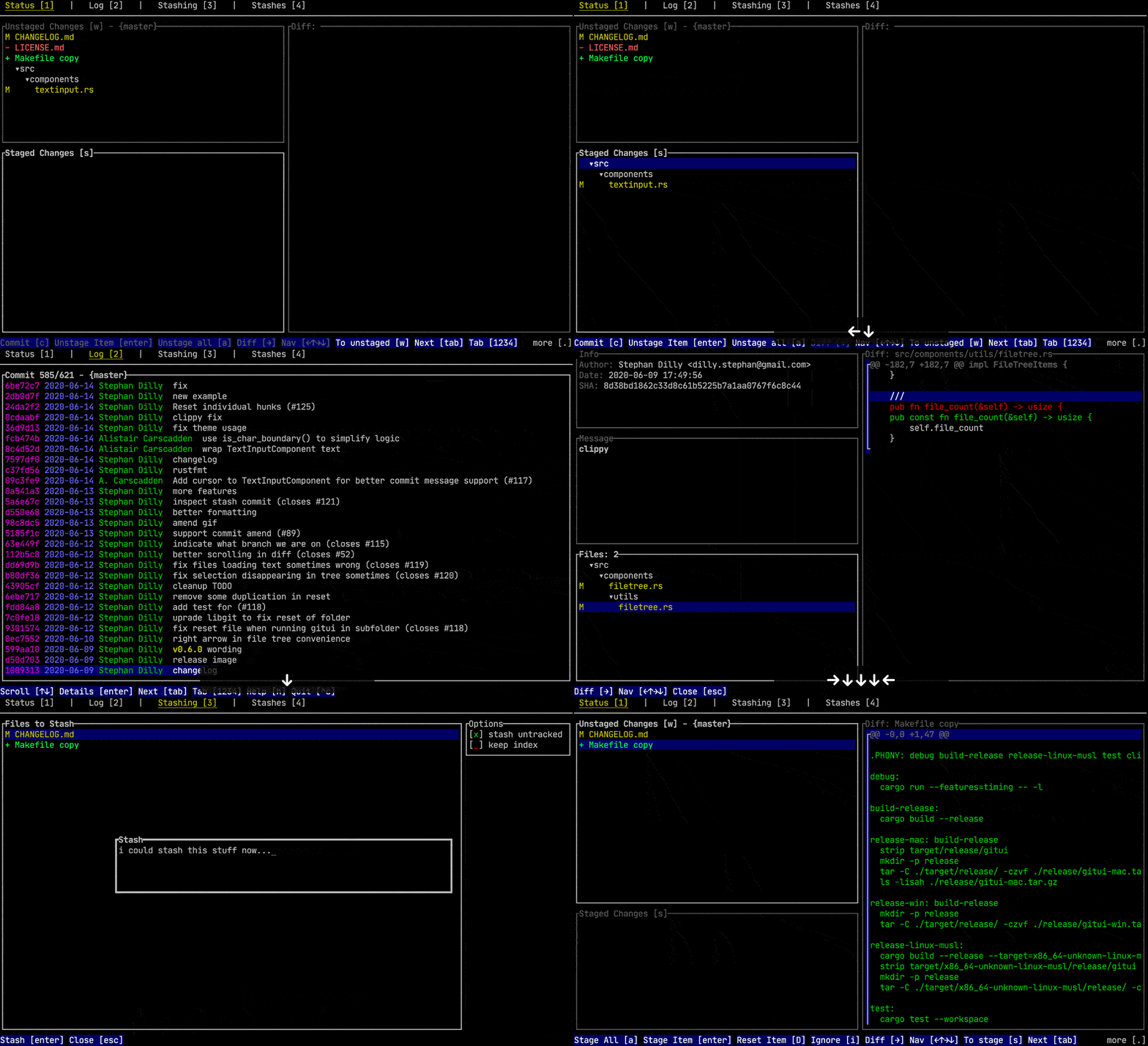
GitUI is a terminal user interface for Git operations that combines the visual benefits of GUI tools with the efficiency of terminal-based workflows. The tool provides keyboard-only control for common Git tasks including staging and unstaging files, hunks, and lines, managing commits and amendments, stashing operations, branch management, and push/fetch operations to remotes.
The application focuses on performance and responsiveness, particularly with large repositories. Benchmark comparisons show GitUI parsing the Linux kernel repository (900k+ commits) in 24 seconds using 0.17GB memory, significantly faster than alternatives like lazygit (57 seconds, 2.6GB) and tig (4 minutes 20 seconds, 1.3GB). The tool includes context-based help to reduce the need to memorize hotkeys.
Key features include commit log browsing with search capabilities, submodule support, GPG commit signing, customizable themes and key bindings, and an async Git API for fluid interaction. GitUI supports common Git hooks (pre-commit, commit-msg, post-commit, prepare-commit-msg) and provides detailed diff viewing for committed changes. The tool is designed for developers who want GUI-like Git functionality without leaving the terminal environment.
Installation
# via Homebrew
brew install gitui
# via Cargo
cargo install gitui --locked
# via Arch Linux
pacman -S gitui
Alternatives & related tools
Jujutsu
Git-compatible version control system with working-copy-as-a-commit, an operation log with undo, and automatic rebase of descendants. CLI is jj.
delta
Syntax-highlighting pager for git, diff, and grep output with side-by-side view and word-level diff highlighting
gitoxide
Pure Rust implementation of Git, offered as the gix library crate plus gix and ein command-line binaries for testing the API and running workflow tools.
onefetch
Command-line tool that displays Git repository information and code statistics in terminal
git absorb
Git subcommand that automatically creates fixup! commits from staged changes by finding the commit each hunk belongs to, with optional autosquash rebase.
add a badge to your README
Maintain gitui? Show that it's featured on trmn. The badge links back to this page.

[](https://www.trmn.sh/tools/gitui?utm_source=badge)<a href="https://www.trmn.sh/tools/gitui?utm_source=badge"><img src="https://www.trmn.sh/badge/gitui.svg" alt="Featured on trmn" height="20"></a>