Dufs
File server with static serving, uploads, search, zip folder download, account-based access control, HTTPS, and WebDAV, usable from a browser or curl.
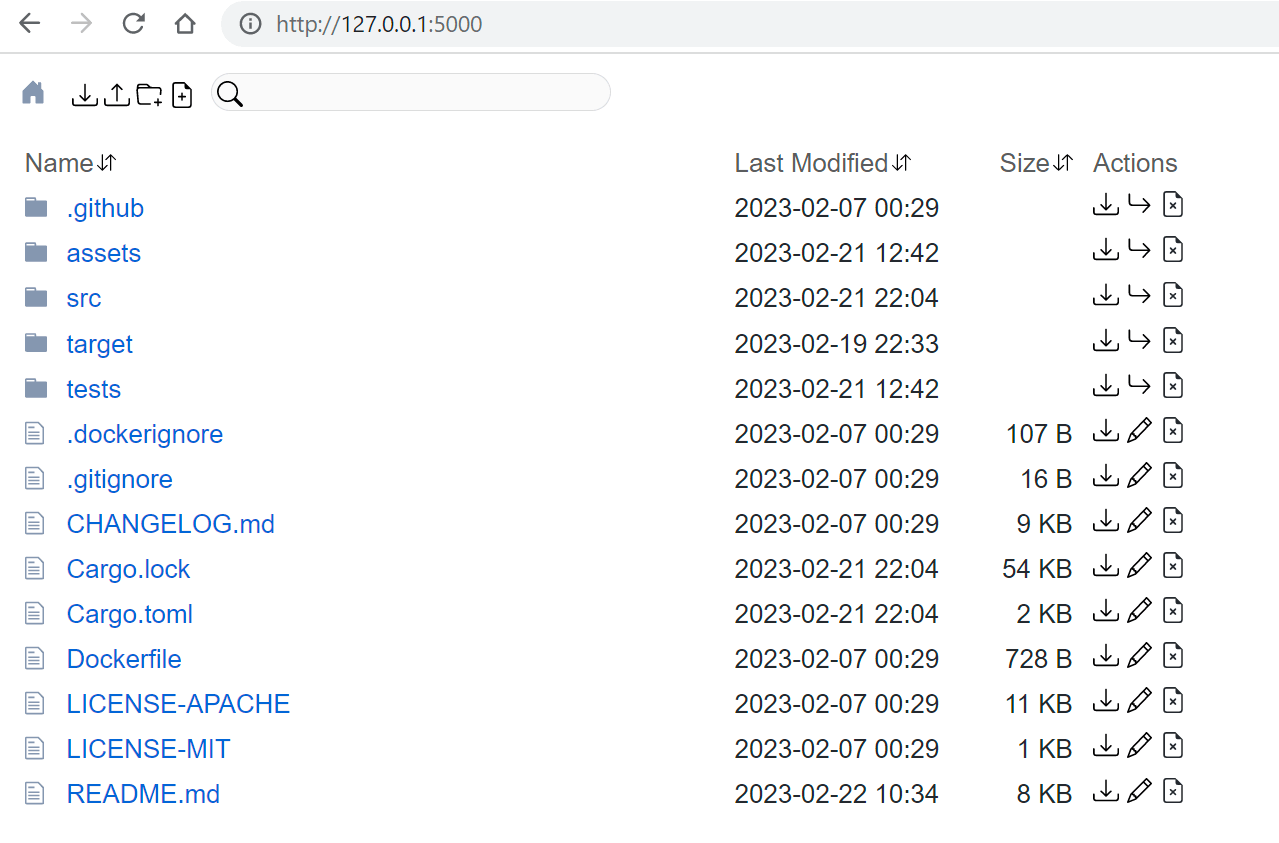
Dufs is a file server written in Rust. It serves a directory (or a single file) over HTTP and provides a web UI for browsing, downloading, uploading (including drag and drop of files and folders), creating, editing, and searching files. It also supports WebDAV, HTTPS via --tls-cert/--tls-key, resumable uploads and downloads, and downloading a folder as a zip archive.
By default it serves read-only on port 5000. Write operations are enabled with flags such as --allow-upload, --allow-delete, --allow-search, --allow-archive, or all at once with -A. Access control is account based: -a user:pass@/dir:rw sets per-path read-write or read-only permissions, anonymous access uses an empty account (-a @/), and both basic and digest auth are supported. SHA-512 hashed passwords are accepted, though digest auth does not work with them. Global --allow-* flags cap what any account can do. Paths can be hidden from listings with --hidden globs.
The HTTP API works with plain curl: PUT-style upload with -T, ?zip for folder archives, ?hash for a file's sha256, ?q= for search, ?simple and ?json for listing formats, MKCOL, MOVE, and DELETE, plus a /dufs/health endpoint. Serving modes include --render-index, --render-try-index, and --render-spa for static sites and single-page apps. It can bind to an address or a unix socket, and supports a path prefix, CORS, and a customizable HTTP log format including JSON output. Every option can be set via a YAML config file or DUFS_-prefixed environment variables.
Typical users are developers and sysadmins who need to share or transfer files on a LAN, host a quick static site, or run a small WebDAV-capable file server. It is available as a cargo crate, Docker image, Homebrew formula, and prebuilt binaries for macOS, Linux, and Windows.
Installation
# via Homebrew
brew install dufs
# via Cargo
cargo install dufs
# via Docker
docker run -v `pwd`:/data -p 5000:5000 --rm sigoden/dufs /data -A
Alternatives & related tools
dust
A disk usage analyzer that shows directory sizes with visual bars and intelligent tree traversal
broot
Interactive file manager and directory navigator with fuzzy search, git integration, and file operations
lsd
Enhanced ls replacement with colors, icons, tree view, and additional formatting options written in Rust
xplr
Terminal-based file explorer with Lua scripting, keyboard controls, and plugin system for command-line integration
ouch
CLI tool for compressing and decompressing files across 14+ formats with automatic format detection
add a badge to your README
Maintain Dufs? Show that it's featured on trmn. The badge links back to this page.

[](https://www.trmn.sh/tools/dufs?utm_source=badge)<a href="https://www.trmn.sh/tools/dufs?utm_source=badge"><img src="https://www.trmn.sh/badge/dufs.svg" alt="Featured on trmn" height="20"></a>