lsd
Enhanced ls replacement with colors, icons, tree view, and additional formatting options written in Rust
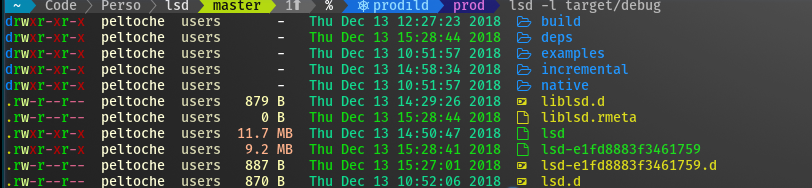
lsd (LSDeluxe) is a rewrite of GNU ls that adds visual enhancements and additional functionality for directory listing. Built in Rust, it provides colored output, file type icons, tree view display, and extensive formatting options while maintaining compatibility with standard ls command patterns.
The tool requires a patched font like Nerd Font or Font Awesome for icon display and supports comprehensive customization through YAML configuration files. Users can configure colors, icons, and behavior through config.yaml, colors.yaml, and icons.yaml files placed in the XDG config directory. Icon customization supports three override types: name-based (for specific files/directories), extension-based (for file types), and filetype-based (for categories like directories, executables, symlinks).
lsd includes common usage patterns through shell aliases, such as alias ls='lsd' for basic replacement, alias lt='lsd --tree' for tree view, and alias lla='lsd -la' for detailed listing with hidden files. The tool is available across multiple platforms through system package managers and supports both Unicode emojis and Nerd Font glyphs for file type representation.
Installation
# via Homebrew
brew install lsd
# via Cargo
cargo install lsd
# via APT
apt install lsd