
miniserve
Single-binary, cross-platform CLI HTTP file server with auth, uploads, TLS, WebDAV, QR codes, and on-the-fly tar.gz/zip directory downloads.
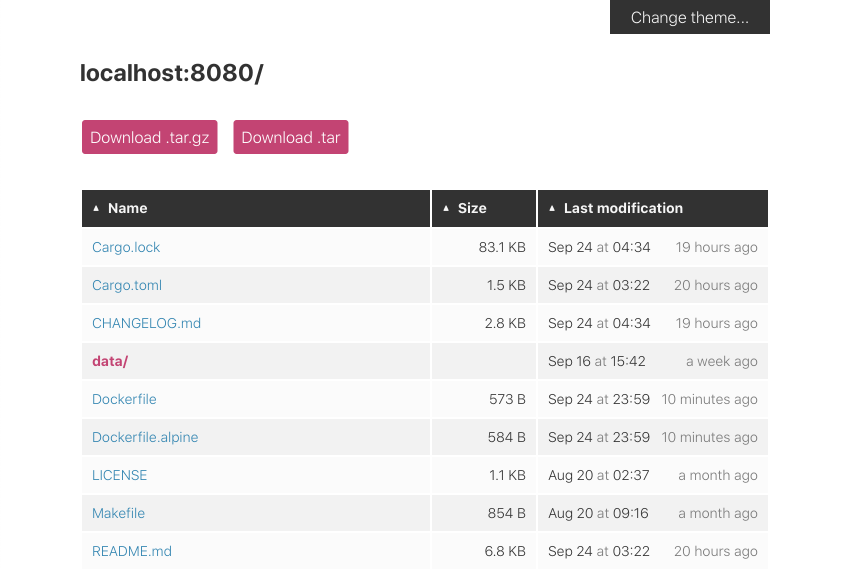
miniserve is a cross-platform command-line HTTP file server written in Rust on top of Actix. It ships as a single binary with no extra dependencies and serves a directory or a single file with one command, for example miniserve linux-distro-collection/ or miniserve linux-distro.iso. It generates a browsable file listing with correct MIME type handling, range request support, and optional README.md rendering.
Beyond static serving, it supports basic authentication with plain or hashed passwords (username:sha256:hash, sha512) and credentials read from a file via --auth-file. It also supports TLS with --tls-cert and --tls-key, custom response headers, a random route prefix (--random-route), binding to multiple interfaces, and an SPA mode (--spa --index index.html) that forwards unknown paths to the index file. Pretty URLs mode, WebDAV, and a healthcheck route at /__miniserve_internal/healthcheck are also documented.
It can also receive data. -u enables file uploads, optionally restricted to specific directories, and --mkdir allows directory creation, both usable from the web UI or via curl -F. Directories can be downloaded compressed on the fly as .tar.gz or .zip. Listings can be filtered with a ?search= query parameter, rendered minimally with ?raw=true for text browsers such as lynx or w3m, and given a copy-pastable wget footer with --show-wget-footer. Other options include a QR code for quick access from a phone (-q), light and dark color schemes, sorting options, and shell completions.
Typical users are developers and sysadmins who need to share files on a local network, serve a build or SPA for testing, or accept uploads without configuring a full web server.
Installation
# via Homebrew
brew install miniserve
Alternatives & related tools
trippy
Network analysis tool combining traceroute and ping functionality for diagnosing networking issues
xh
HTTP client that reimplements HTTPie's syntax with focus on improved performance and speed.
sshx
Shares a terminal session over the web with a single command, with real-time cursors, an infinite canvas of windows, and end-to-end encryption.
spotify_player
Terminal Spotify client with streaming, Spotify Connect remote control, synced lyrics, audio visualization, daemon mode, and CLI commands. Requires Premium.
websocat
Command-line WebSocket client and server, like netcat, curl and socat for ws:// and wss://, with TCP/UNIX socket proxying and program execution.
add a badge to your README
Maintain miniserve? Show that it's featured on trmn. The badge links back to this page.

[](https://www.trmn.sh/tools/miniserve?utm_source=badge)<a href="https://www.trmn.sh/tools/miniserve?utm_source=badge"><img src="https://www.trmn.sh/badge/miniserve.svg" alt="Featured on trmn" height="20"></a>