spotify_player
Terminal Spotify client with streaming, Spotify Connect remote control, synced lyrics, audio visualization, daemon mode, and CLI commands. Requires Premium.
spotify_player is a terminal music player for Spotify, written in Rust. It aims for feature parity with the official Spotify application and uses a paging and popup system for navigation. It requires a Spotify Premium account and authenticates through the Spotify Web API using the OAuth 2.0 authorization code flow with PKCE, so no client secret is stored.
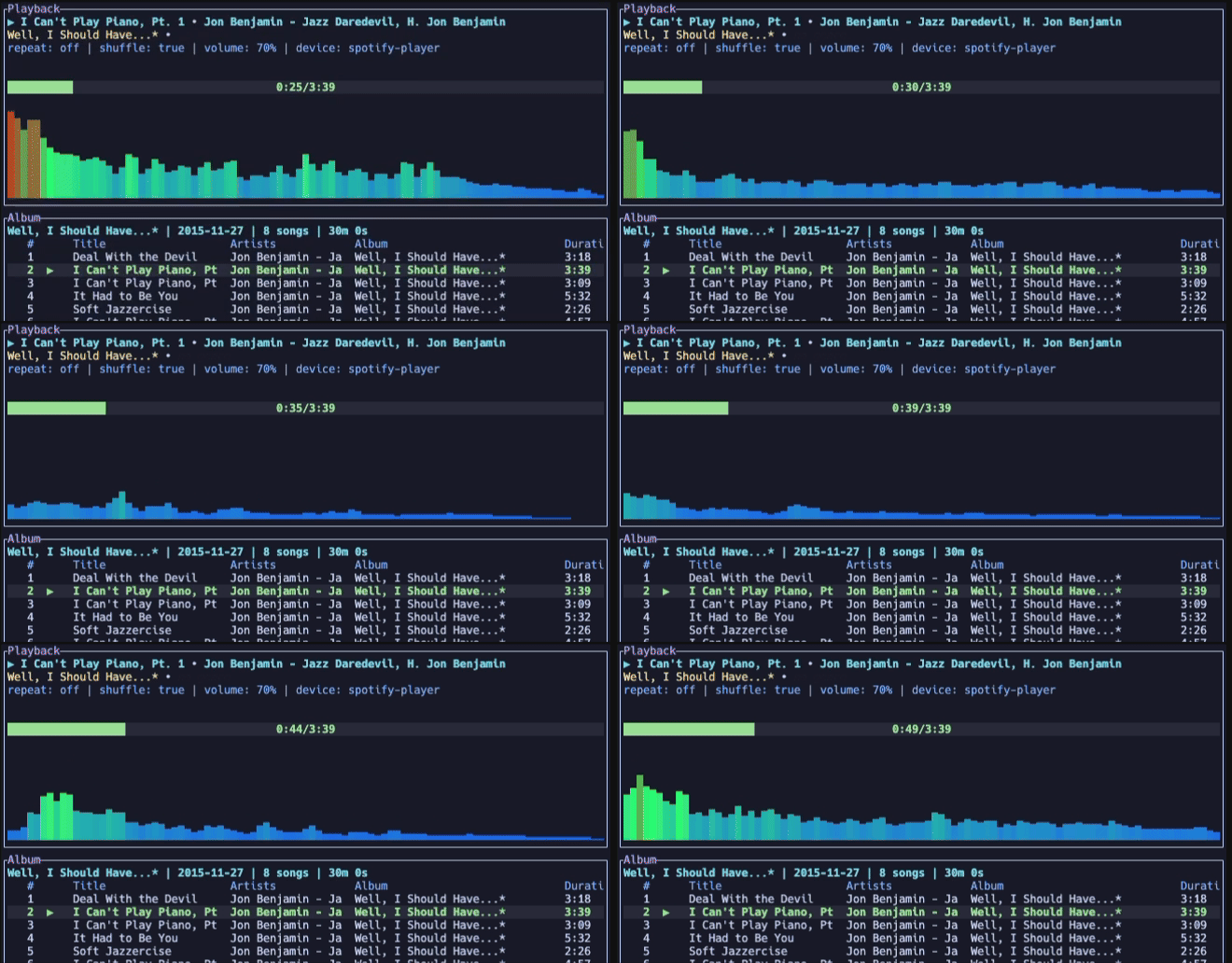
It can stream audio directly from the terminal through a librespot session, or act as a remote control for other devices via Spotify Connect. Other documented features include synced lyrics, audio visualization, image rendering, desktop notifications, cross-platform media control, mouse support, and fuzzy search. The application can also run as a daemon, and a set of CLI commands is available. The spotify_player authenticate command forces fresh logins for all required credentials, which is useful before a daemon or headless launch.
By default it uses ncspot's client ID for Web API access. The README recommends registering a custom client ID to avoid shared rate limits (429 responses). With a custom client configured, requests that get a 4xx response are retried once through ncspot. Configuration is file-based, with documented options such as client_id, login_redirect_uri, and api_rate_limit_retries. Linux builds need openssl, alsa-lib (streaming), and libdbus (media control). Prebuilt binaries, Docker images (streaming disabled), and packages for several platforms are available. It suits terminal users who want a Spotify client with scripting and headless options.
Installation
# via Homebrew
brew install spotify_player
# via Cargo
cargo install spotify_player --locked
# via Arch Linux
pacman -S spotify-player
Alternatives & related tools
sshx
Shares a terminal session over the web with a single command, with real-time cursors, an infinite canvas of windows, and end-to-end encryption.
dog
Command-line DNS client with colorful output, JSON support, and DNS-over-TLS/HTTPS protocols
miniserve
Single-binary, cross-platform CLI HTTP file server with auth, uploads, TLS, WebDAV, QR codes, and on-the-fly tar.gz/zip directory downloads.
trippy
Network analysis tool combining traceroute and ping functionality for diagnosing networking issues
xh
HTTP client that reimplements HTTPie's syntax with focus on improved performance and speed.
add a badge to your README
Maintain spotify_player? Show that it's featured on trmn. The badge links back to this page.

[](https://www.trmn.sh/tools/spotify-player?utm_source=badge)<a href="https://www.trmn.sh/tools/spotify-player?utm_source=badge"><img src="https://www.trmn.sh/badge/spotify-player.svg" alt="Featured on trmn" height="20"></a>