OmO
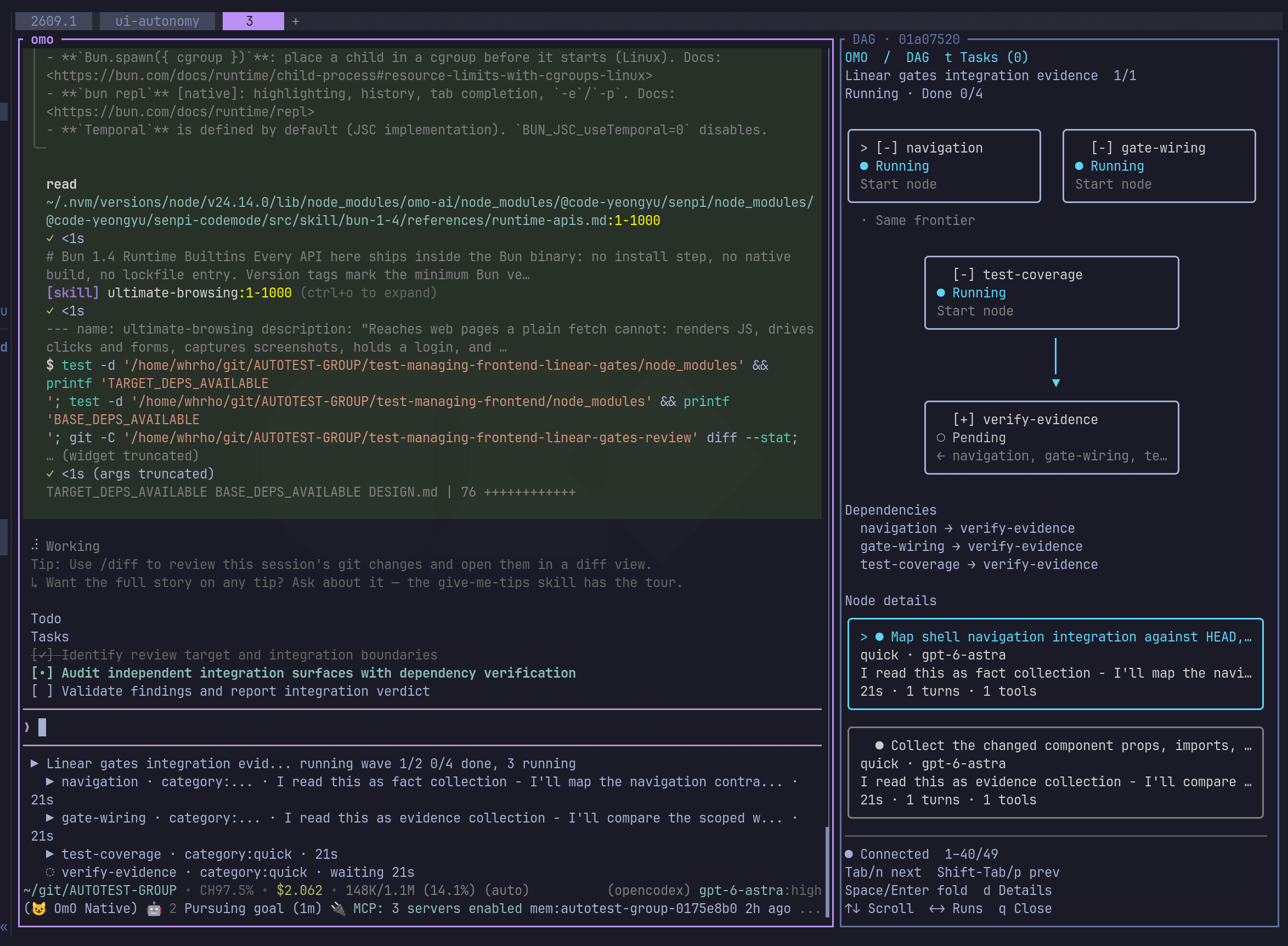
Terminal coding agent run through the omo command. It runs on senpi, a fork of pi, and can split a job into parallel agents across multiple models.
OmO is a terminal AI coding agent launched with the omo command. You open a project, run omo, and describe the job. It runs on senpi, a fork of pi (badlogic/pi-mono), and is distributed as a native binary for Linux/macOS and Windows. Its tasks include research, backend and frontend work, and general coding.
Adding ultrawork (or ulw) to a prompt makes the agent read the codebase first, plan, verify each step, and check the result before stopping. Typing mass ulw turns the job into a graph of agents. Each part runs in parallel on a model chosen for it, and the results are checked before the job is reported done. The README gives deep research and migrations as example uses.
Other documented features include Kibitzer, a memory system stored as markdown files in a git repository. A small, cheap model runs beside the main agent and nudges it based on your past behavior. /login supports Claude, ChatGPT, Kimi and GLM subscriptions. Each model gets its own system prompt. Skills, including browser use, are loaded only when a task needs them. Independent tool calls run together in one small program. Malformed tool arguments are repaired before they run. Long-running work keeps a record of what was checked, so a restarted session can resume. Config, skills and prompts reload live.
Configuration lives in ~/.omo/omo.jsonc, and a project can add .omo/omo.jsonc, with the closest file winning. Users of the earlier OpenCode edition or LazyCodex can run omo setup to carry over provider keys, MCP servers, skills and model picks. omo doctor then reports which task categories the configured providers can run. The tool is aimed at developers who want to run long, multi-step engineering tasks across several model providers.
Installation
# via Shell script
curl -fsSL https://get.omo.dev/install.sh | bash
# via Bun
bun add -g omo-ai
# via npm
npm i -g omo-ai
Alternatives & related tools
oh-my-pi
Terminal coding agent (fork of Pi) with LSP and DAP debugger integration, subagents, Python/Bun execution, and in-process native tools. Supports 60+ providers.
Continue
Open-source coding agent distributed as a CLI, VS Code extension, and JetBrains plugin. Repository is read-only after the final 2.0.0 release.
OpenClaude
Open-source terminal coding-agent CLI that works with OpenAI-compatible APIs, Gemini, GitHub Models, Codex, Ollama and other cloud or local model backends.
gemini-cli
Terminal AI agent providing direct command line access to Google Gemini models with file operations, web search, and tool integration.
Qwen Code
Open-source AI coding agent that runs in the terminal, with IDE plugins, desktop app, SDKs, and multi-provider model support (OpenAI, Anthropic, Gemini, Qwen).
add a badge to your README
Maintain OmO? Show that it's featured on trmn. The badge links back to this page.

[](https://www.trmn.sh/tools/oh-my-openagent?utm_source=badge)<a href="https://www.trmn.sh/tools/oh-my-openagent?utm_source=badge"><img src="https://www.trmn.sh/badge/oh-my-openagent.svg" alt="Featured on trmn" height="20"></a>