Qwen Code
Open-source AI coding agent that runs in the terminal, with IDE plugins, desktop app, SDKs, and multi-provider model support (OpenAI, Anthropic, Gemini, Qwen).
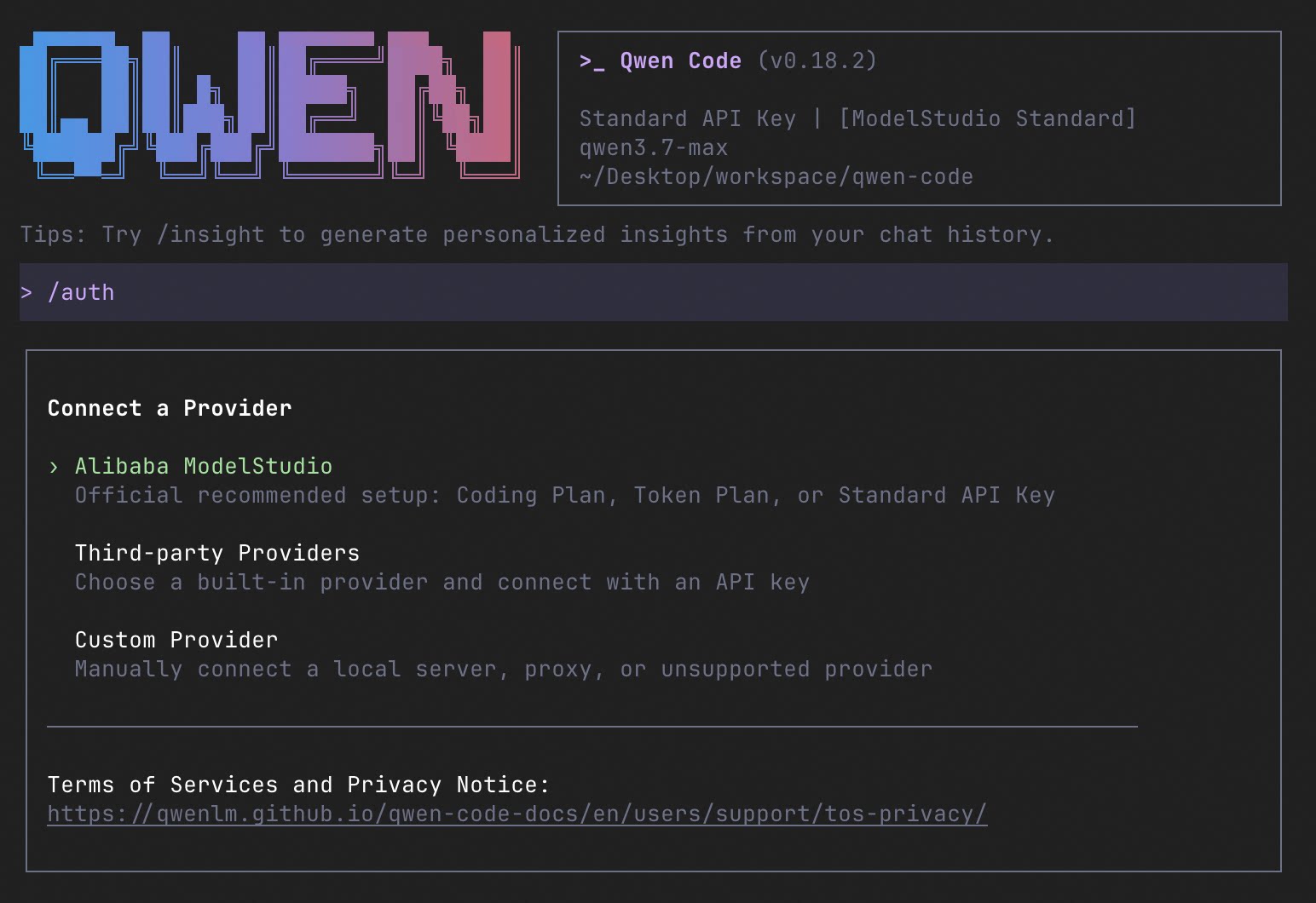
Qwen Code is an open-source AI coding agent that you start with qwen inside a project directory. Within the session, /auth configures a provider and API key, and you then give the agent natural-language tasks such as explaining a repository. Its feature set is documented as comparable to Claude Code: SubAgents, Agent Teams, Auto-Memory, Auto-Skills, Hooks, MCP, Plan Mode, LSP integration, sandboxing, Git worktrees, and built-in skills such as /review, /batch, /loop and /bugfix.
It supports multiple API protocols (OpenAI, Anthropic, Gemini and Qwen) and any third-party provider or local model served through Ollama or vLLM, and you can switch models at runtime. Features the README lists as differences from Claude Code include Agent Arena (running several models head-to-head on the same task), a daemon mode (qwen serve) that lets multiple clients share one agent over HTTP + SSE (ACP, experimental), and IM channels for Telegram, DingTalk, WeChat and Feishu, started with qwen channel start.
Besides the terminal, it has a desktop app for macOS, Windows and Linux, an experimental Web UI (qwen serve --open), and editor integrations for VS Code, Zed and JetBrains. For automation, qwen -p "..." runs headlessly in scripts, CI/CD or batch jobs, and SDKs are available for TypeScript, Python and Java. The README also reports SWE-bench Verified results across seven Qwen Code versions using the Qwen 3.7 Max model. The tool is aimed at developers who want a terminal-based coding agent with a choice of model providers and scriptable or embeddable interfaces.
Installation
# via Homebrew
brew install qwen-code
# via npm
npm install -g @qwen-code/qwen-code@latest
# via Install script (Linux/macOS)
curl -fsSL https://qwen-code-assets.oss-cn-hangzhou.aliyuncs.com/installation/install-qwen-standalone.sh | bash
Alternatives & related tools
Kilo Code
Open source AI coding agent for VS Code, JetBrains, and the terminal, with 500+ selectable models at provider pricing and an autonomous mode for CI/CD.
OpenClaude
Open-source terminal coding-agent CLI that works with OpenAI-compatible APIs, Gemini, GitHub Models, Codex, Ollama and other cloud or local model backends.
Continue
Open-source coding agent distributed as a CLI, VS Code extension, and JetBrains plugin. Repository is read-only after the final 2.0.0 release.
oh-my-pi
Terminal coding agent (fork of Pi) with LSP and DAP debugger integration, subagents, Python/Bun execution, and in-process native tools. Supports 60+ providers.
OmO
Terminal coding agent run through the omo command. It runs on senpi, a fork of pi, and can split a job into parallel agents across multiple models.
add a badge to your README
Maintain Qwen Code? Show that it's featured on trmn. The badge links back to this page.

[](https://www.trmn.sh/tools/qwen-code?utm_source=badge)<a href="https://www.trmn.sh/tools/qwen-code?utm_source=badge"><img src="https://www.trmn.sh/badge/qwen-code.svg" alt="Featured on trmn" height="20"></a>