
oxker
Rust TUI for viewing and controlling Docker containers, with log viewing, search, filtering, sorting, inspect and exec, configurable via TOML/JSON.
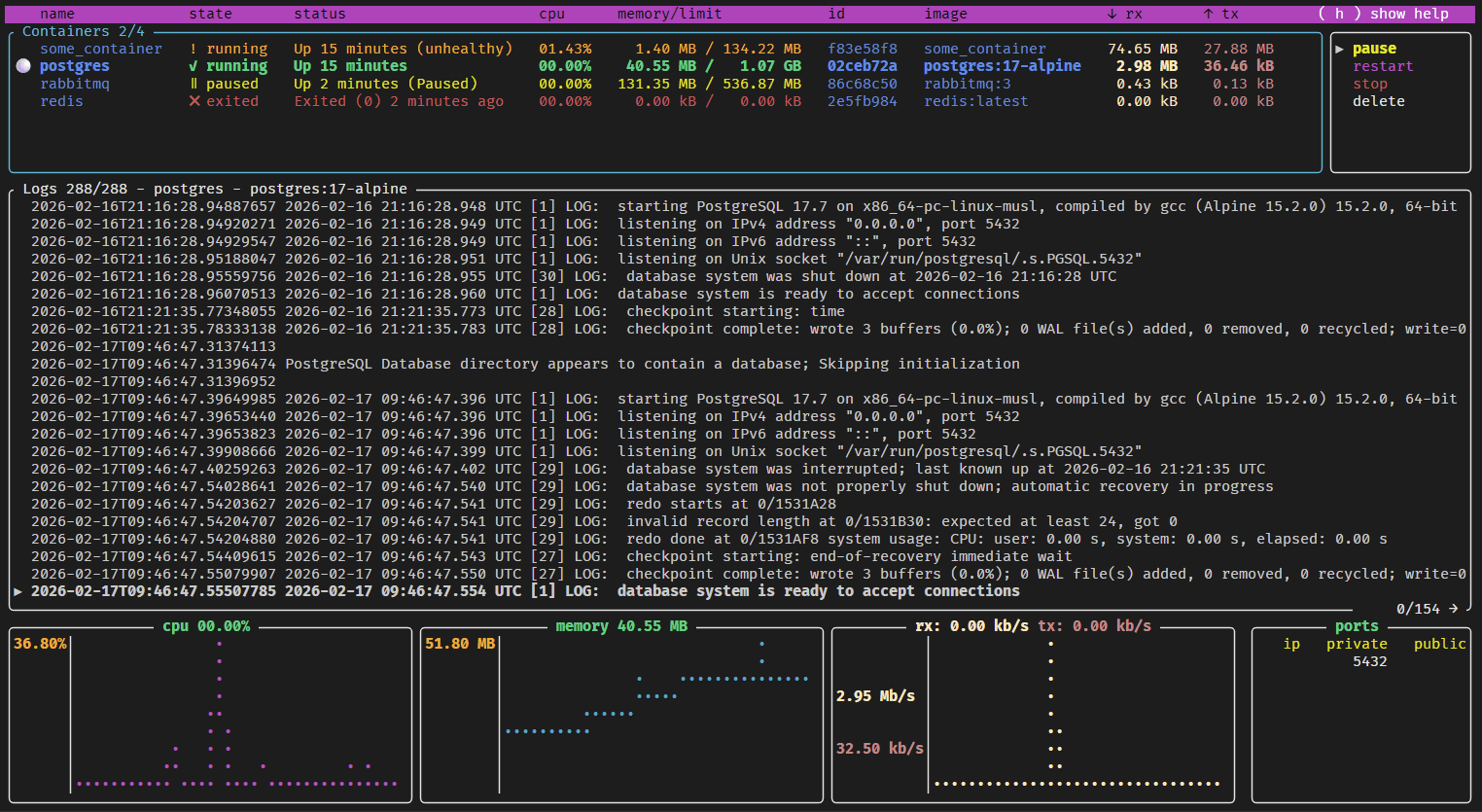
oxker is a terminal user interface for viewing and controlling Docker containers. It is written in Rust using ratatui for the interface and Bollard to talk to the Docker API. It connects to /var/run/docker.sock by default, or to a custom host via --host or the DOCKER_HOST environment variable.
Inside the TUI you move between panels with tab, scroll with arrow keys, j/k or the mouse wheel, and run the selected Docker command with enter. Containers can be sorted by column (keys 1-9, or clicking headings) and filtered (F1 or /). Logs can be searched (#), resized or hidden, and saved to a file with s. You can also inspect a container (i) or exec into it (e, not available on Windows). Command line flags control the update interval (-d), raw or colored logs (-r, -c), timestamp removal (-t), stderr exclusion (--no-stderr), log timezone (--timezone), and the log save directory (--save-dir).
Settings, custom keymaps and color schemes can be persisted in a config.toml, config.json or config.jsonc file. Command line arguments override config values. oxker can also run as a Docker container with the socket mounted read-only, and images are published for linux/amd64, linux/arm64 and linux/arm/v6. The README documents cross-compiling for Raspberry Pi, including the Pi Zero W. It suits developers and sysadmins who manage local or remote Docker hosts from a terminal.
Installation
# via Homebrew
brew install oxker
# via Cargo
cargo install oxker
# via Docker
docker run --rm -it -v /var/run/docker.sock:/var/run/docker.sock:ro --pull=always ghcr.io/mrjackwills/oxker
Alternatives & related tools
wiremix
TUI audio mixer for PipeWire that controls volumes, routes audio between devices and applications, and configures audio settings.
zenith
Terminal-based system monitor with graphical metrics for CPU, memory, network, disk usage, and process management written in Rust
pdu
Parallelized disk usage analyzer that renders graphical charts for directory tree analysis
kbt
Terminal-based keyboard testing tool for checking key functionality across multiple layouts
g1c
Terminal UI for monitoring and managing Google Cloud VM instances with real-time updates and instance operations
add a badge to your README
Maintain oxker? Show that it's featured on trmn. The badge links back to this page.

[](https://www.trmn.sh/tools/oxker?utm_source=badge)<a href="https://www.trmn.sh/tools/oxker?utm_source=badge"><img src="https://www.trmn.sh/badge/oxker.svg" alt="Featured on trmn" height="20"></a>