g1c
Terminal UI for monitoring and managing Google Cloud VM instances with real-time updates and instance operations
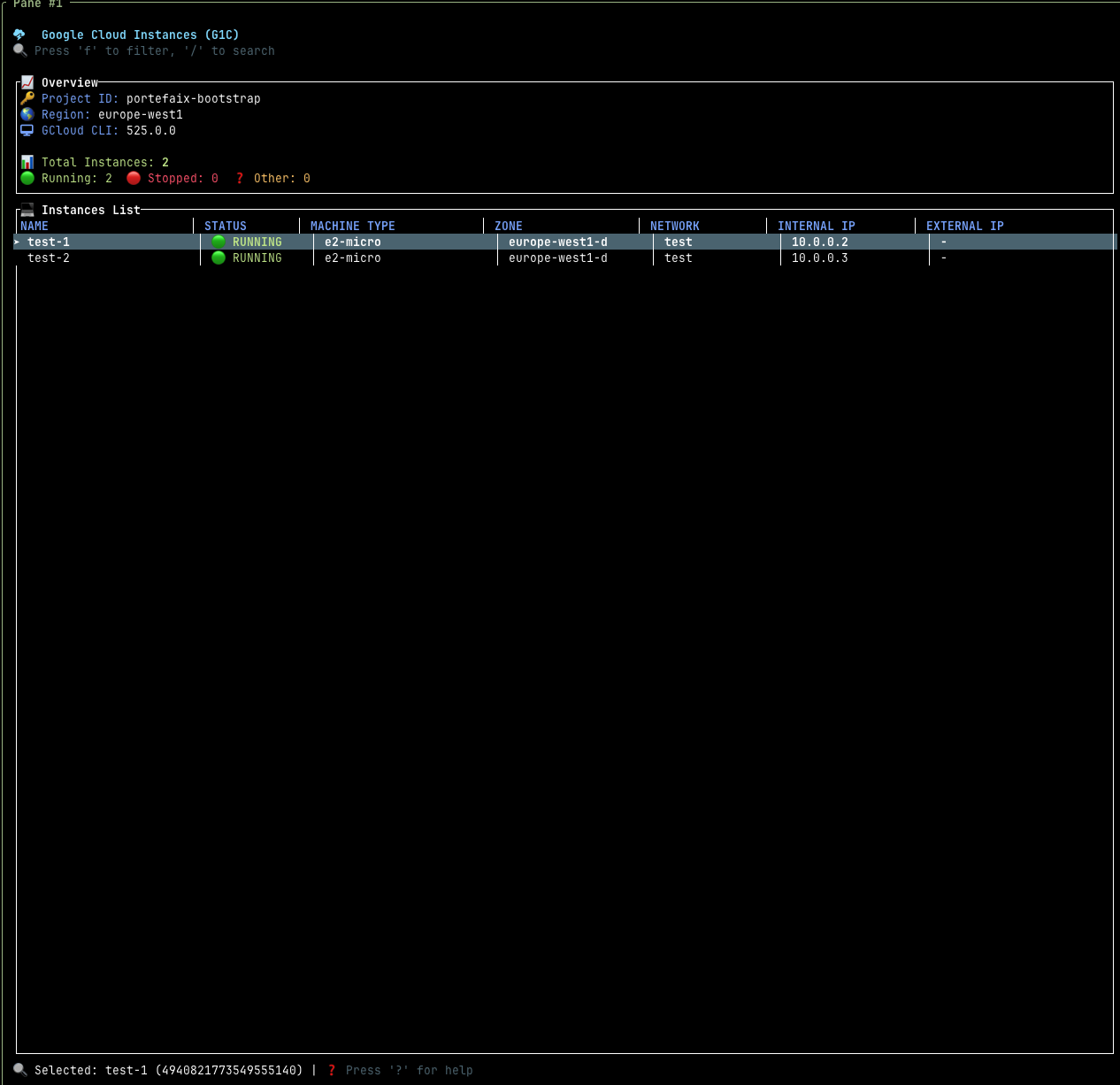
g1c is a terminal user interface (TUI) application for monitoring and managing Google Cloud VM instances. Built in Rust, it provides real-time visibility into Compute Engine instances across multiple projects and regions with configurable auto-refresh intervals.
The tool supports common instance operations including start, stop, restart, and delete actions through keyboard shortcuts. Users can filter and search instances by various attributes, navigate the interface with vim-like keybindings (j/k for movement), and view detailed instance information. It authenticates through the standard Google Cloud SDK credentials and supports multiple projects and regions via command-line flags.
g1c is designed for developers and system administrators who need to monitor and manage Google Cloud infrastructure from the terminal. The interface draws inspiration from k9s for Kubernetes and e1s for AWS EC2, providing a consistent experience for cloud resource management. Configuration can be managed through command-line arguments, environment variables, or a TOML configuration file at ~/.config/g1c/config.toml.
Installation
# via Cargo
cargo install g1c
# via From Source
git clone https://github.com/nlamirault/g1c.git && cd g1c && make install
Alternatives & related tools
ecscope
TUI for monitoring AWS ECS services, tasks, and containers across multiple clusters and regions in a unified view.
kbt
Terminal-based keyboard testing tool for checking key functionality across multiple layouts
pdu
Parallelized disk usage analyzer that renders graphical charts for directory tree analysis
wiremix
TUI audio mixer for PipeWire that controls volumes, routes audio between devices and applications, and configures audio settings.
oxker
Rust TUI for viewing and controlling Docker containers, with log viewing, search, filtering, sorting, inspect and exec, configurable via TOML/JSON.
add a badge to your README
Maintain g1c? Show that it's featured on trmn. The badge links back to this page.

[](https://www.trmn.sh/tools/g1c?utm_source=badge)<a href="https://www.trmn.sh/tools/g1c?utm_source=badge"><img src="https://www.trmn.sh/badge/g1c.svg" alt="Featured on trmn" height="20"></a>