tlrc
Official tldr-pages client written in Rust that shows community-maintained command cheat sheets in the terminal, with a local cache and a TOML config.
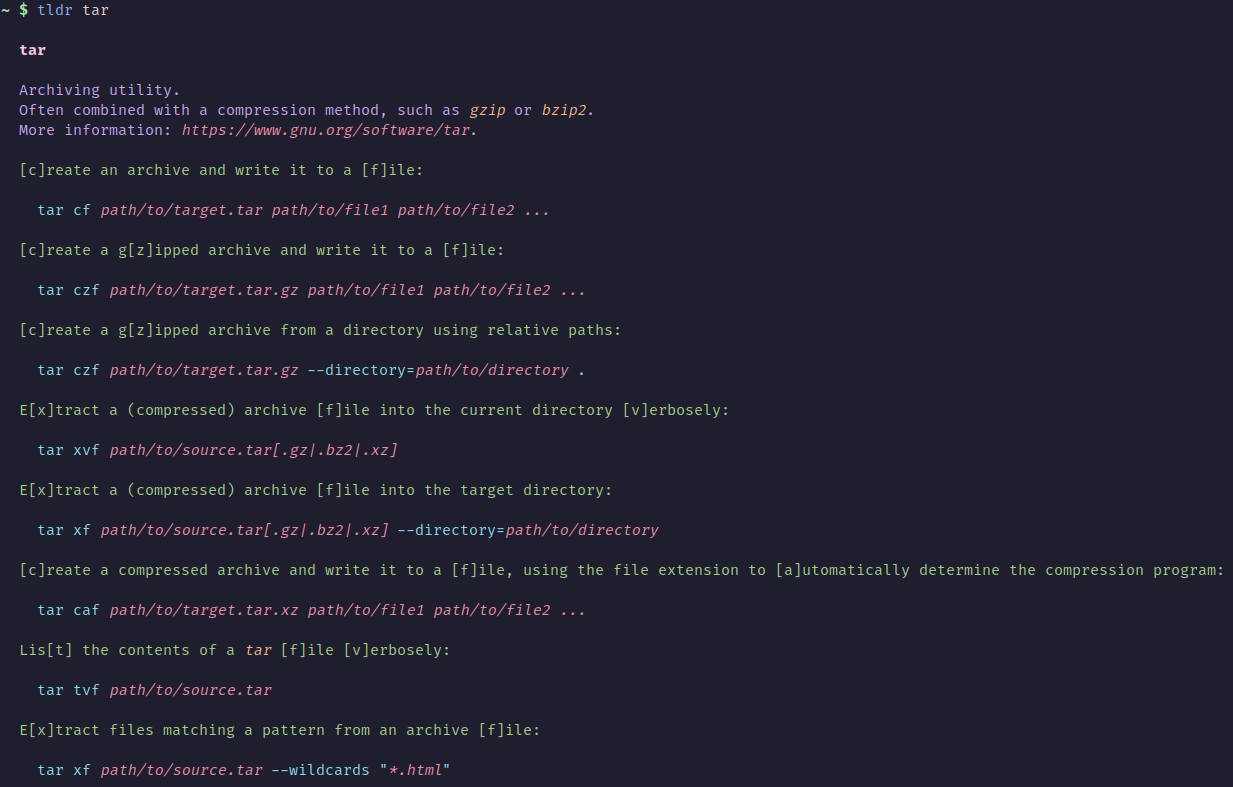
tlrc is the official command-line client for tldr pages, the community-maintained collection of short, example-based command help pages. It is written in Rust and installs a tldr binary that renders pages in the terminal. Run tldr --help for a brief usage summary, or man tldr for the full manual.
Pages are downloaded to a local cache. The cache updates automatically when it is older than max_age hours (the default is 336, or two weeks). The update can also be deferred until after the page is shown. You can set a list of page languages. If the list is empty, tlrc uses the LANG and LANGUAGE environment variables, and English is always downloaded. The download source can be changed to a mirror that serves the same file layout as the official tldr releases, including a SHA256 checksums file and per-language zip archives.
Configuration is a TOML file. tldr --config-path prints its location, and tldr --gen-config generates a default file. Output options include showing or hiding the title, platform name, hyphens before example descriptions and edit links, a custom example prefix, a maximum line length, compact output with empty lines removed, and raw markdown output. Placeholders such as {{[-s|--long]}} can be shown in short, long, or both option styles. Indentation and styles for the title, description, bullets, examples, URLs, inline code, and placeholders are configurable. Colors can be named, 256-color ANSI codes, RGB, or hex, and text attributes include bold, italic, underline, dim, and strikethrough. The README includes a sample config that reproduces the look of tldr-python-client.
tlrc suits developers and sysadmins who want quick command examples in the terminal, and anyone who wants a tldr client that runs offline from a cache. It is packaged for Homebrew, Nix, the AUR, XBPS, Zypper, Winget, Scoop, MacPorts, pkgin, and Conda, and is also available through Cargo and as prebuilt binaries.
Installation
# via Homebrew
brew install tlrc
# via Cargo
cargo install tlrc --locked
# via Winget
winget install tldr-pages.tlrc
Alternatives & related tools
Railway CLI
Command-line client for Railway projects: deploy with `railway up`, manage IaC config, configure AI agent tools via MCP, and launch cloud agent VMs.
dra
CLI tool to download and install release assets from GitHub repositories
logss
CLI tool that splits and visualizes log streams into multiple containers based on regex patterns with real-time filtering
termframe
Non-interactive terminal emulator that executes commands and exports their output as SVG screenshots.
lazycelery
Terminal UI for monitoring and managing Celery workers, queues, and tasks with real-time updates and keyboard navigation.
add a badge to your README
Maintain tlrc? Show that it's featured on trmn. The badge links back to this page.

[](https://www.trmn.sh/tools/tlrc?utm_source=badge)<a href="https://www.trmn.sh/tools/tlrc?utm_source=badge"><img src="https://www.trmn.sh/badge/tlrc.svg" alt="Featured on trmn" height="20"></a>