Toolong
Terminal log viewer that tails, merges, and searches log files and JSONL, with web server log highlighting and support for multi-gigabyte files.
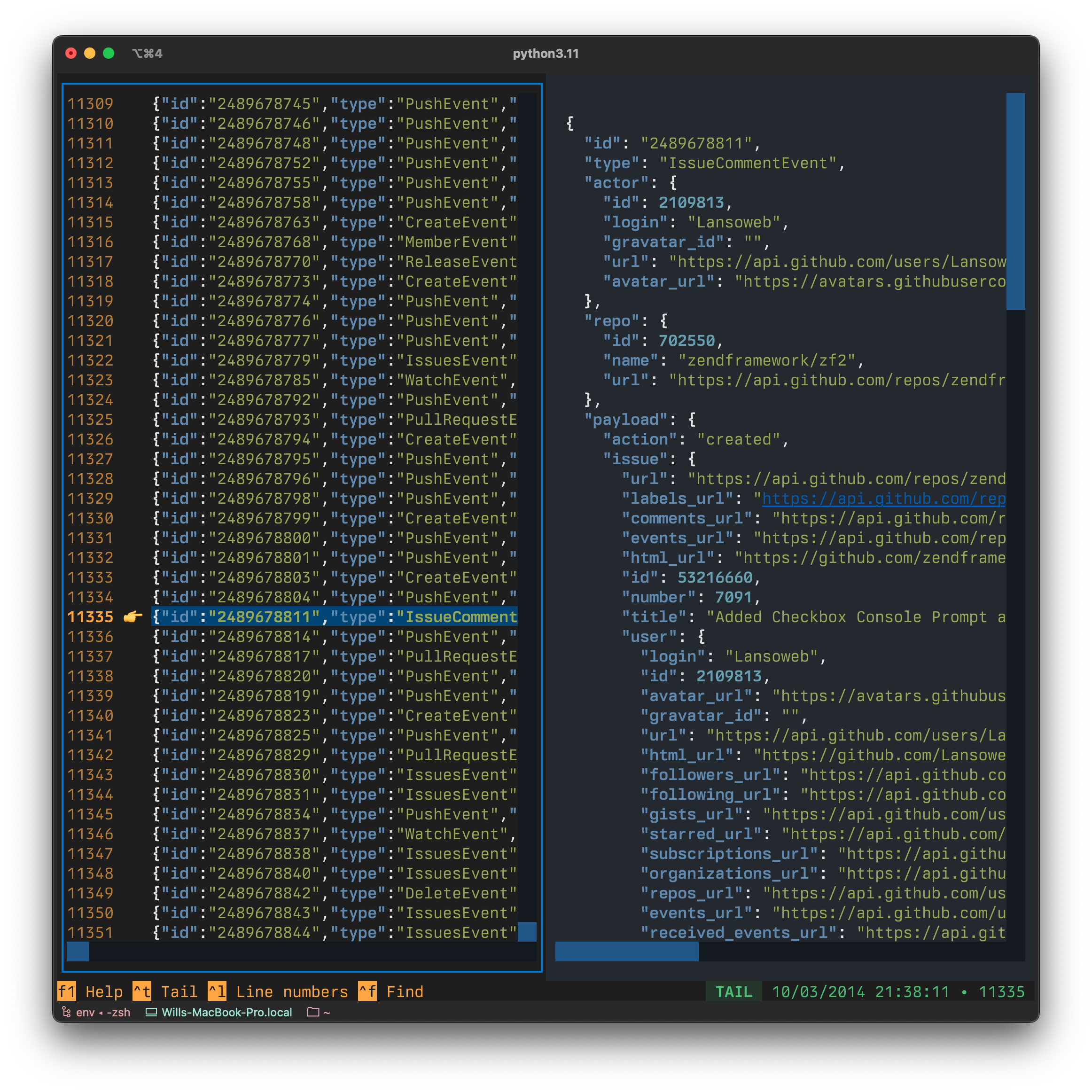
Toolong is a terminal UI for reading log files, started with the tl command. It was intended as a replacement for the tail + less combination (hence its earlier working name, Tailless). It supports live tailing, scrolling through existing content, and searching, and it highlights the syntax of common web server log formats.
Files are opened by passing names to tl. Multiple files open in tabs, and the --merge switch combines several files into a single view by auto-detecting timestamps, for example tl access.log* --merge. It opens gzip (.gz) and bzip2 (.bz2) compressed logs. JSONL files are pretty printed line by line. It supports viewing multi-gigabyte log files. Output from another process can also be piped in, e.g. tree / | tl. Pressing f1 inside the app shows help.
Toolong is aimed at developers and operators who inspect logs, particularly on servers over ssh. It runs on Linux, macOS, and Windows. The README names lnav as a more mature alternative, and credits the LogMerger project as a reference for its timestamp regexes. It is written in Python and built by the Textualize author.
Installation
# via pipx
pipx install toolong
# via pip
pip install toolong
Alternatives & related tools
s-tui
Terminal UI that graphs CPU temperature, frequency, power and utilization, with a built-in CPU stress test and thermal throttle indicators.
nvitop
Interactive NVIDIA GPU and process monitor in Python with tree view, filtering, signal sending, a CUDA device selector (nvisel), and APIs for custom tools.
tuptime
System uptime tracking tool that preserves historical uptime/downtime statistics across reboots with detailed reporting
auto-cpufreq
Linux CPU speed and power optimizer that adjusts governor and turbo boost based on battery state, CPU load and temperature. Includes CLI, daemon and GUI.
bpytop
Terminal-based system resource monitor showing CPU, memory, disk, network and process usage with interactive interface
add a badge to your README
Maintain Toolong? Show that it's featured on trmn. The badge links back to this page.

[](https://www.trmn.sh/tools/toolong?utm_source=badge)<a href="https://www.trmn.sh/tools/toolong?utm_source=badge"><img src="https://www.trmn.sh/badge/toolong.svg" alt="Featured on trmn" height="20"></a>