flowcontrol
TUI text editor built with Zig, featuring tree-sitter syntax highlighting, LSP support, and multiple keybinding modes
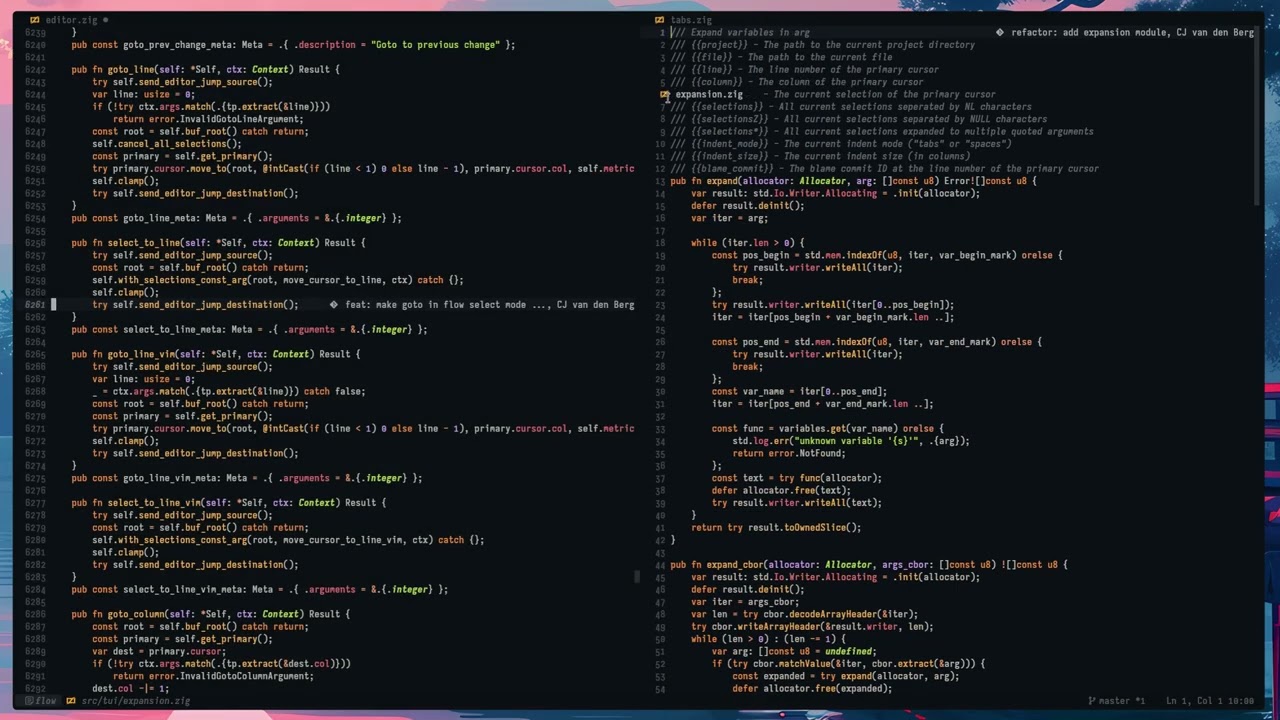
Flow Control is a terminal-based text editor written in Zig that provides sub-6ms frame times with animated scrolling and low-latency input handling. The editor supports over 70 programming languages through tree-sitter syntax highlighting with zero configuration required, and includes pre-configured Language Server Protocol support for most language servers.
The editor features a comprehensive UI with tabs, scrollbars, palettes, and full mouse support. It supports powerful multi-cursor editing, integrated clipboard history, and infinite undo capabilities. Flow Control uses a hybrid rope/piece-table buffer system that can handle very large files with thousands of cursors efficiently.
Flow Control accommodates different editing preferences through multiple pre-configured keybinding modes including Flow Control (GUI IDE style similar to VS Code), Emacs, Vim, and Helix modes. Users can also create custom keybinding configurations. The editor runs on Linux, FreeBSD, macOS, Windows, and Android (via Termux) and supports cross-compilation to all targets.
The editor requires a modern terminal with 24-bit color support and ideally kitty keyboard protocol support, with Kitty, Foot, and Ghostty being the recommended terminals. It also requires NerdFont support and a UTF-8 locale for optimal functionality.
Installation
# via Build from source
zig build -Doptimize=ReleaseSafe
Alternatives & related tools
durdraw
ASCII, Unicode and ANSI art editor for Unix-like systems with frame-based animation support
amp
Vi/Vim-inspired terminal text editor built in Rust with simplified interaction model and modern features.
dawn
Terminal-based markdown editor with live rendering, math support, and distraction-free writing features
csvi
Terminal CSV editor with vi-style navigation and minimal change tracking for clean diffs
Fresh
Terminal text editor with VS Code-style keybindings, mouse support, LSP, multi-cursor editing, and a command palette that requires no configuration.
add a badge to your README
Maintain flowcontrol? Show that it's featured on trmn. The badge links back to this page.

[](https://www.trmn.sh/tools/flowcontrol?utm_source=badge)<a href="https://www.trmn.sh/tools/flowcontrol?utm_source=badge"><img src="https://www.trmn.sh/badge/flowcontrol.svg" alt="Featured on trmn" height="20"></a>