
tldr
Community-maintained collection of simplified help pages for command-line tools with practical examples
tldr-pages provides simplified help pages for command-line tools as an alternative to traditional man pages. The project maintains a community-driven collection of concise examples for common Unix, Linux, macOS, Windows, and other platform commands. Instead of lengthy technical documentation, tldr pages focus on practical usage examples that demonstrate the most frequently used options and arguments.
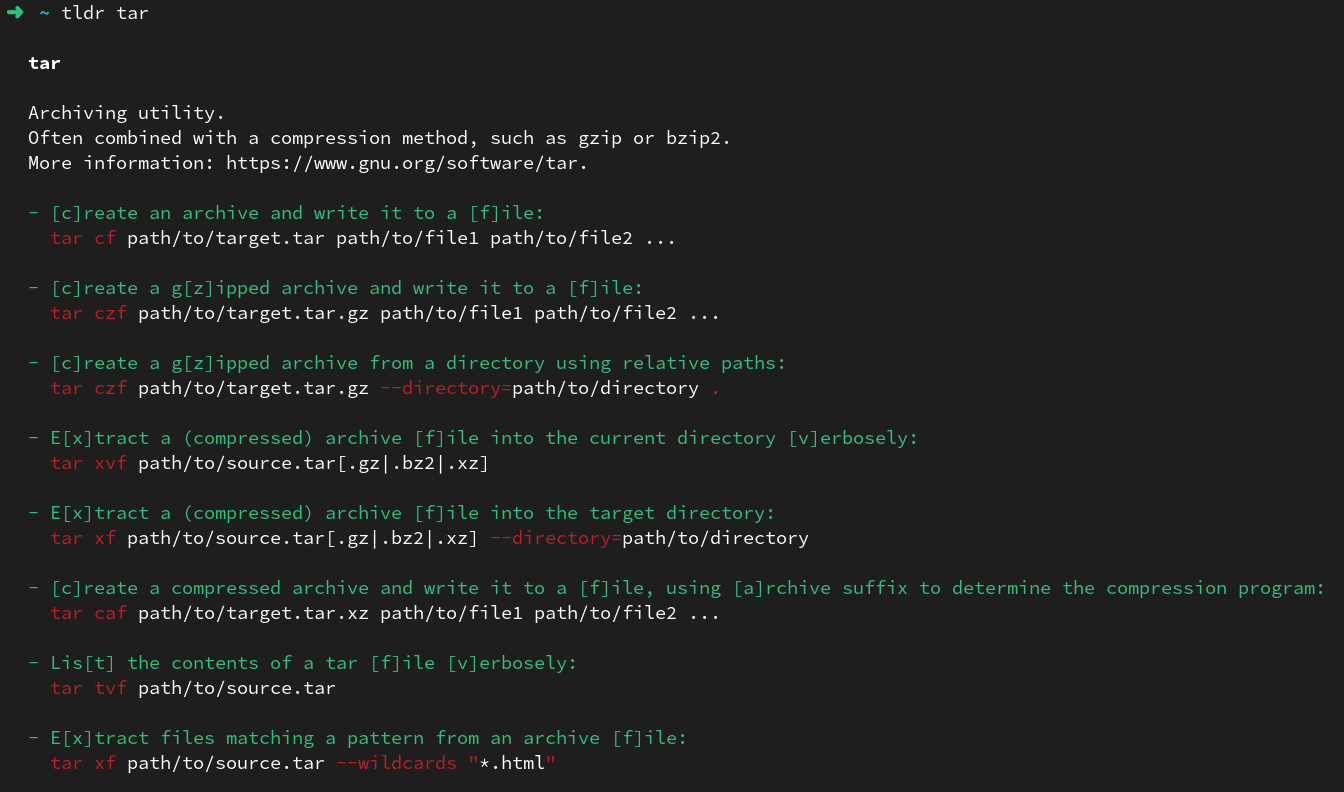
The tool operates through various clients that access a centralized database of command examples. Users can query specific commands like tldr tar to see common usage patterns with real examples, rather than comprehensive but often overwhelming manual pages. The database covers thousands of command-line tools across multiple operating systems and includes support for multiple languages through community translations.
Developers, system administrators, and anyone working with command-line interfaces can benefit from tldr's streamlined approach to command reference. The project offers official clients in Python, Rust, and Node.js, plus a web interface for browser-based access. All content is written in Markdown and maintained through GitHub, making it easy for users to contribute new pages or improve existing documentation.
Installation
# via pipx
pipx install tldr
# via Homebrew
brew install tlrc
# via Cargo
cargo install tlrc --locked
# via npm
npm install -g tldr
Alternatives & related tools
cheat.sh
Cheat sheet service queried with curl or the cht.sh client, covering 1000+ UNIX/Linux commands, 56 programming languages and several DBMSes.
gws
Command-line tool for Google Workspace APIs (Drive, Gmail, Calendar, Sheets, Chat) with commands built at runtime from Google's Discovery Service. JSON output.
glow
Terminal-based markdown reader with TUI browser and CLI formatter for local files and remote URLs
navi
Interactive cheatsheet tool that helps you browse, search, and execute CLI commands with dynamic argument suggestions
WTF
Terminal dashboard (wtfutil) that shows data from services like GitHub, Google Calendar, Trello and OpsGenie in configurable modules.
add a badge to your README
Maintain tldr? Show that it's featured on trmn. The badge links back to this page.

[](https://www.trmn.sh/tools/tldr?utm_source=badge)<a href="https://www.trmn.sh/tools/tldr?utm_source=badge"><img src="https://www.trmn.sh/badge/tldr.svg" alt="Featured on trmn" height="20"></a>