
WTF
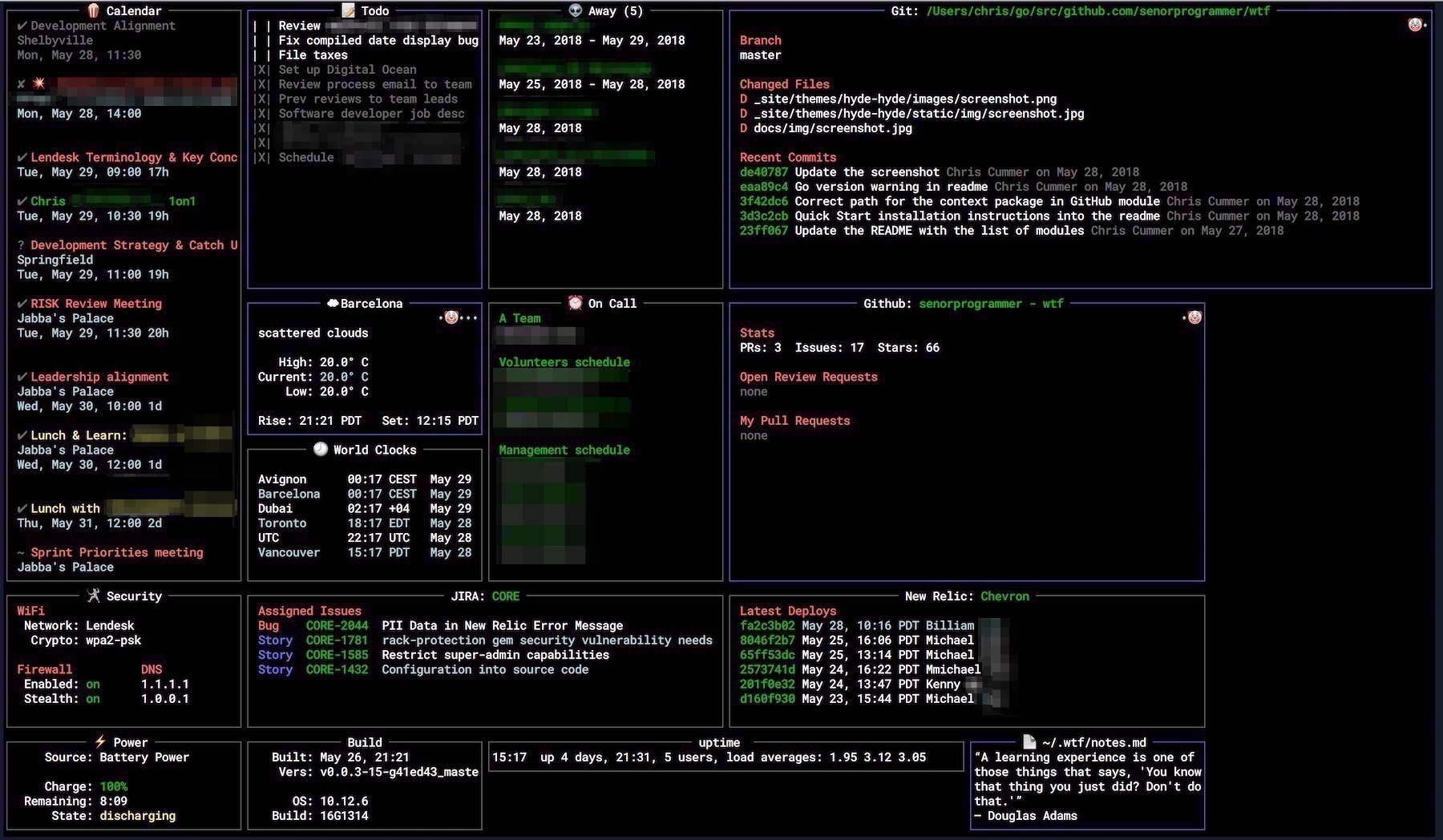
Terminal dashboard (wtfutil) that shows data from services like GitHub, Google Calendar, Trello and OpsGenie in configurable modules.
WTF (binary name wtfutil) is a personal information dashboard that runs in the terminal. It shows stats and data you check only occasionally, all in one screen. It is written in Go and built on tcell and tview. It was inspired by tiny-care-terminal.
The dashboard is assembled from modules. You enable and configure each module in a config.yml file. The README lists modules for DigitalOcean, GitHub, Google Calendar, HackerNews, Have I Been Pwned, NewRelic, OpsGenie, Security, Transmission and Trello. Each module has its own configuration documentation on wtfutil.com.
It is aimed at developers and other technical users who want a single terminal view of calendars, repositories, incident tools and similar services. It ships as a stand-alone binary. It can be installed through Homebrew, MacPorts, go install, the Arch User Repository, a downloaded release binary, or built from source. The README also has a section on running it via Docker.
The README notes that the project is being renamed to Tessera and moving to the linodians GitHub org ahead of v1.0. It also says maintenance is informal and done by volunteers.
Installation
# via Homebrew
brew install wtfutil
# via Go
go install github.com/wtfutil/wtf@latest
# via MacPorts
sudo port selfupdate
sudo port install wtfutil
Alternatives & related tools
cheat
CLI tool for creating and viewing interactive command-line cheatsheets with tagging and search capabilities
Slides
Terminal presentation tool that renders markdown files as slides, with in-slide code execution, pre-processing, live reload, and SSH serving.
gopass
Command-line password manager compatible with pass, supporting GPG encryption, Git versioning, and team collaboration
glow
Terminal-based markdown reader with TUI browser and CLI formatter for local files and remote URLs
Ticker
Terminal stock, crypto, and derivatives price watcher with position tracking, cost basis lots, currency conversion, and grouped watchlists.
add a badge to your README
Maintain WTF? Show that it's featured on trmn. The badge links back to this page.

[](https://www.trmn.sh/tools/wtf?utm_source=badge)<a href="https://www.trmn.sh/tools/wtf?utm_source=badge"><img src="https://www.trmn.sh/badge/wtf.svg" alt="Featured on trmn" height="20"></a>